Build Rails 8 API + React + Vite from Scratch – Part 2

For this specific project, I recommend a single Git repository containing two applications:

rails_react_user_management/
β”œβ”€β”€ backend/      # Rails API
└── frontend/     # React + Vite

This is cleaner than forcing Vite into Rails views because we explicitly want an API-only Rails backend. React’s current guidance supports using Vite as a build tool when building React from scratch, and Vite has a first-class Rails integration, but that integration is more useful when Rails is also serving the frontend. (React)

For our learning project, we’ll therefore keep the frontend and backend clearly separated while keeping them in one repo.

1. Prerequisites

Check:

ruby -v
rails -v
node -v
npm -v

Current Vite requires Node.js 20.19+ or 22.12+. (vitejs)


2. Create the Rails API

mkdir rails_react_user_management
cd rails_react_user_management

rails new backend --api -d postgresql
cd backend

The important part is:

--api

This tells Rails to create an API-only application rather than a traditional Rails application with views/assets. That’s exactly what we want.

Create the database:

bin/rails db:create

Start Rails:

bin/rails server

API:

http://localhost:3000

3. Create our User API

Let’s create a simple User model:

bin/rails generate model User name:string email:string
bin/rails db:migrate

Create controller:

bin/rails generate controller Users

app/controllers/users_controller.rb:

class UsersController < ApplicationController
  def index
    render json: User.all
  end

  def show
    render json: User.find(params[:id])
  end

  def create
    user = User.create!(user_params)
    render json: user, status: :created
  end

  private

  def user_params
    params.require(:user).permit(:name, :email)
  end
end

Routes:

# config/routes.rb

Rails.application.routes.draw do
  scope "/api" do
    resources :users
  end
end

Now:

curl http://localhost:3000/api/users

returns:

[]

Our backend is ready.


4. Create React + Vite frontend

Go back to the root:

cd ..

Create React using Vite:

npm create vite@latest frontend -- --template react
cd frontend
npm install

This creates:

frontend/
β”œβ”€β”€ src/
β”‚   β”œβ”€β”€ App.jsx
β”‚   └── main.jsx
β”œβ”€β”€ public/
β”œβ”€β”€ index.html
β”œβ”€β”€ package.json
└── vite.config.js

React’s documentation currently recommends a build tool such as Vite when building a React application from scratch and Create React App is deprecated. (React)


5. Start React

npm run dev

You should get:

http://localhost:5173

So now we have:

React/Vite
localhost:5173
↓ HTTP
Rails API
localhost:3000

6. Connect React to Rails

Modify:

// frontend/src/App.jsx

import { useEffect, useState } from "react";

function App() {
  const [users, setUsers] = useState([]);

  useEffect(() => {
    fetch("http://localhost:3000/api/users")
      .then(response => response.json())
      .then(data => setUsers(data));
  }, []);

  return (
    <div>
      <h1>Users</h1>

      {users.map(user => (
        <div key={user.id}>
          {user.name} - {user.email}
        </div>
      ))}
    </div>
  );
}

export default App;

But there’s an important issue here:

5173 β†’ 3000

The browser sees these as different origins, so we’ll eventually need CORS or a development proxy.

For development, I prefer the Vite proxy approach.

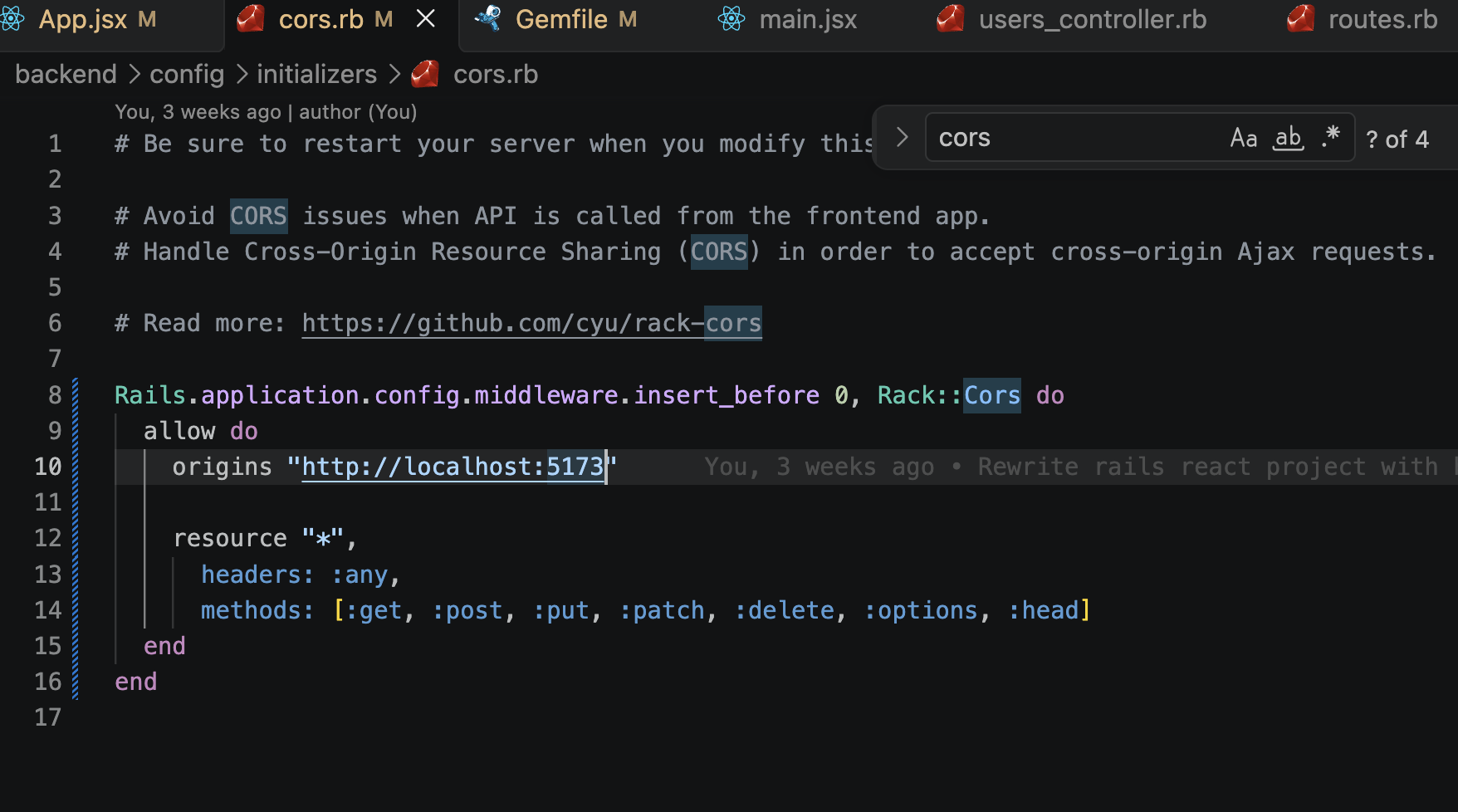
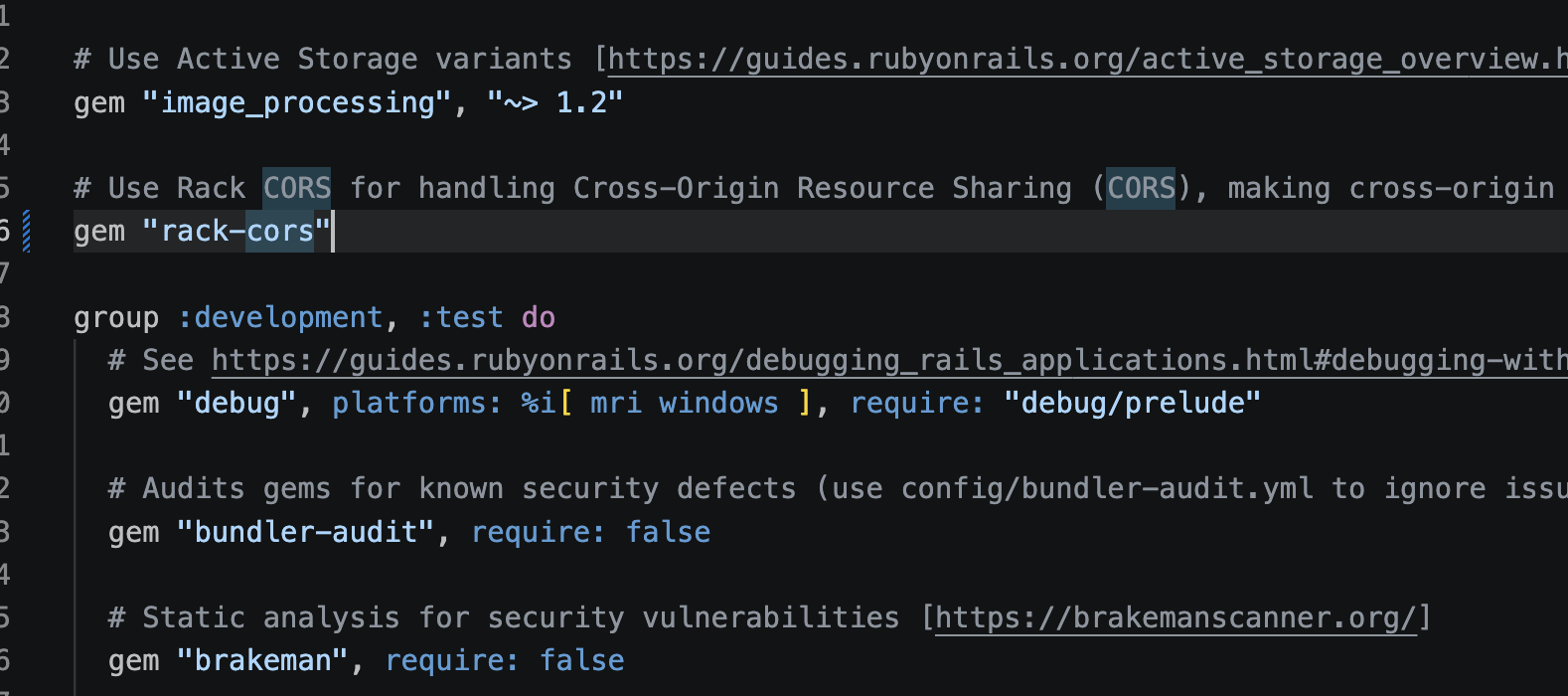
We can also configure cors from Rails end and make it work:

7. Configure Vite proxy

// frontend/vite.config.js

import { defineConfig } from "vite";
import react from "@vitejs/plugin-react";

export default defineConfig({
  plugins: [react()],

  server: {
    proxy: {
      "/api": "http://localhost:3000",
    },
  },
});

Now React can simply call:

fetch("/api/users")

instead of:

fetch("http://localhost:3000/api/users")

Vite receives:

GET /api/users

and proxies it to:

http://localhost:3000/api/users

So our architecture becomes:

Browser
   β”‚
   β–Ό
Vite :5173
   β”‚
   β”‚ /api/*
   β–Ό
Rails :3000
   β”‚
   β–Ό
PostgreSQL

8. Seed some users

Let’s add some data.

# backend/db/seeds.rb

User.create!([
  { name: "Abhilash", email: "abhilash@example.com" },
  { name: "John", email: "john@example.com" }
])

Run:

cd backend
bin/rails db:seed

Then:

curl http://localhost:3000/api/users

You should get:

[
  {
    "id": 1,
    "name": "Abhilash",
    "email": "abhilash@example.com"
  },
  {
    "id": 2,
    "name": "John",
    "email": "john@example.com"
  }
]

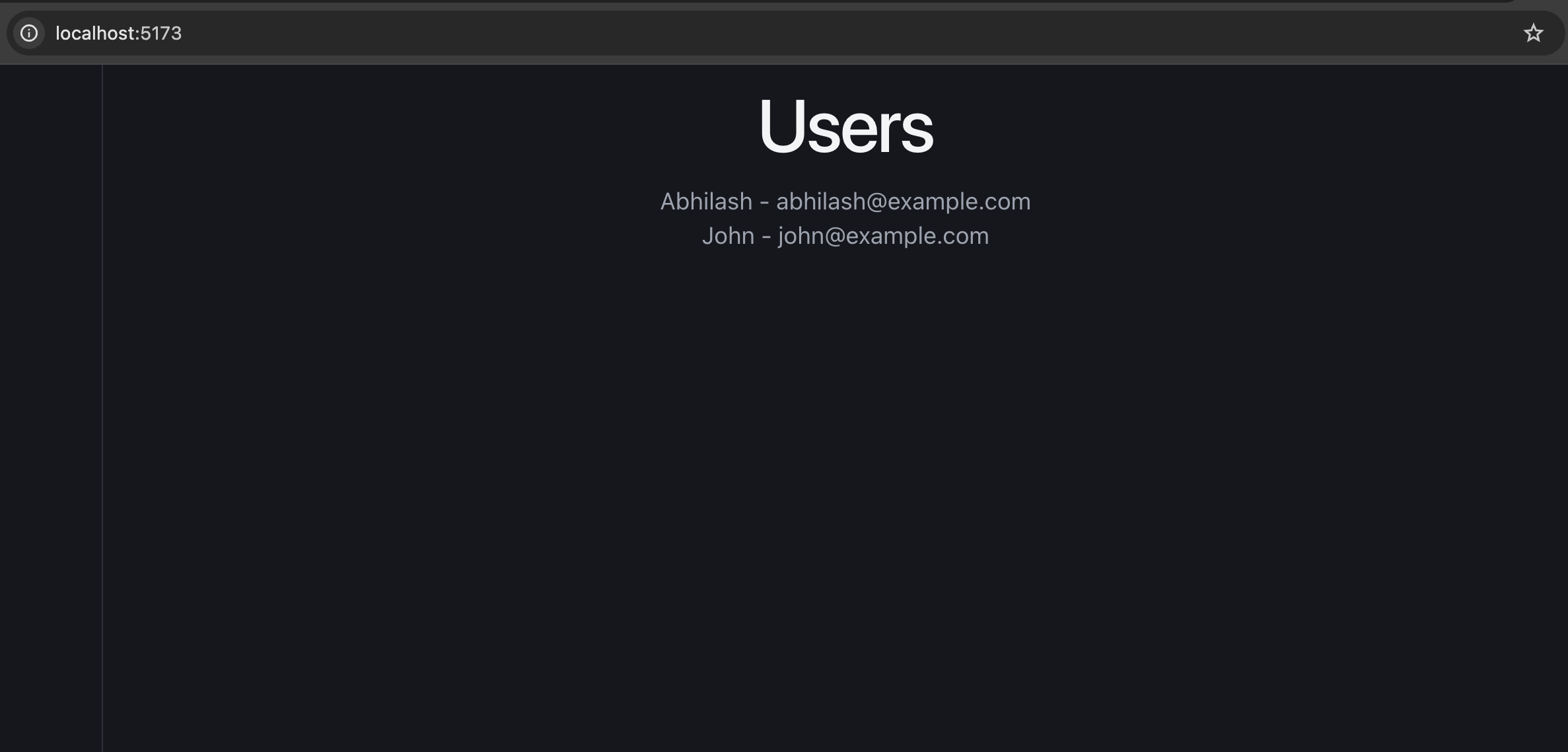
Refresh React:

http://localhost:5173

and the users should appear.

9. Final project structure

rails_react_user_management/
β”‚
β”œβ”€β”€ backend/
β”‚   β”œβ”€β”€ app/
β”‚   β”‚   β”œβ”€β”€ controllers/
β”‚   β”‚   β”‚   └── users_controller.rb
β”‚   β”‚   └── models/
β”‚   β”‚       └── user.rb
β”‚   β”‚
β”‚   β”œβ”€β”€ config/
β”‚   β”‚   └── routes.rb
β”‚   β”œβ”€β”€ db/
β”‚   └── Gemfile
β”‚
β”œβ”€β”€ frontend/
β”‚   β”œβ”€β”€ src/
β”‚   β”‚   β”œβ”€β”€ App.jsx
β”‚   β”‚   └── main.jsx
β”‚   β”œβ”€β”€ public/
β”‚   β”œβ”€β”€ package.json
β”‚   └── vite.config.js
β”‚
└── README.md

10. What we’re learning from this project

We’ll gradually turn this into a proper int.-ready application:

                    React
                      β”‚
             β”Œβ”€β”€β”€β”€β”€β”€β”€β”€β”΄β”€β”€β”€β”€β”€β”€β”€β”€β”
             β”‚                 β”‚
        Components          Hooks
             β”‚                 β”‚
             β””β”€β”€β”€β”€β”€β”€β”€β”€β”¬β”€β”€β”€β”€β”€β”€β”€β”€β”˜
                      β”‚
                 API calls
                      β”‚
                      β–Ό
                Rails API
                      β”‚
             β”Œβ”€β”€β”€β”€β”€β”€β”€β”€β”΄β”€β”€β”€β”€β”€β”€β”€β”€β”
             β”‚                 β”‚
        Controllers       Services
             β”‚                 β”‚
             β””β”€β”€β”€β”€β”€β”€β”€β”€β”¬β”€β”€β”€β”€β”€β”€β”€β”€β”˜
                      β”‚
                 ActiveRecord
                      β”‚
                      β–Ό
                  PostgreSQL

Then we’ll add React Router, reusable components, forms, CRUD, loading/error states, custom hooks, useContext, Redux Toolkit, API abstraction, authentication, pagination, optimistic updates, testing, and production deployment.

For the int., the important architectural distinction is:

Rails is the API/backend and React is the client application. Vite is the frontend development/build tool.

Vite provides the development server and production build pipeline; its current production build uses Rolldown and outputs optimized static assets. (vitejs)

Next, we should implement the actual User Management UI – User list + Add User + Edit + Delete – using proper React components and API calls, because that will give you the hands-on React knowledge needed for the int.

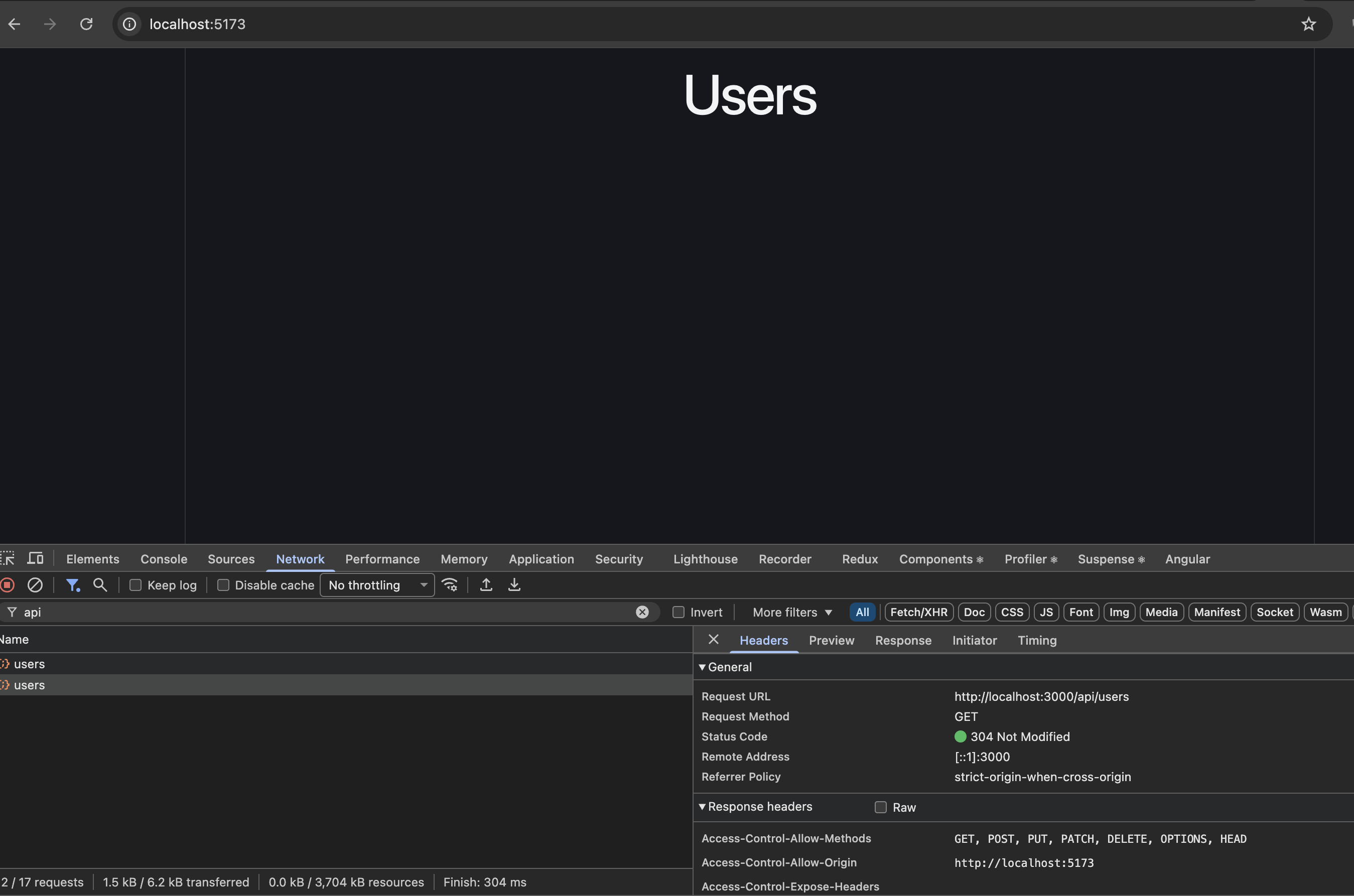
Q) The request inside the useEffect is firing 2 times.
App.jsx line 9: fetch("/api/users") Why?
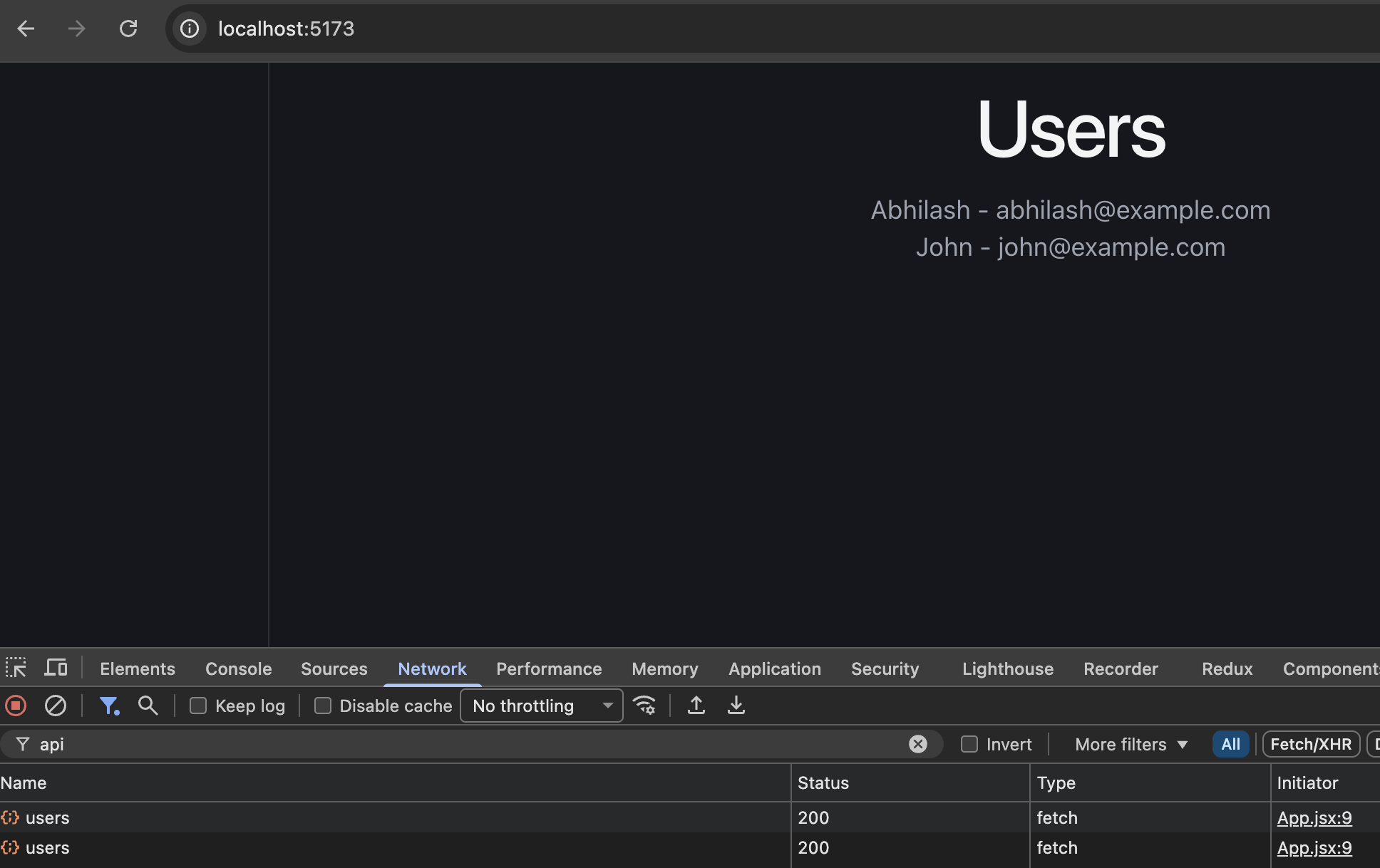
This is most likely happening because React StrictMode intentionally runs useEffect twice in development to help identify bugs in your components.

The above screenshot shows two successful GET /api/users requests, which matches this behavior.

1. Check main.jsx

Open frontend/src/main.jsx. The Vite React template typically wraps your app in StrictMode:

import { StrictMode } from "react";
import { createRoot } from "react-dom/client";
import App from "./App.jsx";

createRoot(document.getElementById("root")).render(
  <StrictMode>
    <App />
  </StrictMode>
);

Because of StrictMode, React performs an extra effect setup-and-cleanup cycle when mounting components in development.

our code:

useEffect(() => {
  fetch("/api/users")
    .then(response => response.json())
    .then(data => setUsers(data));
}, []);

Even though the dependency array is empty ([]), the effect runs twice during the initial development mount under StrictMode.

2. Does this happen in production?

No. React’s extra StrictMode effect cycle is development-only. A production build does not perform this extra cycle.

3. Int. takeaway

Remember these three points:

  • useEffect(..., []) normally runs on initial mount, not after every render.
  • StrictMode deliberately runs an extra effect setup-and-cleanup cycle in development.
  • Effects involving network requests should handle cleanup, errors, and cancellation where appropriate.

For our Rails + React application, keep StrictMode enabled. This behavior is expected during development and is not evidence that your Rails API or Vite proxy is incorrectly configured.

Guide: What is Vue.js? Vue.js BestΒ Practices | What is Vite βš‘?

Vue.js is a progressive JavaScript framework for building user interfaces and single-page applications, created by Evan You in 2014. Known for its gentle learning curve and developer-friendly approach, Vue combines the best aspects of React’s component-based architecture with Angular’s powerful templating system, while maintaining a smaller footprint and simpler syntax.

What makes Vue “progressive” is its incremental adoptability – you can start by sprinkling Vue into existing projects for small interactive components, or scale up to full-featured SPAs with routing, state management, and build tooling.

With its intuitive template syntax, reactive data binding, and excellent documentation, Vue has become the third pillar of modern frontend development alongside React and Angular, powering everything from small business websites to large-scale applications at companies like GitLab, Nintendo, and Adobe.

The framework’s philosophy of being approachable for beginners yet powerful for experts has earned it a passionate community and made it one of the most loved JavaScript frameworks, offering developers a perfect balance of simplicity, performance, and flexibility.

What We should do (Good)

  1. Single File Components: The template-script-style structure is correct and standard
  2. Component Decomposition: Split large component into smaller, focused ones
  3. Utility Extraction: Moved data generation to separate utility file
  4. Clear Separation: Each component has single responsibility

Β Additional Modularity Options:

  • Composables (Vue 3 specific):
// composables/useUsers.ts
export const useUsers = () => {
  const users = ref([])
  const loading = ref(false)
  
  const loadUsers = async () => { /* logic */ }
  
  return { users, loading, loadUsers }
}
  • External Stylesheets:
// composables/useUsers.ts
export const useUsers = () => {
  const users = ref([])
  const loading = ref(false)
  
  const loadUsers = async () => { /* logic */ }
  
  return { users, loading, loadUsers }
}
  • Shared Constants:
<style src="./UserCard.css" scoped></style>

Recommended Structure:

// constants/userConfig.ts
export const USER_NAMES = ['Alex', 'Taylor', ...]

Summary of Best Practices:

What We should Fix:

  1. Centralized Configuration: All settings in one place
  2. Environment Variables: Use VITE_ prefixed vars for Vite
  3. Type Safety: TypeScript definitions for env vars
  4. Fallback Values: Defaults if env vars aren’t set
  5. Single Source of Truth: One config module

πŸ“ File Structure:

src/
β”œβ”€β”€ config/
β”‚   β”œβ”€β”€ index.ts        # Main config
β”‚   └── api.ts          # API client config
β”œβ”€β”€ services/
β”‚   └── UserService.ts  # Uses config.api.baseUrl
└── .env.example        # Example env file

Β ToΒ Use DifferentΒ Environments:

Create different .env files:

  • .env.development
  • .env.staging
  • .env.production

πŸ’‘ Benefits:

  • βœ… Environment-specific URLs
  • βœ… No hardcoded values
  • βœ… Type-safe configuration
  • βœ… Easy to maintain
  • βœ… Supports CI/CD pipelines

This is now following industry best practices for configuration management!

Show dates alternatives

  1. Move to utils: Create utils/dateFormatter.ts for reuse across components
  2. Use a library: Like date-fns or dayjs for better date formatting
  3. Keep it simple: Just use new Date().toLocaleDateString() inline

This cleanup follows the DRY principle – remove unused code to keep the codebase clean!

What is this line about?

<script type="module" src="/src/main.ts"></script>

What it does:

  • Entry Point: This script tag tells the browser to load and execute /src/main.ts as the starting point of your application
  • ES Modules: type=”module” enables modern JavaScript module syntax (import/export)
  • Vite Development: During development, Vite serves this file directly with hot module replacement
  • Build Process: During production build, Vite bundles everything and replaces this with the compiled assets

What’s in main.ts:

index.html 
    ↓ (loads)
main.ts 
    ↓ (creates Vue app)
App.vue 
    ↓ (uses router)
Your Components

What main.ts does:

  1. Imports styles: import './assets/main.css'
  2. Creates Vue app: createApp(App)
  3. Adds router: app.use(router)
  4. Mounts to DOM: app.mount('#app') (attaches to <div id="app"> in index.html)

Why this approach:

  • βœ… Modern: Uses ES modules instead of old <script> tags
  • βœ… Fast: Vite’s dev server with hot reload
  • βœ… Bundled: Automatically optimized for production
  • βœ… TypeScript: Direct TypeScript support without compilation step

This is the standard Vite + Vue 3 setup – very clean and modern!

What is Vite?

Vite is a modern build tool and development server for frontend development.

https://vite.dev/

Vite (pronounced “veet”, French for “fast”) is:

  • A build tool created by Evan You (creator of Vue.js)
  • A development server with extremely fast hot module replacement (HMR)
  • A bundler that uses Rollup for production builds

Why Vite exists:

Problem with traditional tools:
Old way (Webpack, etc.):
Bundle everything β†’ Start dev server β†’ Slow startup (30-60s)
Change code β†’ Rebuild entire bundle β†’ Slow updates (5-10s)
Vite’s solution:
Vite way:
Start dev server instantly β†’ Serve modules directly β†’ Fast startup (<1s)
Change code β†’ Update only changed module β†’ Fast updates (<100ms)

How Vite works:

Development Mode:

  1. ES Modules: Serves files directly to browser using native ES modules
  2. No bundling: Browser loads modules on-demand
  3. Instant startup: No need to bundle before starting
  4. Fast HMR: Only updates changed modules

Production Mode:

  1. Rollup bundling: Creates optimized bundles
  2. Tree shaking: Removes unused code
  3. Code splitting: Splits into smaller chunks
  4. Minification: Compresses code

Vite vs Other Tools:

FeatureViteWebpackParcel
Dev startup< 1s30-60s10-20s
HMR speed< 100ms1-5s1-3s
Bundle sizeSmallMediumMedium
ConfigurationMinimalComplexZero-config

Your Project Structure:

user-management-ui/          # Vite project root
β”œβ”€β”€ index.html              # Entry HTML (Vite serves this)
β”œβ”€β”€ vite.config.ts          # Vite configuration
β”œβ”€β”€ package.json            # Dependencies & scripts
β”œβ”€β”€ src/
β”‚   β”œβ”€β”€ main.ts            # App entry point
β”‚   β”œβ”€β”€ App.vue            # Root component
β”‚   └── components/        # Vue components
└── dist/                  # Built files (after npm run build)

Vite Configuration:

Your Vite Setup:
  1. Vue Plugin: vue() – Handles .vue files
  2. DevTools: vueDevTools() – Vue debugging tools
  3. Alias: @ points to src/ folder (that’s why you can import from '@/types/user')

Vite Commands:

npm run dev     # Start development server (fast)
npm run build   # Build for production (optimized)
npm run preview # Preview production build locally

Benefits for your project:

βœ… Fast Development: Instant server start, fast updates

βœ… Vue Support: Built-in .vue file handling

βœ… TypeScript: Native TypeScript support

βœ… Hot Reload: Changes appear instantly

βœ… Modern: Uses latest web standards

βœ… Small Bundle: Optimized production builds

Why choose Vite over alternatives:

  • Speed: 10-100x faster than Webpack in development
  • Simplicity: Minimal configuration needed
  • Modern: Uses native ES modules
  • Popular: Adopted by Vue, React, Svelte communities
  • Maintained: Actively developed by Vue team

Vite has been massively adopted across the frontend ecosystem! Here are the major users:

πŸ—οΈ Frontend Frameworks

Official Support:

  • Vue 3 – Vite is the default build tool
  • React – create-vite templates available
  • Svelte – SvelteKit uses Vite
  • Solid.js – Official Vite integration
  • Lit – Web Components framework
  • Preact – Lightweight React alternative

MajorΒ CompaniesΒ & Products

Tech Giants:

  • Google – Uses Vite for internal projects
  • Shopify – Hydrogen (React framework)
  • GitLab – Frontend build tooling
  • Alibaba – Various frontend projects
  • ByteDance – Internal tooling

Popular Tools & Platforms:

  • Storybook – Component development
  • Vitest – Testing framework (built by Vite team)
  • Nuxt 3 – Vue.js framework
  • SvelteKit – Svelte’s app framework
  • Astro – Static site generator
  • Fresh – Deno’s web framework

πŸ“Š Framework Templates

When you create new projects:

# React
npm create vite@latest my-react-app -- --template react-ts

# Vue  
npm create vue@latest my-vue-app

# Svelte
npm create svelte@latest my-svelte-app

# Solid
npm create solid@latest my-solid-app

🏒 Enterprise Adoption

Startups to Fortune 500:

  • Stripe – Payment processing UI
  • Discord – Web client components
  • Notion – Web application parts
  • Linear – Project management tool
  • Vercel – Frontend development platform
  • Netlify – JAMstack platform

πŸ“ˆ Usage Statistics (2024)

  • NPM Downloads: 30+ million/month
  • GitHub Stars: 65,000+
  • Community: 400+ contributors
  • Framework Support: 20+ official templates

πŸ”§ Meta-Frameworks Using Vite

Nuxt 3      β†’ Vue + Vite
SvelteKit   β†’ Svelte + Vite  
SolidStart  β†’ Solid + Vite
Astro       β†’ Multi-framework + Vite
Qwik City   β†’ Qwik + Vite

πŸ’Ό Why Companies Choose Vite

  1. Developer Experience: 10-100x faster development
  2. Performance: Smaller bundles, faster builds
  3. Modern: Native ES modules, latest standards
  4. Flexibility: Works with any framework
  5. Maintenance: Actively maintained by Evan You’s team
  6. Ecosystem: Rich plugin ecosystem