
For this specific project, I recommend a single Git repository containing two applications:
rails_react_user_management/
├── backend/      # Rails API
└── frontend/     # React + Vite
This is cleaner than forcing Vite into Rails views because we explicitly want an API-only Rails backend. React’s current guidance supports using Vite as a build tool when building React from scratch, and Vite has a first-class Rails integration, but that integration is more useful when Rails is also serving the frontend. (React)
For our learning project, we’ll therefore keep the frontend and backend clearly separated while keeping them in one repo.
1. Prerequisites
Check:
ruby -v
rails -v
node -v
npm -v
Current Vite requires Node.js 20.19+ or 22.12+. (vitejs)
2. Create the Rails API
mkdir rails_react_user_management
cd rails_react_user_management

rails new backend --api -d postgresql
cd backend
The important part is:
--api
This tells Rails to create an API-only application rather than a traditional Rails application with views/assets. That’s exactly what we want.
Create the database:
bin/rails db:create
Start Rails:
bin/rails server
API:
http://localhost:3000
3. Create our User API
Let’s create a simple User model:
bin/rails generate model User name:string email:string
bin/rails db:migrate
Create controller:
bin/rails generate controller Users
app/controllers/users_controller.rb:
class UsersController < ApplicationController
  def index
    render json: User.all
  end

  def show
    render json: User.find(params[:id])
  end

  def create
    user = User.create!(user_params)
    render json: user, status: :created
  end

  private

  def user_params
    params.require(:user).permit(:name, :email)
  end
end
Routes:
# config/routes.rb

Rails.application.routes.draw do
  scope "/api" do
    resources :users
  end
end
Now:
curl http://localhost:3000/api/users
returns:
[]
Our backend is ready.
4. Create React + Vite frontend
Go back to the root:
cd ..
Create React using Vite:
npm create vite@latest frontend -- --template react
cd frontend
npm install
This creates:
frontend/
├── src/
│   ├── App.jsx
│   └── main.jsx
├── public/
├── index.html
├── package.json
└── vite.config.js
React’s documentation currently recommends a build tool such as Vite when building a React application from scratch and Create React App is deprecated. (React)
5. Start React
npm run dev
You should get:
http://localhost:5173
So now we have:
React/Vitelocalhost:5173 ↓ HTTPRails APIlocalhost:3000
6. Connect React to Rails
Modify:
// frontend/src/App.jsx

import { useEffect, useState } from "react";

function App() {
  const [users, setUsers] = useState([]);

  useEffect(() => {
    fetch("http://localhost:3000/api/users")
      .then(response => response.json())
      .then(data => setUsers(data));
  }, []);

  return (
    <div>
      <h1>Users</h1>

      {users.map(user => (
        <div key={user.id}>
          {user.name} - {user.email}
        </div>
      ))}
    </div>
  );
}

export default App;
But there’s an important issue here:
5173 → 3000
The browser sees these as different origins, so we’ll eventually need CORS or a development proxy.
For development, I prefer the Vite proxy approach.
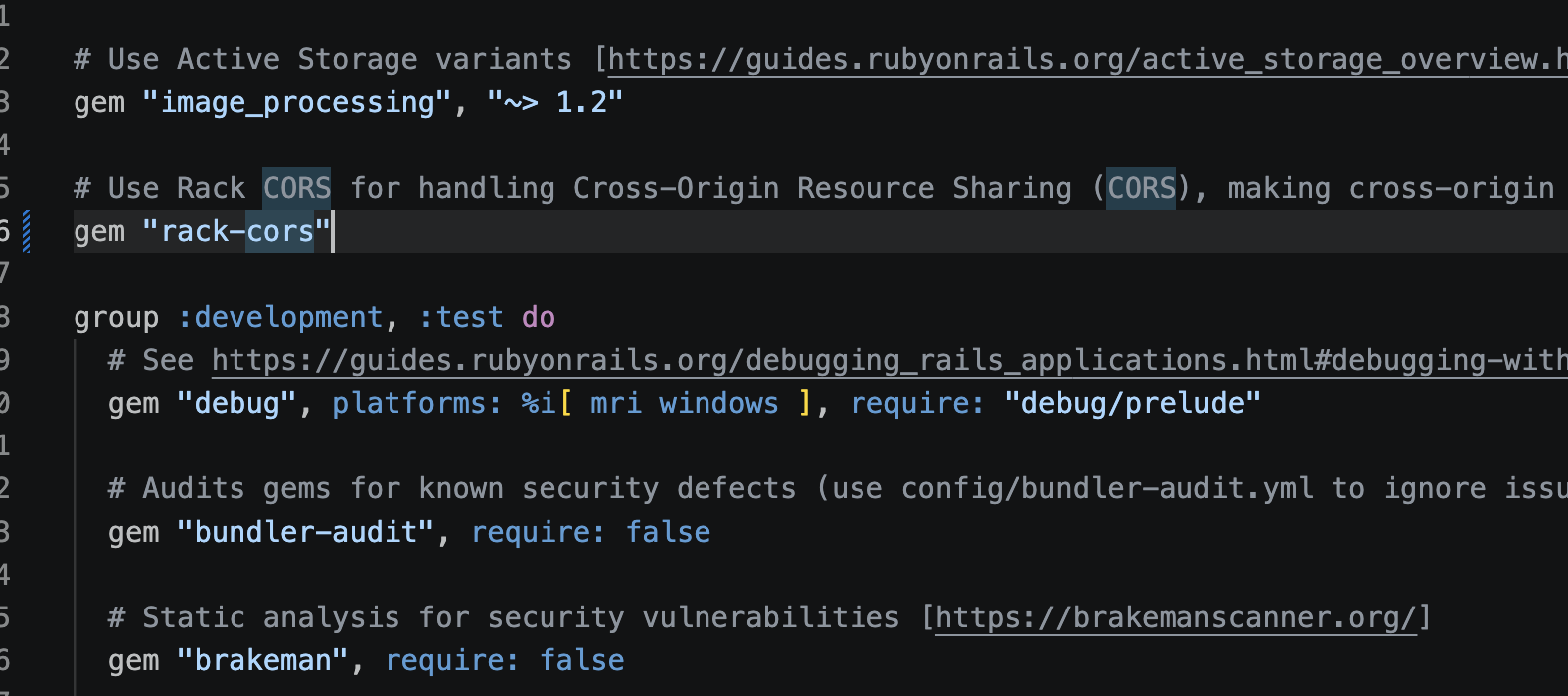
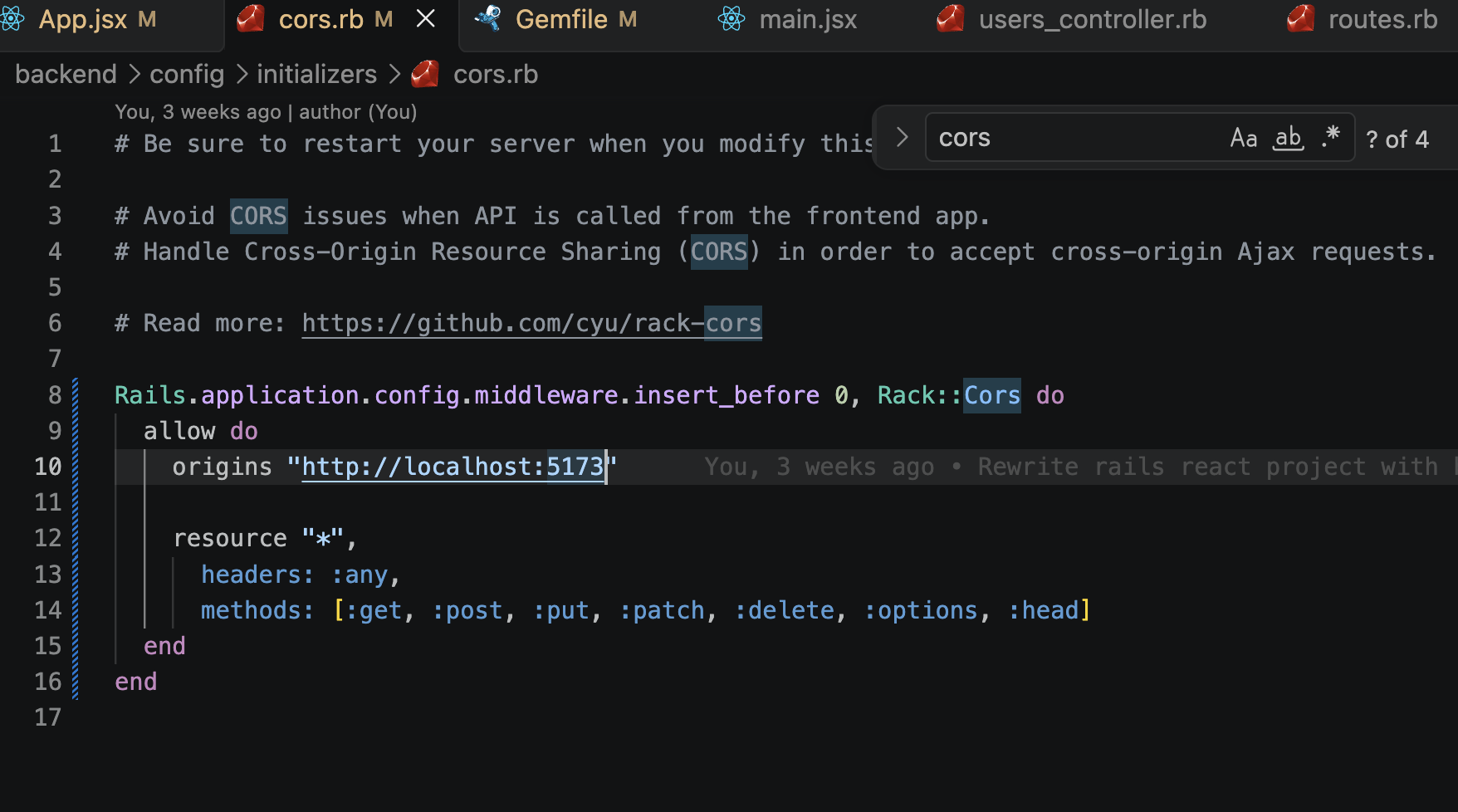
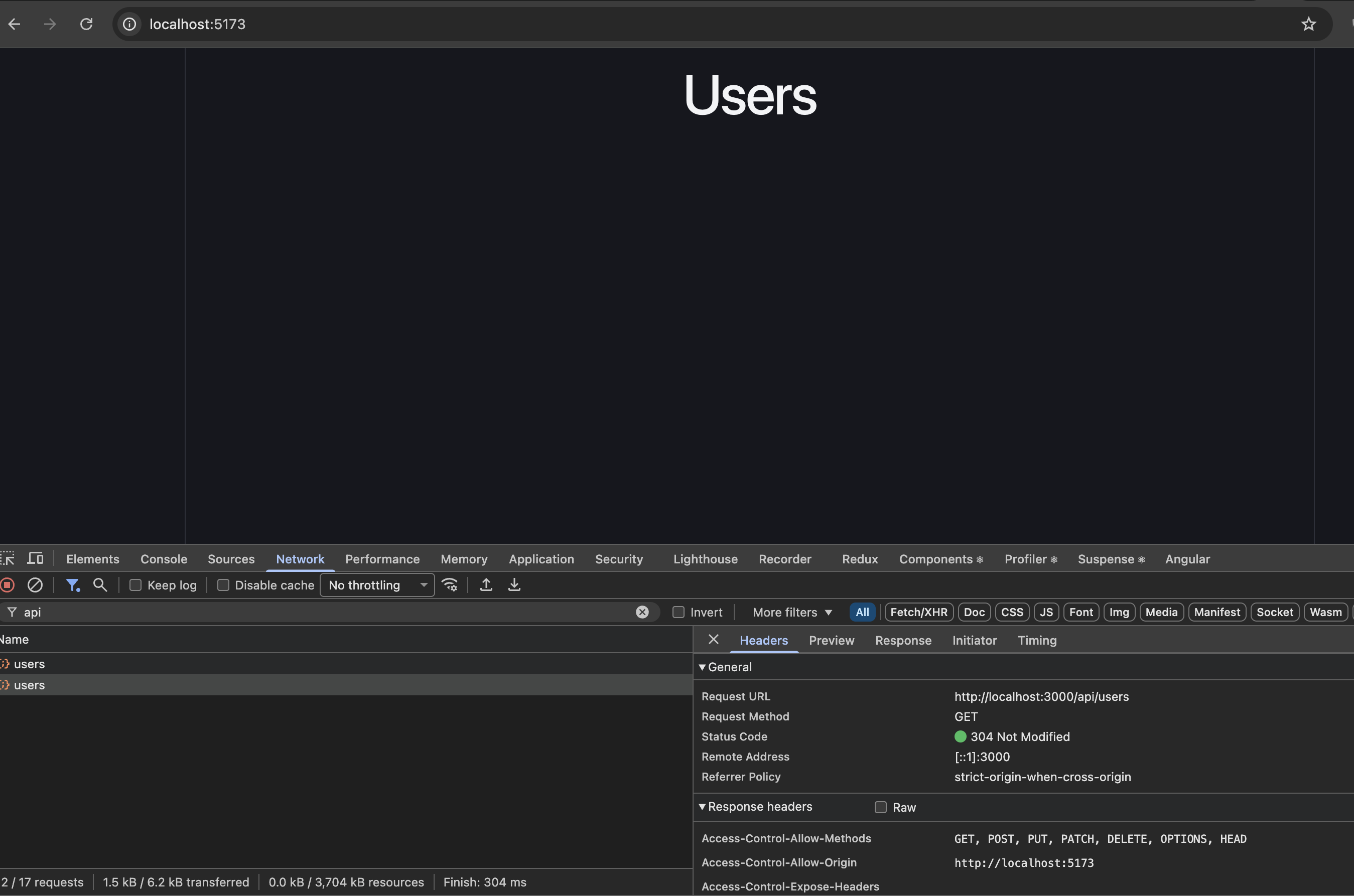
We can also configure cors from Rails end and make it work:
7. Configure Vite proxy
// frontend/vite.config.js

import { defineConfig } from "vite";
import react from "@vitejs/plugin-react";

export default defineConfig({
  plugins: [react()],

  server: {
    proxy: {
      "/api": "http://localhost:3000",
    },
  },
});
Now React can simply call:
fetch("/api/users")
instead of:
fetch("http://localhost:3000/api/users")
Vite receives:
GET /api/users
and proxies it to:
http://localhost:3000/api/users
So our architecture becomes:
Browser
   │
   ▼
Vite :5173
   │
   │ /api/*
   ▼
Rails :3000
   │
   ▼
PostgreSQL
8. Seed some users
Let’s add some data.
# backend/db/seeds.rb

User.create!([
  { name: "Abhilash", email: "abhilash@example.com" },
  { name: "John", email: "john@example.com" }
])
Run:
cd backendbin/rails db:seed
Then:
curl http://localhost:3000/api/users
You should get:
[
  {
    "id": 1,
    "name": "Abhilash",
    "email": "abhilash@example.com"
  },
  {
    "id": 2,
    "name": "John",
    "email": "john@example.com"
  }
]
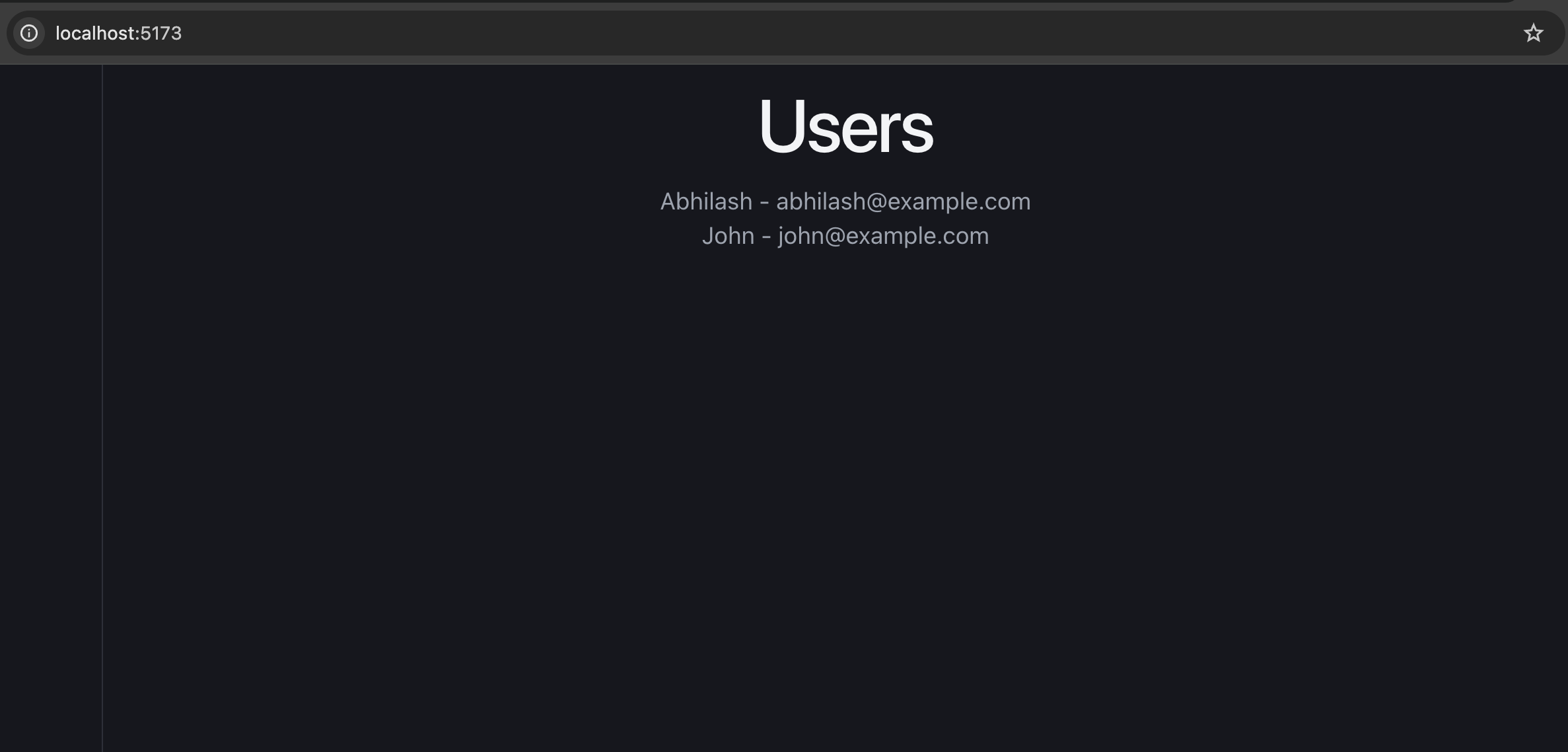
Refresh React:
http://localhost:5173
and the users should appear.
9. Final project structure
rails_react_user_management/
│
├── backend/
│   ├── app/
│   │   ├── controllers/
│   │   │   └── users_controller.rb
│   │   └── models/
│   │       └── user.rb
│   │
│   ├── config/
│   │   └── routes.rb
│   ├── db/
│   └── Gemfile
│
├── frontend/
│   ├── src/
│   │   ├── App.jsx
│   │   └── main.jsx
│   ├── public/
│   ├── package.json
│   └── vite.config.js
│
└── README.md
10. What we’re learning from this project
We’ll gradually turn this into a proper int.-ready application:
                    React
                      │
             ┌────────┴────────┐
             │                 │
        Components          Hooks
             │                 │
             └────────┬────────┘
                      │
                 API calls
                      │
                      ▼
                Rails API
                      │
             ┌────────┴────────┐
             │                 │
        Controllers       Services
             │                 │
             └────────┬────────┘
                      │
                 ActiveRecord
                      │
                      ▼
                  PostgreSQL
Then we’ll add React Router, reusable components, forms, CRUD, loading/error states, custom hooks, useContext, Redux Toolkit, API abstraction, authentication, pagination, optimistic updates, testing, and production deployment.
For the int., the important architectural distinction is:
Rails is the API/backend and React is the client application. Vite is the frontend development/build tool.
Vite provides the development server and production build pipeline; its current production build uses Rolldown and outputs optimized static assets. (vitejs)
Next, we should implement the actual User Management UI – User list + Add User + Edit + Delete – using proper React components and API calls, because that will give you the hands-on React knowledge needed for the int.
Q) The request inside the useEffect is firing 2 times.
App.jsx line 9: fetch("/api/users") Why?
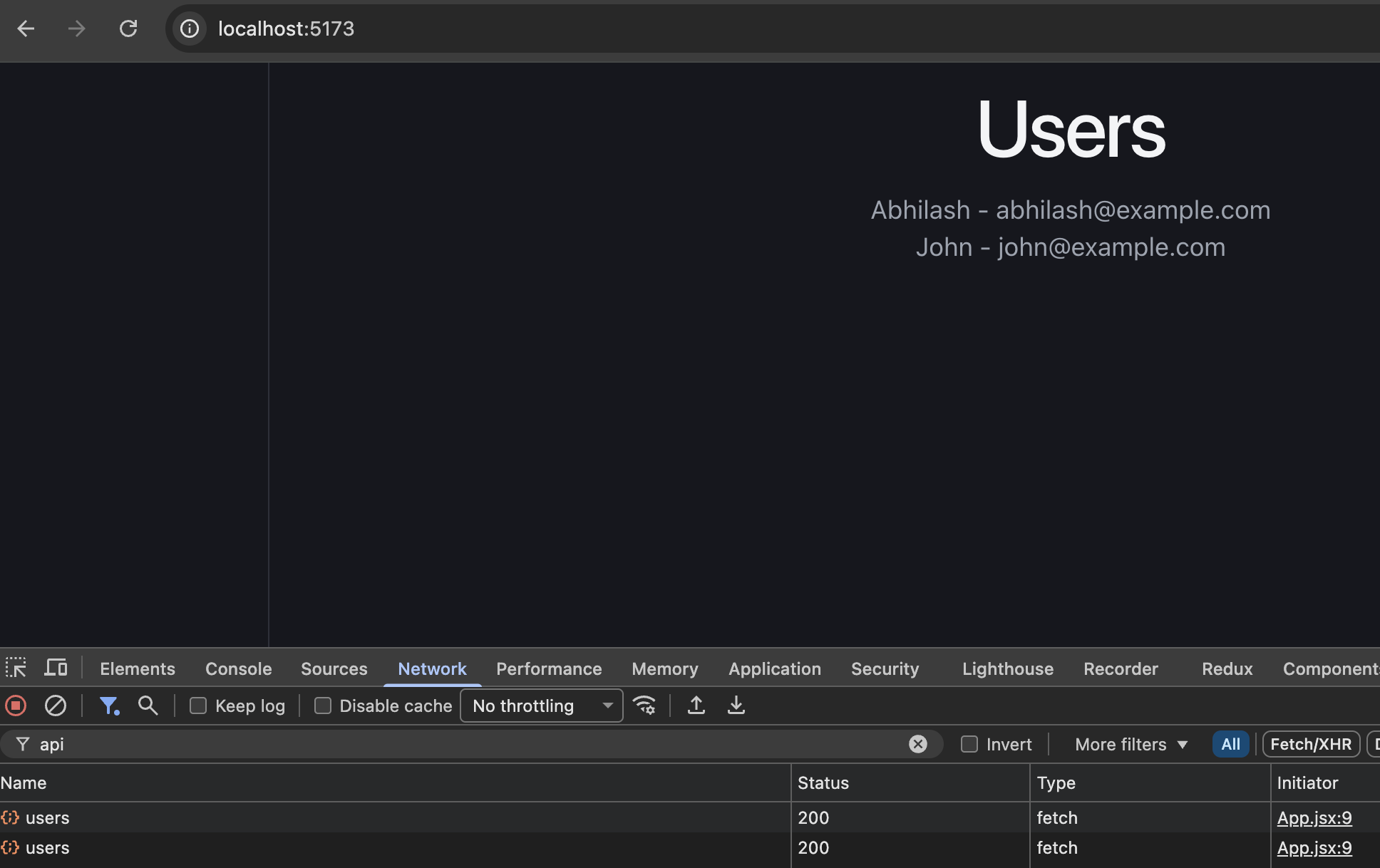
This is most likely happening because React StrictMode intentionally runs useEffect twice in development to help identify bugs in your components.
The above screenshot shows two successful GET /api/users requests, which matches this behavior.
1. Check main.jsx
Open frontend/src/main.jsx. The Vite React template typically wraps your app in StrictMode:
import { StrictMode } from "react";
import { createRoot } from "react-dom/client";
import App from "./App.jsx";

createRoot(document.getElementById("root")).render(
  <StrictMode>
    <App />
  </StrictMode>
);
Because of StrictMode, React performs an extra effect setup-and-cleanup cycle when mounting components in development.
our code:
useEffect(() => {
  fetch("/api/users")
    .then(response => response.json())
    .then(data => setUsers(data));
}, []);
Even though the dependency array is empty ([]), the effect runs twice during the initial development mount under StrictMode.
2. Does this happen in production?
No. React’s extra StrictMode effect cycle is development-only. A production build does not perform this extra cycle.
3. Int. takeaway
Remember these three points:
useEffect(..., [])normally runs on initial mount, not after every render.StrictModedeliberately runs an extra effect setup-and-cleanup cycle in development.- Effects involving network requests should handle cleanup, errors, and cancellation where appropriate.
For our Rails + React application, keep StrictMode enabled. This behavior is expected during development and is not evidence that your Rails API or Vite proxy is incorrectly configured.


