Hi, I’m Abhilash! A seasoned web developer with 15 years of experience specializing in Ruby and Ruby on Rails. Since 2010, I’ve built scalable, robust web applications and worked with frameworks like Angular, Sinatra, Laravel, Node.js, Vue and React.
Passionate about clean, maintainable code and continuous learning, I share insights, tutorials, and experiences here. Let’s explore the ever-evolving world of web development together!
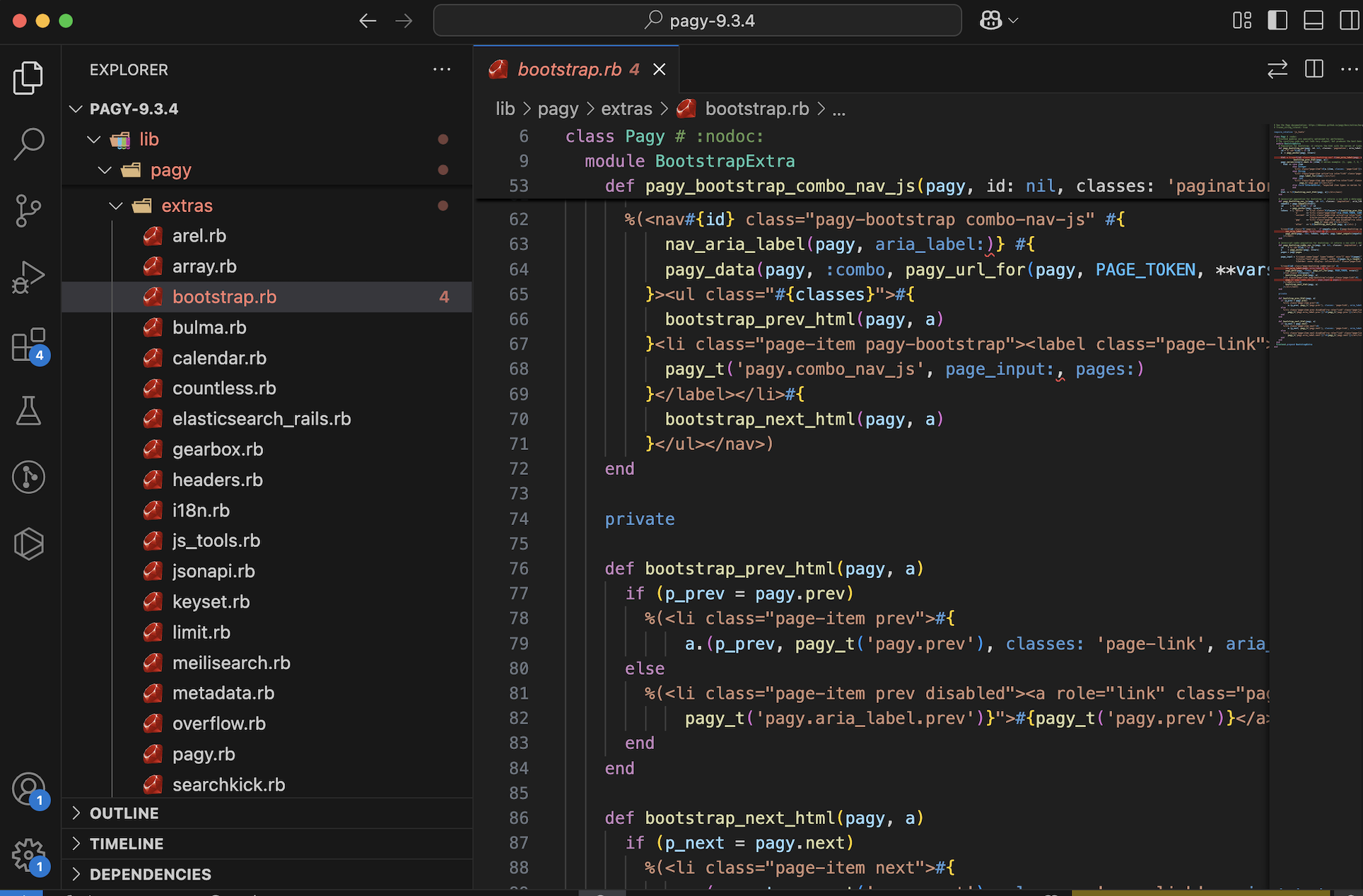
You can see that in the query Tab in Debugbar, select * from products query has been replaced with limit query. But this is not the case where you go through the entire thousand hundreds of products, for example searching. We can think of view caching and SQL indexing for such a situation.
As Rails developers, we’ve all been there – your application starts slowing down as data grows, pages take longer to load, and memory usage spikes. Before you blame Rails itself or consider rewriting your entire application, you should profile your app to understand what’s really happening behind the scenes.
Most of the time, the issue lies in how the app is written: unnecessary SQL queries, excessive object allocations, or inefficient code patterns. Before you think about rewriting your app or switching frameworks, profile it.
That’s where Rails Debugbar shines— It helps you identify bottlenecks like slow database queries, excessive object allocations, and memory leaks – all from a convenient toolbar at the bottom of your development environment.
🤔 What is Rails Debugbar?
Rails Debugbar is a browser-integrated dev tool that adds a neat, powerful panel at the bottom of your app in development. It helps you answer questions like:
How long is a request taking?
How many SQL queries are being executed?
How many Ruby objects are being allocated?
Which parts of my code are slow?
It’s like a surgeon’s X-ray for your app—giving you visibility into internals without needing to dig into logs or guess. Get a better understanding of your application performance and behavior (SQL queries, jobs, cache, routes, logs, etc)
⚙️ Installation & Setup (Rails 8)
Prerequisites
Ruby on Rails 5.2+ (works perfectly with Rails 8)
A Ruby version supported by your Rails version
1. Add it to your Gemfile:
group :development do
  gem 'debugbar'
end
Then run:
bundle install
2. Add the Debugbar layout helpers in your application layout:
In app/views/layouts/application.html.erb, just before the closing </head> and </body> tags:
<%= debugbar_head if defined?(Debugbar) %>
...
<%= debugbar_body if defined?(Debugbar) %>
That’s it! When you restart your server, you’ll see a sleek Debugbar docked at the bottom of the screen.
You can see ActionCable interacting with debugbar_channel in logs:
Rails Debugbar includes several tabs. Let’s go through the most useful ones—with real-world examples of how to interpret and improve performance using the data.
1. Queries Tab
This tab shows all SQL queries executed during the request, including their duration in milliseconds.
Example:
You see this in the Queries tab:
SELECT * FROM users WHERE email = 'test@example.com'  (15ms)
SELECT * FROM products WHERE user_id = 1                 (20ms)
SELECT * FROM comments WHERE product_id IN (...)         (150ms)
You realize:
The third query is taking 10x more time.
You’re not using eager loading, and it’s triggering N+1 queries.
This loads the comments in a single query, reducing load time and object allocation.
2. Timeline Tab
Gives you a timeline breakdown of how long each part of the request takes—view rendering, database, middleware, etc.
Example:
You notice that rendering a partial takes 120ms, way more than expected.
<%= render 'shared/sidebar' %>
How to Fix:
Check the partial for:
Heavy loops or database calls
Uncached helper methods
Move the partial to use a fragment cache:
<% cache('sidebar') do %>
  <%= render 'shared/sidebar' %>
<% end %>
Another Example Problem: If you notice view rendering takes 800ms for a simple page.
Solution: Investigate partials being rendered. You might be:
Rendering unnecessary partials
Using complex helpers in views
Need to implement caching
# Before
<%= render @products %> # Renders _product.html.erb for each

# After (with caching)
<% @products.each do |product| %>
  <% cache product do %>
    <%= render product %>
  <% end %>
<% end %>
3. Memory Tab
Tracks memory usage and object allocations per request.
Example:
You load a dashboard page and see 25,000+ objects allocated. Yikes.
Dig into the view and see:
<% User.all.each do |user| %>
  ...
<% end %>
That’s loading all users into memory.
How to Fix:
Use pagination or lazy loading:
@users = User.page(params[:page]).per(20)
Now the object count drops dramatically.
4. Environment & Request Info
See request parameters, environment variables, session data, and headers.
Example:
You’re debugging an API endpoint and want to confirm the incoming headers or params—Debugbar shows them neatly in this tab.
It can help identify:
Wrong content-type headers
CSRF issues
Auth headers or missing cookies
💡 Debugbar Best Practices
Use it early: Don’t wait until your app is slow—profile as you build.
Watch out for hidden N+1 in associations, partials, or background jobs.
Keep an eye on object counts to reduce memory pressure in production.
Use fragment and Russian doll caching where needed, based on render timelines.
Regularly review slow pages with Debugbar open—it’s a development-time lifesaver.
💭 Final Thoughts
Rails Debugbar offers an easy, visual way to profile and optimize your Rails 8 app. Whether you’re debugging a slow page, inspecting a query storm, or chasing down memory leaks, this tool gives you insight without friction.
So before you overhaul your architecture or blame Rails, fire up Debugbar—and fix the real issues.
Rack provides a minimal, modular, and adaptable interface for developing web applications in Ruby. By wrapping HTTP requests and responses in the simplest way possible, it unifies and distills the bridge between web servers, web frameworks, and web application into a single method call.
Where is it used?
Rails (built on Rack)
Sinatra and Hanami
Middleware development
What is a Rack-Based Application?
A Rack-based application is any Ruby web application that implements the Rack interface. This means the app must follow Rack’s simple calling convention:
app = Proc.new do |env|
  ['200', { 'Content-Type' => 'text/html' }, ['Hello, Rack!']]
end
This returns an array of three elements:
HTTP status code ('200')
Headers ({ 'Content-Type' => 'text/html' })
Response body (['Hello, Rack!'])
Example: Basic Rack Application
require 'rack'

app = Proc.new do |env|
  ['200', { 'Content-Type' => 'text/html' }, ['Hello, Rack!']]
end

Rack::Handler::WEBrick.run app, Port: 9292
Run it with:
ruby my_rack_app.rb
Open http://localhost:9292 in your browser.
Does Rails Use Rack?
Yes, Rails uses Rack. Rack serves as the interface between Rails and web servers like Puma or WEBrick.
How Rails Uses Rack
When a request comes in:
The web server (Puma/WEBrick) receives it.
The server passes the request to Rack.
Rack processes the request and sends it through Rails middleware.
After passing through the middleware stack, Rails’ router (ActionDispatch) decides which controller/action should handle the request.
The response is generated, sent back through Rack, and returned to the web server.
Check /design_studio/config.ru file in our Rails 8 app is responsible for starting the server.
You can actually run a Rails app using just Rack!
Create a config.ru file / use existing one:
require_relative 'config/environment'
run Rails.application
Run it using Rack:
rackup -p 4343

open http://localhost:4343/products
This runs your Rails app without Puma or WEBrick, proving Rails works via Rack.
Is Rack a Server?
No, Rack is not a server. Instead, Rack is a middleware interface that sits between the web server (like Puma or WEBrick) and your Ruby application (like Rails or Sinatra).
How Does Rack Fit with Web Servers Like Puma and WEBrick?
Puma and WEBrick support Rack by implementing the Rack::Handler interface, allowing them to serve any Rack-based application, such as Rails and Sinatra.
Puma and WEBrick are not built “on top of” Rack—they are independent web servers.
However, they implement Rack::Handler, which means they support Rack applications.
This allows them to serve Rails, Sinatra, and other Rack-based applications.
The Relationship Between Rack, Web Servers, and Rails
Rack provides a standard API for handling HTTP requests and responses.
Web servers (Puma, WEBrick, etc.) implement Rack::Handler so they can run any Rack-based app.
Rails supports Rack by implementing the Rack interface, allowing it to interact with web servers and middleware.
How Rails Supports Rack
Rack Middleware: Rails includes middleware components that process requests before they reach controllers.
Rack Interface: Rails applications can be run using config.ru, which follows the Rack convention.
Web Server Communication: Rails works with Rack-compatible servers like Puma and WEBrick.
Illustration of How a Request Flows
The browser sends a request to the server (Puma/WEBrick).
The server passes the request to Rack.
Rack processes the request (passing it through middleware).
Rails handles the request and generates a response.
The response goes back through Rack and is sent to the server, which then passes it to the browser.
So, while Rack is not a server, it allows web servers to communicate with Ruby web applications like Rails.
Adding Middleware in a Rails 8 App
Middleware is a way to process requests before they reach your Rails application.
How Does Middleware Fit In?
Middleware in Rails is just a Rack application that modifies requests/responses before they reach the main Rails app.
Example: Custom Middleware
Create a new file in app/middleware/my_middleware.rb:
class MyMiddleware
  def initialize(app)
    @app = app
  end

  def call(env)
    status, headers, body = @app.call(env)
    body = ["Custom Middleware: "] + body
    [status, headers, body]
  end
end
Now, add it to Rails in config/application.rb:
config.middleware.use MyMiddleware
Restart your Rails server, and all responses will be prefixed with Custom Middleware:
In Git, HEAD is a pointer to the latest commit in the current branch. It tells Git which commit you’re currently working on.
Types of HEAD States:
Normal (Attached HEAD) When HEAD points to the latest commit in a branch, it’s called an attached HEAD.
# show commits in single line with message
git log --oneline --graph

* 07cf493 (HEAD -> main, origin/main) feat: Implement tailwind css to product pages
* c3ee7d4 feat: Add images to products
* e342472 feat: Install tailwind css
* 40fc222 first commit
Detached HEAD If you check out a specific commit (not a branch), HEAD becomes detached.
✗ git checkout c242462
# undo detached HEAD
✗ git switch -

# or go back to main
✗ git checkout main
Common HEAD Uses in Commands
Reset Last Commit (Undo Latest Commit, Keep Changes)
git reset HEAD~1
HEAD~1 means “one commit before HEAD” (previous commit). This unstages the latest commit but keeps changes.
2. Unstage a Staged File
git reset HEAD filename
Removes filename from staged state but keeps changes.
3. Move HEAD to a Different Commit (Soft Reset)
git reset --soft HEAD~2
Moves HEAD back two commits but keeps all changes staged.
4. Hard Reset (Undo Everything, No Recovery)
git reset --hard HEAD~1
Moves HEAD one commit back and deletes all changes.
5. View HEAD Commit Hash
git rev-parse HEAD
Shows the exact commit hash HEAD is pointing to.
HEAD is simply Git’s way of tracking where you are in the commit history. It allows you to navigate, reset, and control commits efficiently.
Git useful commands ✍
# compare 2 commits to see what is changed from one to another
git diff e144462 c4ed9d4

# To ignore all changes in the working directory and reset it to match the latest commit
git restore .

# If You Also Want to Remove Untracked Files
git clean -fd

# completely wipe all changes in the working directory
git restore . && git clean -fd

# move uncommitted file into a special area
git stash

# get back the unstaged files into working tree
git stash pop

# other commands
git stash save "Add tailwind to product show"
git stash list
git stash pop stash@{2}
git stash show
git stash apply

# If you decide you no longer need a particular stash, you can delete it with git stash drop
git stash drop stash@{1}

# or you can delete all of your stashes with:
git stash clear
To get the new changes from the remote repo to your local repo do the following command:
git fetch
but remember this does not update your working directory. git fetch allows you to check the incoming commits using git log and you can merge those changes to your current branch using git merge.
git fetch + git merge = git pull
If all goes well without any code conflict with git pull your code is updated to Local Repo and Working directory. (Your branch is Fast-Forwarded)
When Do Stash and Pull Interact?
The connection arises in real-world workflows when you need to pull remote changes but you have local uncommitted work:
Scenario:
You’re working on a branch (main) with uncommitted changes.
You need to pull updates from the remote (git pull), but Git blocks this if your working directory is dirty (has uncommitted changes).
To resolve this, you:
Stash your changes (git stash) → clears the working directory.
Pull the updates (git pull).
Reapply your stash (git stash pop) to merge your changes with the newly pulled updates.
Git commit message:Best practices 🚀
1. Follow the Conventional Format
A well-structured commit message consists of:
A short summary (50 characters max)
A blank line
A detailed description (if necessary, up to 72 characters per line)
Example:
git commit -m "feat: Add user authentication with Devise" -m "Implemented Devise for user authentication, including:
- User sign up, login, and logout
- Email confirmation and password recovery
- Integration with Turbo Streams

Closes #42"
feat: Add user authentication with Devise

Implemented Devise for user authentication, including:
- User sign up, login, and logout
- Email confirmation and password recovery
- Integration with Turbo Streams

Closes #42
Explanation:
The first -m argument contains the commit title (short summary, 50 characters max).
The second -m argument contains the detailed description, with each bullet point on a new line.
The Closes #42 automatically links and closes GitHub/GitLab issue #42 when pushed.
Alternative Using a Text Editor (Recommended for Long Messages)
If your commit message is long, use:
git commit
This opens the default text editor (like Vim or Nano), where you can structure the message properly:
feat: Add user authentication with Devise

Implemented Devise for user authentication, including:
- User sign up, login, and logout
- Email confirmation and password recovery
- Integration with Turbo Streams

Closes #42
This keeps the message clean and readable. 🚀
2. Use a Clear and Concise Subject Line
Limit the first line to 50 characters.
Start with an imperative verb (e.g., “Add”, “Fix”, “Refactor”, “Improve”).
Avoid generic messages like “Update” or “Fix bug”.
perf: Optimize database queries for dashboard stats
4. Include Context and Motivation
Explain why a change was made if it’s not obvious.
✅ Good:
refactor: Extract user authentication logic to service object

Moved authentication logic from controllers to a dedicated
service object to improve testability and maintainability.
5. Reference Issues and PRs
Use Closes #123 to automatically close the issue.
Use Refs #456 if it’s related but not closing the issue.
Example:
feat: Implement image upload in profile settings

Users can now upload profile pictures. The uploaded images
are stored using Active Storage.

Closes #89
6. Keep Commits Small and Focused
Each commit should:
Represent a single logical change.
Avoid mixing refactoring with new features.
✅ Good:
Commit 1:refactor: Extract helper method for API requests
Commit 2:feat: Add API endpoint for fetching user statistics
❌ Bad:
Commit 1:feat: Add API endpoint and refactor helper methods
7. Use Present Tense
Write commit messages in present tense, not past tense.
✅ Good:
fix: Handle nil values in user profile settings
❌ Bad:
Fixed nil values issue in user profile settings
Following these best practices ensures readable, maintainable, and searchable commit history. 🚀
Ruby has several terms that sound similar but serve different purposes. If you’ve ever been confused by things like Procfile, Rakefile, Rack, and Rake, this guide will clarify them all. Plus, we’ll cover additional tricky concepts you might have overlooked!
1. Procfile
What is it?
A Procfile is a text file used in deployment environments (like Heroku and Kamal) to specify how your application should be started.
Where is it used?
Platforms like Heroku, Kamal, and Foreman use Procfile to define process types (like web servers and workers).
We can also insert array elements into another Array. In the example below, odds elements are added to the numbers Array, starting from the position where *odds is called.
Example: Combining Required and Optional Keyword Arguments
def greet(name:, age: nil)
  puts "Hello, #{name}!"
  puts "You are #{age} years old." if age
end

greet(name: "Alice", age: 25)
# Output:
# Hello, Alice!
# You are 25 years old.
Example: Capturing Extra Keyword Arguments with **options
The ** operator captures any additional keyword arguments passed to the method into a hash.
Ruby has many terms that seem similar but have distinct uses. By understanding Procfile, Rake, Rack, and middleware in Rails 8, you’ll have a much clearer picture of how Ruby applications work under the hood. If you’re working on a Rails 8 app, take some time to explore these concepts further—they’ll definitely make your life easier!
To attach multiple images to a Product model in Rails 8, Active Storage provides the best way using has_many_attached. Below are the steps to set up multiple image attachments in a local development environment.
1️⃣ Install Active Storage (if not already installed)
We have already done this step if you are following this series. Else run the following command to generate the necessary database migrations:
rails active_storage:install
rails db:migrate
This will create two tables in your database:
active_storage_blobs → Stores metadata of uploaded files.
active_storage_attachments → Creates associations between models and uploaded files.
2️⃣ Update the Product Model
Configuring specific variants is done the same way as has_one_attached, by calling the variant method on the yielded attachable object:
add in app/models/product.rb:
class Product < ApplicationRecord
  has_many_attached :images do |attachable|
    attachable.variant :normal, resize_to_limit: [540, 720]
    attachable.variant :thumb, resize_to_limit: [100, 100]
  end
end
You just have to mention the above and rails will create everything for you!
Variants rely on ImageProcessing gem for the actual transformations of the file, so you must add gem "image_processing" to your Gemfile if you wish to use variants.
By default, images will be processed with ImageMagick using the MiniMagick gem, but you can also switch to the libvips processor operated by the ruby-vips gem.
3️⃣ Configure Active Storage for Local Development
By default, Rails stores uploaded files in storage/ under your project directory.
Ensure your config/environments/development.rb has:
config.active_storage.service = :local
And check config/storage.yml to ensure you have:
local:
  service: Disk
  root: <%= Rails.root.join("storage") %>
This will store the uploaded files in storage/.
4️⃣ Add File Uploads in Controller
Modify app/controllers/products_controller.rb to allow multiple image uploads:
class ProductsController < ApplicationController
  def create
    @product = Product.new(product_params)

    if @product.save
      redirect_to @product, notice: "Product was successfully created."
    else
      render :new
    end
  end

  private

  def product_params
    params.require(:product).permit(:name, :description, images: [])
  end
end
Notice images: [] → This allows multiple images to be uploaded.
Meanwhile we are setting up some UI for our app using Tailwind CSS, I have uploaded 2 images to our product in the rich text editor. Let’s discuss about this in this post.
Understanding Active Storage in Rails 8: A Deep Dive into Image Uploads
In our Rails 8 application, we recently tested uploading two images to a product using the rich text editor. This process internally triggers several actions within Active Storage. Let’s break down what happens behind the scenes.
How Active Storage Handles Image Uploads
When an image is uploaded, Rails 8 processes it through Active Storage, creating a new blob entry and storing it in the disk service. The following request is fired:
Processing by ActiveStorage::DirectUploadsController#create as JSON

Parameters: {"blob" => {"filename" => "floral-kurtha.jpg", "content_type" => "image/jpeg", "byte_size" => 107508, "checksum" => "GgNgNxxxxxxxjdPOLw=="}}
This request initiates a database entry in active_storage_blobs:
This process triggers the ActiveStorage::DiskController, handling file storage via a PUT request:
Started PUT "/rails/active_storage/disk/eyJfcmFpbHMiOxxxxx"
Disk Storage (0.9ms) Uploaded file to key: hut9d0zxssxxxxxx
Completed 204 No Content in 96ms
Retrieving Images from Active Storage
After successfully storing the file, the application fetches the image via a GET request:
Started GET "/rails/active_storage/blobs/redirect/eyJfcmFpbHMiOxxxxxxxxxxfQ==--f9c556012577xxxxxxxxxxxxfa21/floral-kurtha-2.jpg"
This request is handled by:
Processing by ActiveStorage::Blobs::RedirectController#show as JPEG
The file is then served via the ActiveStorage::DiskController#show:
Redirected to http://localhost:3000/rails/active_storage/disk/eyJfcmFpbHMiOnsiZGxxxxxxxxxd048aae4ab5c30/floral-kurtha-2.jpg
Updating Records with Active Storage Attachments
When updating a product, the system also updates its associated images. The following Active Storage updates occur:
UPDATE "action_text_rich_texts" SET "body" = .... WHERE "action_text_rich_texts"."id" = 1

UPDATE "active_storage_blobs" SET "metadata" = '{"identified":true}' WHERE "active_storage_blobs"."id" = 3

INSERT INTO "active_storage_attachments" ("name", "record_type", "record_id", "blob_id", "created_at") VALUES ('embeds', 'ActionText::RichText', 1, 3, '2025-03-31 11:46:13.464597')
Additionally, Rails updates the updated_at timestamp of the associated records:
UPDATE "products" SET "updated_at" = '2025-03-31 11:46:13.523640' WHERE "products"."id" = 1
Best Practices for Active Storage in Rails 8
Use Direct Uploads: This improves performance by uploading files directly to cloud storage (e.g., AWS S3, Google Cloud Storage) instead of routing them through your Rails server.
Attach Images Efficiently: Use has_one_attached or has_many_attached for file associations in models.
Avoid Serving Files via Rails: Use a CDN or proxy service to serve images instead of relying on Rails controllers.
Clean Up Unused Blobs: Regularly remove orphaned blob records using ActiveStorage::Blob.unattached.destroy_all.
Optimize Image Processing: Use variants (image.variant(resize: "300x300").processed) to generate resized images efficiently.
In Rails 8, Active Storage uses two main tables for handling file uploads:
1. active_storage_blobs Table
This table stores metadata about the uploaded files but not the actual files. Each row represents a unique file (or “blob”) uploaded to Active Storage.
Columns in active_storage_blobs Table:
id – Unique identifier for the blob.
key – A unique key used to retrieve the file.
filename – The original name of the uploaded file.
content_type – The MIME type (e.g., image/jpeg, application/pdf).
metadata – JSON data storing additional information (e.g., width/height for images).
service_name – The storage service (e.g., local, amazon, google).
byte_size – File size in bytes.
checksum – A checksum to verify file integrity.
created_at – Timestamp when the file was uploaded.
👉 Purpose: This table allows a single file to be attached to multiple records without duplicating the file itself.
Why Does Rails Need Both Tables?
Separation of Concerns:
active_storage_blobstracks the files themselves.
active_storage_attachmentslinks them to models.
Efficient File Management:
The same file can be used in multiple places without storing it multiple times.
If a file is no longer attached to any record, Rails can remove it safely.
Supports Different Attachments:
A model can have different types of attachments (avatar, cover_photo, documents).
A single model can have multiple files attached (has_many_attached).
Example Usage in Rails 8
class User < ApplicationRecord
  has_one_attached :avatar   # Single file
  has_many_attached :photos  # Multiple files
end
When a file is uploaded, an entry is added to active_storage_blobs, and an association is created in active_storage_attachments.
How Rails Queries These Tables
user.avatar # Fetches from `active_storage_blobs` via `active_storage_attachments`
user.photos.each { |photo| puts photo.filename } # Fetches multiple attached files
Conclusion
Rails 8 uses two tables to decouple file storage from model associations, enabling better efficiency, flexibility, and reusability. This structure allows models to reference files without duplicating them, making Active Storage a powerful solution for file management in Rails applications. 🚀
Where Are Files Stored in Rails 8 by Default?
By default, Rails 8 stores uploaded files using Active Storage’s disk service, meaning files are saved in the storage/ directory within your Rails project.
Default Storage Location:
Files are stored in: storage/ ├── cache/ (temporary files) ├── store/ (permanent storage) └── variant/ (image transformations like resizing)
The exact file path inside storage/ is determined by the key column in the active_storage_blobs table. For example, if a blob entry has: key = 'xyz123abcd' then the file is stored at: storage/store/xyz123abcd
How to Change the Storage Location?
You can configure storage in config/storage.yml. For example:
local:
  service: Disk
  root: <%= Rails.root.join("storage") %>

# Use bin/rails credentials:edit to set the AWS secrets (as aws:access_key_id|secret_access_key)
amazon:
  service: S3
  access_key_id: <%= Rails.application.credentials.dig(:aws, :access_key_id) %>
  secret_access_key: <%= Rails.application.credentials.dig(:aws, :secret_access_key) %>
  region: us-east-1
  bucket: your_own_bucket-<%= Rails.env %>
Then, update config/environments/development.rb (or production.rb) to use:
config.active_storage.service = :local # or :amazon for S3
How to Get the Stored File Path in Rails 8 Active Storage
Since Rails stores files in a structured directory inside storage/, the actual file path can be determined using the key stored in the active_storage_blobs table.
Get the File Path in Local Storage
If you’re using the Disk service (default for development and test), you can retrieve the stored file path manually:
Files are stored in the storage/ directory by default.
Use rails_blob_url or service_url to get an accessible URL.
Use variant to generate resized versions.
For production, it’s best to use a cloud storage service like Amazon S3.
Understanding has_one_attached and has_many_attached in Rails 8
Rails 8 provides a built-in way to handle file attachments through Active Storage. The key methods for attaching files to models are:
has_one_attached – For a single file attachment.
has_many_attached – For multiple file attachments.
Let’s break down what they do and why they are useful.
1. has_one_attached
This is used when a model should have a single file attachment. For example, a User model may have only one profile picture.
Usage:
class User < ApplicationRecord
  has_one_attached :avatar
end
How It Works:
When you upload a file, Active Storage creates an entry in the active_storage_blobs table.
The active_storage_attachments table links this file to the record.
If a new file is attached, the old one is automatically replaced.
Example: Attaching and Displaying an Image
user = User.find(1)
user.avatar.attach(io: File.open("/path/to/avatar.jpg"), filename: "avatar.jpg", content_type: "image/jpeg")

# Checking if an avatar exists
user.avatar.attached? # => true

# Displaying the image in a view
<%= image_tag user.avatar.variant(resize: "100x100").processed if user.avatar.attached? %>
2. has_many_attached
Use this when a model can have multiple file attachments. For instance, a Product model may have multiple images.
Usage:
class Product < ApplicationRecord
  has_many_attached :images
end
How It Works:
Multiple files can be attached to a single record.
Active Storage tracks all file uploads in the active_storage_blobs and active_storage_attachments tables.
Deleting an attachment removes it from storage.
Example: Attaching and Displaying Multiple Images
product = Product.find(1)
product.images.attach([
  { io: File.open("/path/to/image1.jpg"), filename: "image1.jpg", content_type: "image/jpeg" },
  { io: File.open("/path/to/image2.jpg"), filename: "image2.jpg", content_type: "image/jpeg" }
])

# Checking if images exist
product.images.attached? # => true

# Displaying all images in a view
<% if product.images.attached? %>
  <% product.images.each do |image| %>
    <%= image_tag image.variant(resize: "200x200").processed %>
  <% end %>
<% end %>
Benefits of Using has_one_attached & has_many_attached
Simplifies File Attachments – Directly associates files with Active Record models.
No Need for Extra Tables – Unlike some gems (e.g., CarrierWave), Active Storage doesn’t require additional tables for storing file paths.
Easy Cloud Storage Integration – Works seamlessly with Amazon S3, Google Cloud Storage, and Azure.
Variant Processing – Generates resized versions of images using variant (e.g., thumbnails).
Automatic Cleanup – Old attachments are automatically removed when replaced.
Final Thoughts
Active Storage in Rails 8 provides a seamless way to manage file uploads, integrating directly with models while handling storage efficiently. By understanding how it processes uploads internally, we can better optimize performance and ensure a smooth user experience.
In an upcoming blog, we’ll dive deeper into Turbo Streams and how they enhance real-time updates in Rails applications.
SSH (Secure Shell) is used to establish secure remote connections over an unsecured network, enabling secure access, management, and data transfer on remote systems, including running commands, transferring files, and managing applications.
Setup SSH keys:
To create an SSH key and add it to your GitHub account, follow these steps:
1. Generate an SSH Key
ssh-keygen -t ed25519 -C "your-email@example.com"
Replace "your-email@example.com" with your GitHub email.
If prompted, press Enter to save the key in the default location (~/.ssh/id_ed25519).
(If xclip is not installed, use sudo apt install xclip on Linux)
5. Add the SSH Key to GitHub
Go to GitHub → Settings → SSH and GPG keys (GitHub SSH Keys).
Click New SSH Key.
Paste the copied key into the field and give it a title.
Click Add SSH Key.
6. Test the SSH Connection
ssh -T git@github.com
You should see a message like:
Hi username! You've successfully authenticated, but GitHub does not provide shell access.
Now you can clone, push, and pull repositories without entering your GitHub password!
You may be wondering what is ed25519 ?
ed25519 is a modern cryptographic algorithm used for generating SSH keys. It is an alternative to the older RSA algorithm and is considered more secure and faster.
Why Use ed25519 Instead of RSA?
Stronger Security – ed25519 provides 128-bit security, while RSA requires a 4096-bit key for similar security.
Smaller Key Size – The generated keys are much shorter than RSA keys, making them faster to use.
Faster Performance – ed25519 is optimized for speed, especially on modern hardware.
Resistant to Certain Attacks – Unlike RSA, ed25519 is resistant to side-channel attacks.
Why GitHub Recommends ed25519?
Since 2021, GitHub suggests using ed25519 over RSA because of better security and efficiency.
Older RSA keys (e.g., 1024-bit) are now considered weak.
When Should You Use ed25519?
Always, unless you’re working with old systems that do not support it.
If you need maximum security, speed, and smaller key sizes.
Example: Creating an ed25519 SSH Key
ssh-keygen -t ed25519 -C "your-email@example.com"
This creates a strong and secure SSH key for GitHub authentication.
What is the SSH Agent?
The SSH agent is a background process that securely stores your SSH private keys and manages authentication.
Instead of entering your private key passphrase every time you use SSH (e.g., for git push), the agent remembers your key after you add it.
Why Do We Need the SSH Agent?
Avoid Entering Your Passphrase Repeatedly
If your SSH key has a passphrase, you would normally need to enter it every time you use git push or ssh.
The agent caches the key in memory so you don’t need to enter the passphrase every time.
Automatic Authentication
Once the agent has your key, it can sign SSH requests for authentication automatically.
Keeps Your Private Key Secure
Your private key stays in memory and is not exposed on disk after adding it.
What Do These Commands Do?
1️⃣ Start the SSH Agent
eval "$(ssh-agent -s)"
This starts the SSH agent in the background.
The eval "$(ssh-agent -s)" command initializes the agent and prints its process ID (PID), confirming it’s running.
2️⃣ Add the SSH Key to the Agent
ssh-add ~/.ssh/id_ed25519
This adds your private key (~/.ssh/id_ed25519) to the agent.
Now, the agent will remember the key and use it when making SSH connections.
How to Check If Your Key is Added?
Run:
ssh-add -l
This lists all keys currently added to the agent. If your key is listed, it means the agent is working correctly.
Example: How This Helps?
Without the agent:
git push origin main
# Every time, you need to enter your SSH passphrase
With the agent:
ssh-add ~/.ssh/id_ed25519
git push origin main
# No need to enter your passphrase again!
Conclusion
The SSH agent stores your private key securely in memory.
It automates authentication, so you don’t need to enter your passphrase for every SSH request.
Adding the key with ssh-add lets Git and SSH use it without prompting.
Now, you can git push and git pull seamlessly!
But the question is: Can this make unauthorized persons to access with this commands without ssh passphrase?
Does using ssh-agent make your system less secure? Let’s break it down.
Can Someone Else Use My SSH Key Without a Passphrase?
✅ No, If Your System is Secure
The SSH agent only runs under your user session.
Other users on the same machine cannot access your agent.
Your private key is never written to disk in an unprotected way.
The agent only allows authentication, not direct access to your key.
⚠️ Yes, If Someone Gets Access to Your Session
If an attacker gains access to your system (e.g., via malware, or if you leave your computer unlocked), they might use your active SSH agent to authenticate without needing your passphrase.
However, they cannot extract your private key from the agent.
How to Improve Security?
If you want extra security, here are a few things you can do:
1️⃣ Remove Keys from Agent When Not Needed
After using your SSH key, you can remove it from the agent:
ssh-add -D
This removes all stored keys. Next time you push, you’ll need to re-enter your passphrase.
2️⃣ Use -t (Timeout) for Auto Removal
To automatically remove the key after a set time:
ssh-add -t 3600 ~/.ssh/id_ed25519 # Removes the key after 1 hour
3️⃣ Lock Your Screen When Away
If someone gets access to your logged-in session, they could use your agent to authenticate without needing the passphrase.
Always lock your screen (Ctrl + L or Win + L on Windows/Linux, Cmd + Ctrl + Q on Mac) when stepping away.
4️⃣ Disable Agent Forwarding (Extra Security)
By default, SSH agent forwarding (ssh -A) can expose your keys to remote servers. If you don’t need it, disable it by editing:
nano ~/.ssh/config
And adding:
Host *
    ForwardAgent no
Summary
The SSH agent only runs in your session, so no one else can access it unless they get control of your user session.
Attackers cannot steal your private key from the agent, but if they have access to your session, they could use it.
To be safe, remove keys when not needed (ssh-add -D), use timeouts (-t), and always lock your computer.
You create feature branches (e.g., feature-x) for development.
You want to keep your history clean and structured.
1️⃣ git merge → Use When You Want to Keep Full History (Default Approach)
📌 What It Does?
Combines feature branch commits into main, keeping all commit history.
Creates a new merge commit (Fast-forward if no diverging commits).
Easy to understand but can clutter history with many small commits.
📌 When to Use?
✅ If you want a full commit history, including every small commit. ✅ When working in teams where visibility of each commit matters.
📌 Example (Merging feature-x into main):
git checkout main
git pull origin main   # Ensure main is up to date
git merge feature-x
git push origin main
2️⃣ git rebase → Use When You Want a Clean, Linear History
📌 What It Does?
Moves (reapplies) all commits from the feature branch on top of the latest main.
No merge commit → keeps history linear and clean.
Can cause conflicts if multiple people are rebasing.
📌 When to Use?
✅ When working solo and want a clean, linear history. ✅ Before merging a feature branch to avoid unnecessary merge commits. ✅ If you regularly update your feature branch with main.
📌 Example (Rebasing feature-x onto main Before Merging):
git checkout feature-x
git pull origin main   # Ensure main is up to date
git rebase main        # Moves feature branch commits on top of the latest main
If there are conflicts, resolve them, then:
git rebase --continue
Then merge into main:
git checkout main
git merge feature-x   # Fast-forward merge (clean)
git push origin main
3️⃣ git squash → Use When You Want a Single Commit for a Feature
📌 What It Does?
Combines multiple commits in the feature branch into one commit before merging.
Keeps history very clean but loses commit granularity.
📌 When to Use?
✅ If a feature branch has many small commits (e.g., fix typo, refactor, debugging). ✅ When you want one clean commit per feature. ✅ If your team follows a “one commit per feature” policy.
📌 Example (Squashing Commits Before Merging into main):
Step 1: Squash commits interactively
git checkout feature-x
git rebase -i main
Step 2: Mark commits to squash
You’ll see:
pick abc123 First commit
pick def456 Second commit
pick ghi789 Third commit
Change all but the first pick to squash (s), like this:
pick abc123 First commit
squash def456 Second commit
squash ghi789 Third commit
Save and exit.
Step 3: Push the squashed commit
git push origin feature-x --force # Required after rewriting history
Step 4: Merge into main
git checkout main
git merge feature-x
git push origin main
Another git squash example. Suppose you have created a branch for adding a feature and you do 2 more commits one for refactoring and other for commenting on the feature. Now you have 3 commits in the feature-x branch.
Now you think better I would commit these 3 commit together and push it as one feature commit. Now what you do? follow the bel0w steps:
# this tells git you want to do some action upon the last 3 commits
git rebase -i HEAD~3
Now you can see 3 commits in your default editor prefixed: pick. Change the last 2 commit pick to squash and save the file. Now Another file popup in the editor to change the commit message for this one squashed commit. Ignore the messages start with # . Keep/modify the commit message which is not starting with # and save the file. This rewrites the history and save as one commit.
For daily work, keep your feature branch updated with main:
git checkout feature-x
git pull origin main
git rebase main
Before merging into main, If you want full history:
git merge feature-x
If you want a clean history:
git rebase main
If you want a single commit per feature:
git squash
Merge into main and push:
git checkout main
git merge feature-x
git push origin main
🤔 What’s the Problem with Merge Commits?
A merge commit happens when you run:
git merge feature-x
and Git creates an extra commit to record the merge.
Example merge commit:
commit abc123 (HEAD -> main)
Merge: def456 ghi789
Author: You <you@example.com>
Date:   Sat Mar 29 12:00:00 2025 +0000

    Merge branch 'feature-x' into 'main'
Why Do Some Developers Avoid Merge Commits?
1️⃣ Cluttered History
Merge commits pollute history when feature branches have multiple commits.
Running git log shows lots of merge commits, making it harder to track actual code changes.
Example of messy history with merge commits: * Merge branch 'feature-x' (Merge Commit) * Fix typo in error message * Add validation for user input * Implement user authentication * Merge branch 'feature-y' (Merge Commit) * Fix UI issue
2️⃣ Harder to Track Changes
git log gets filled with merge commits instead of meaningful commits.
git blame might point to a merge commit, making debugging harder.
❌ Merge commits are not always bad! Sometimes, they are necessary:
Merging Long-Lived Feature Branches
If a branch exists for weeks or months, it has many commits.
A merge commit documents when the feature was merged.
Merging Changes from a Release Branch
Example: Merging release-v1.0 into main should have a merge commit.
Handling Complex Conflicts
When resolving big merge conflicts, a merge commit shows exactly when conflicts were fixed.
🔑 Final Answer: When to Avoid Merge Commits?
🚫 Avoid merge commits when you want a clean history ✅ Use rebasing (git rebase) before merging to keep history linear. ✅ Use squashing (git rebase -i) to avoid unnecessary commits in a feature branch.
🔹 If you’re working solo or in a small team, rebase before merging to keep history simple. 🔹 If you’re working in a large team with long-lived branches, merge commits may be useful for tracking.
🔥 Finally Best Practices for Your Development Process
Before merging, update your branch without a merge commit:
git checkout feature-x
git pull --rebase origin main
Squash unnecessary commits (optional):
git rebase -i main
Merge the branch (fast-forward, no merge commit):
git checkout main
git merge feature-x  # Fast-forward merge, no merge commit
Note: You can see this create a Procfile.dev file and installs foreman gem.
The foreman gem in Rails is used to manage and run multiple processes in development using a Procfile. It is particularly useful when your Rails application depends on several background services that need to run simultaneously.
Why is foreman used?
It allows you to define and manage multiple services (like Rails server, Tailwind compiler, Sidekiq, etc.) in a single command.
Ensures that all necessary processes start together, making development easier.
Helps simulate production environments where multiple services need to run concurrently.
Who is using foreman? Rails or Tailwind CSS?
The foreman gem itself is not specific to Rails or Tailwind CSS—it is a general-purpose process manager.
In our case, both Rails and Tailwind CSS are using foreman.
Rails: You can use foreman to start Rails server, background jobs, and Webpack.
Tailwind CSS: Since Tailwind needs a process to watch and compile CSS files (using npx tailwindcss -i input.css -o output.css --watch), foreman helps keep this process running.
What is Procfile.dev in Tailwind CSS?
When you install Tailwind in Rails, a Procfile.dev is created to define the processes required for development.
Example Procfile.dev for Tailwind and Rails: web: bin/rails server -p 3000 js: yarn build --watch css: bin/rails tailwindcss:watch
web: Starts the Rails server.
js: Watches and compiles JavaScript files (if using esbuild or webpack).
css: Watches and compiles Tailwind CSS files.
How to use foreman?
Run the following command to start all processes defined in Procfile.dev: bin/dev
This starts the Rails server, the Tailwind CSS watcher, and other necessary processes.
The foreman gem is used as a process manager to run multiple services in development. In our case, both Rails and Tailwind CSS are using it. It ensures that Tailwind’s CSS compilation process runs alongside the Rails server.
2. Use Tailwind Classes in Views
Example:
   <div class="container mx-auto p-4">
     <h1 class="text-blue-500 text-3xl font-bold">Welcome to My App</h1>
     <button class="bg-green-500 text-white px-4 py-2 rounded">Click Me</button>
   </div>
This keeps your CSS minimal, avoids custom stylesheets, and helps you learn Tailwind naturally while building your app.
Here’s a Tailwind CSS Cheat Sheet to help you get started quickly with your Rails 8 app.