Exploring Rails 8: Powerful ๐Ÿ’ช Features, Deployment & Real-Time Updates

Introduction

Rails 8.x has arrived, bringing exciting new features and enhancements to improve productivity, performance, and ease of development. From built-in authentication to real-time WebSocket updates, this latest version of Rails continues its commitment to being a powerful and developer-friendly framework.

Let’s dive into some of the most significant features and improvements introduced in Rails 8.


Rails 8 Features & Enhancements

1. Modern JavaScript with Importmaps & Hotwire

Rails 8 eliminates the need for Webpack and Node.js, allowing developers to manage JavaScript dependencies more efficiently. Importmaps simplify dependency management by fetching JavaScript packages directly and caching them locally, removing runtime dependencies.

Key Benefits:

  • Faster page loads and reduced complexity
  • No need for Node.js or Webpack
  • Dependencies are cached locally and loaded efficiently

Example: Pinning a Package

bin/importmap pin local-time

This command fetches the package from npm and stores it locally for future use.

Hotwire Integration

Hotwire enables dynamic page updates without requiring heavy JavaScript frameworks. Rails 8 fully integrates Turbo and Stimulus, making frontend interactivity more seamless.

Importing Dependencies in application.js:
import "trix";

With this setup, developers can create reactive UI elements with minimal JavaScript.


2. Real-Time WebSockets with Action Cable & Turbo Streams

Rails 8 enhances real-time functionality with Action Cable and Turbo Streams, allowing WebSocket-based updates across multiple pages without additional JavaScript libraries.

Setting Up Turbo Streams in Views:

<%= turbo_stream_from @object %>

This creates a WebSocket channel tied to the object.

Broadcasting Updates from Models:

broadcast_to :object, render(partial: "objects/object", locals: { object: self })

Any changes to the object will be instantly reflected across all connected clients.

Why This Matters:

  • No need for third-party WebSocket npm packages
  • Real-time updates are built into Rails
  • Simplifies building interactive applications

3. Rich Text with ActionText

Rails 8 continues to support ActionText, making it easy to handle rich text content within models and views.

Model Level Implementation:

has_rich_text :body

This enables rich text storage and formatting for the body attribute of a model.

View Implementation:

<%= form.rich_text_area :body %>

This adds a full-featured WYSIWYG text editor to the form, allowing users to create and edit rich text content seamlessly.

Displaying Updated Timestamps:

<%= time_tag post.updated_at %>

This helper formats timestamps cleanly, improving date and time representation in views.


4. Deployment with Kamal โ€“ Simpler & Faster

Rails 8 introduces Kamal, a modern deployment tool that simplifies remote deployment by leveraging Docker containers.

Deployment Steps:

  1. Setup Remote Serverkamal setup
    • Installs Docker (if missing) and configures the server.
  2. Deploy the Applicationkamal deploy
    • Builds and ships a Docker container using Railsโ€™ default Dockerfile.

File Uploads with Active Storage

By default, Kamal stores uploaded files in Docker volumes, but this can be customized based on specific deployment needs.


5. Built-in Authentication โ€“ No Devise Needed

Rails 8 introduces native authentication, reducing reliance on third-party gems like Devise. This built-in system manages password encryption, user sessions, and password resets while keeping signup flows flexible.

Generating Authentication:

rails g authentication
rails db:migrate

Creating a User for Testing:

User.create(email: "user@example.com", password: "securepass")

Managing Authentication:

  • Uses bcrypt for password encryption
  • Provides a pre-built sessions_controller for handling authentication
  • Allows remote database changes via: kamal console

6. Turning a Rails App into a PWA

Rails 8 makes it incredibly simple to transform any app into a Progressive Web App (PWA), enabling offline support and installability.

Steps to Enable PWA:

  1. Modify application.html.erb: <%= tag.link pwa_manifest_path %>
  2. Ensure manifest and service-worker routes are enabled.
  3. Verify PWA files: pwa/manifest.json.erb and pwa/service-worker.js.
  4. Deploy and restart the application to see the Install button in the browser.

Final Thoughts

Rails 8 is packed with developer-friendly features that improve security, real-time updates, and deployment workflows. With Hotwire, Kamal, and native authentication, itโ€™s clear that Rails is evolving to reduce dependencies while enhancing performance.

Are you excited about Rails 8? Let me know your thoughts and experiences in the comments below!

Why Ruby begin Block with ensure is Important

Ruby provides a powerful way to handle exceptions using the begin block. One of the key features of this block is ensure, which ensures that a certain section of code runs no matter what happens in the begin block. This is particularly useful when dealing with resource management, such as file handling, database connections, and network requests.

Understanding begin, rescue, and ensure

The begin block in Ruby is used to handle potential exceptions. It works alongside rescue, which catches exceptions, and ensure, which executes code regardless of whether an exception occurs.

Basic Syntax:

begin
  # Code that might raise an exception
rescue SomeError => e
  # Handle the exception
ensure
  # Code that will always execute
end

Why is ensure Important?

  1. Guaranteed Execution โ€“ Code inside ensure runs no matter what, ensuring cleanup actions always occur.
  2. Resource Cleanup โ€“ Ensures that resources like file handles, database connections, or network sockets are properly closed.
  3. Prevents Leaks โ€“ Helps avoid memory or resource leaks by making sure cleanup is performed.

Example 1: File Handling

One of the most common uses of ensure is closing a file after performing operations.

file = nil
begin
  file = File.open("example.txt", "r")
  puts file.read
rescue StandardError => e
  puts "An error occurred: #{e.message}"
ensure
  file.close if file
  puts "File closed."
end

Explanation:

  • The begin block opens a file and reads its contents.
  • If an error occurs (e.g., file not found), the rescue block catches it.
  • The ensure block ensures that the file is closed, preventing resource leaks.

Example 2: Database Connection Handling

Handling database connections properly is crucial to avoid locked or hanging connections.

require 'sqlite3'

db = nil
begin
  db = SQLite3::Database.open("test.db") # Open database connection
  db.execute("CREATE TABLE IF NOT EXISTS users (id INTEGER PRIMARY KEY, name TEXT)")
  db.execute("INSERT INTO users (name) VALUES ('Alice')")
  puts "User added successfully."
rescue SQLite3::Exception => e
  puts "Database error: #{e.message}"
ensure
  db.close if db # Ensure the database connection is closed
  puts "Database connection closed."
end

Explanation:

  • Opens a database connection and executes SQL statements.
  • If an error occurs, such as a syntax error in SQL, rescue catches it.
  • The ensure block ensures the database connection is closed, preventing connection leaks.

Example 3: Network Request Handling

When making HTTP requests, errors like timeouts or invalid URLs can occur. Using ensure, we can ensure proper handling.

require 'net/http'

url = URI("http://example.com")
response = nil

begin
  response = Net::HTTP.get(url)
  puts "Response received: #{response[0..50]}..." # Print a snippet of the response
rescue StandardError => e
  puts "Network error: #{e.message}"
ensure
  puts "Request complete. Cleanup actions (if any) can be performed here."
end

Explanation:

  • Makes an HTTP request to a given URL.
  • If an error occurs (e.g., network failure), rescue handles it.
  • The ensure block ensures any necessary final actions, such as logging, happen.

Key Takeaways

  • The ensure block always executes, making it essential for cleanup tasks.
  • It helps prevent resource leaks by ensuring proper closure of files, database connections, and network requests.
  • Using ensure makes your Ruby code robust and reliable, handling errors gracefully while ensuring necessary actions take place.

By incorporating ensure in your Ruby code, you can improve reliability, maintainability, and efficiency in handling critical resources.

Can We Do Type Checking in Ruby Method Parameters?

Ruby is a dynamically typed language that favors duck typing over strict type enforcement. However, there are cases where type checking can be useful to avoid unexpected behavior. In this post, weโ€™ll explore various ways to perform type validation and type checking in Ruby.

Type Checking and Type Casting in Ruby

Yes, even though Ruby does not enforce types at the language level, there are several techniques to validate the types of method parameters. Below are some approaches:

1. Manual Type Checking with raise

One straightforward way to enforce type checks is by manually verifying the type of a parameter using is_a? and raising an error if it does not match the expected type.

def my_method(arg)
  raise TypeError, "Expected String, got #{arg.class}" unless arg.is_a?(String)
  
  puts "Valid input: #{arg}"
end

my_method("Hello")  # Works fine
my_method(123)      # Raises: TypeError: Expected String, got Integer

2. Using respond_to? for Duck Typing

Rather than enforcing a strict class type, we can check whether an object responds to a specific method.

def my_method(arg)
  unless arg.respond_to?(:to_str)
    raise TypeError, "Expected a string-like object, got #{arg.class}"
  end
  
  puts "Valid input: #{arg}"
end

my_method("Hello")  # Works fine
my_method(:symbol)  # Raises TypeError

3. Using Ruby 3’s Type Signatures (RBS)

Ruby 3 introduced RBS and TypeProf for static type checking. You can define types in an .rbs file:

def my_method: (String) -> void

Then, you can use tools like steep, a static type checker for Ruby, to enforce type checking at development time.

How to Use Steep for Type Checking

Steep does not use annotations or perform type inference on its own. Instead, it relies on .rbi files to define type signatures. Hereโ€™s how you can use Steep for type checking:

  1. Define a Ruby Class:
class Calculator
  def initialize(value)
    @value = value
  end
  
  def double
    @value * 2
  end
end

  1. Generate an .rbi File:
steep scaffold calculator.rb > sig/calculator.rbi

This generates an .rbi file, but initially, it will use any for all types. You need to manually edit it to specify proper types.

  1. Modify the .rbi File to Define Types:
class Calculator
  @value: Integer
  def initialize: (Integer) -> void
  def double: () -> Integer
end

  1. Run Steep to Check Types:
steep check

Steep also supports generics and union types, making it a powerful but less intrusive type-checking tool compared to Sorbet.

4. Using Sorbet for Stronger Type Checking

Sorbet is a third-party static type checker that allows you to enforce type constraints at runtime.

require 'sorbet-runtime'

extend T::Sig

sig { params(arg: String).void }
def my_method(arg)
  puts "Valid input: #{arg}"
end

my_method("Hello")  # Works fine
my_method(123)      # Raises error at runtime

References:

Another Approach: Using Rescue for Type Validation

A different way to handle type checking is by using exception handling (rescue) to catch unexpected types and enforce validation.

def process_order(order_items, customer_name, discount_code)
  # Main logic
  ...

rescue => e
  # Type and validation checks
  raise "Expecting an array of items: #{order_items.inspect}" unless order_items.is_a?(Array)
  raise "Order must contain at least one item: #{order_items.inspect}" if order_items.empty?
  raise "Expecting a string for customer name: #{customer_name.inspect}" unless customer_name.is_a?(String)
  raise "Customer name cannot be empty" if customer_name.strip.empty?
  
  raise "Unexpected error in `process_order`: #{e.message}"
end

Summary

  • Use is_a? or respond_to? for runtime type checking.
  • Use Ruby 3โ€™s RBS for static type enforcement.
  • Use Sorbet for stricter type checking at runtime.
  • Use Steep for static type checking with RBS.
  • Exception handling can be used for validating types dynamically.

Additional Considerations

Ruby is a dynamically typed language, and unit tests can often be more effective than type checks in ensuring correctness. Writing tests ensures that method contracts are upheld for expected data.

For Ruby versions prior to 3.0, install the rbs gem separately to define types for classes.

If a method is defined, it will likely be called. If reasonable tests exist, every method will be executed and checked. Therefore, instead of adding excessive type checks, investing time in writing tests can be a better strategy.

Installing โš™๏ธ and Setting Up ๐Ÿ”ง Ruby 3.4, Rails 8.0 and IDE on macOS in 2025

Ruby on Rails is a powerful framework for building web applications. If you’re setting up your development environment on macOS in 2025, this guide will walk you through installing Ruby 3.4, Rails 8, and a best IDE for development.

1. Installing Ruby and Rails

“While macOS comes with Ruby pre-installed, it’s often outdated and can’t be upgraded easily. Using a version manager like Mise allows you to install the latest Ruby version, switch between versions, and upgrade as needed.” – Rails guides

Install Dependencies

Run the following command to install essential dependencies (takes time):

brew install openssl@3 libyaml gmp rust

โ€ฆ..
==> Installing rust dependency: libssh2, readline, sqlite, python@3.13, pkgconf
==> Installing rust

zsh completions have been installed to:
/opt/homebrew/share/zsh/site-functions
==> Summary
๐Ÿบ /opt/homebrew/Cellar/rust/1.84.1: 3,566 files, 321.3MB
==> Running brew cleanup rustโ€ฆ
==> openssl@3
A CA file has been bootstrapped using certificates from the system
keychain. To add additional certificates, place .pem files in
/opt/homebrew/etc/openssl@3/certs

and run
/opt/homebrew/opt/openssl@3/bin/c_rehash
==> rust
zsh completions have been installed to:
/opt/homebrew/share/zsh/site-functions

Install Mise Version Manager

curl https://mise.run | sh
echo 'eval "$(~/.local/bin/mise activate zsh)"' >> ~/.zshrc
source ~/.zshrc

Install Ruby and Rails

mise use -g ruby@3
mise ruby@3.4.1 โœ“ installed
mise ~/.config/mise/config.toml tools: ruby@3.4.1

ruby --version   # output Ruby 3.4.1

gem install rails

# reload terminal and check
rails --version  # output Rails 8.0.1

For additional guidance, refer to these resources:


2. Installing an IDE for Ruby on Rails Development

Choosing the right Integrated Development Environment (IDE) is crucial for productivity. Here are some popular options:

RubyMine

  • Feature-rich and specifically designed for Ruby on Rails.
  • Includes debugging tools, database integration, and smart code assistance.
  • Paid software that can be resource-intensive.

Sublime Text

  • Lightweight and highly customizable.
  • Requires plugins for additional functionality.

Visual Studio Code (VS Code) (Recommended)

  • Free and open-source.
  • Excellent plugin support.

Install VS Code

Follow the official installation guide.

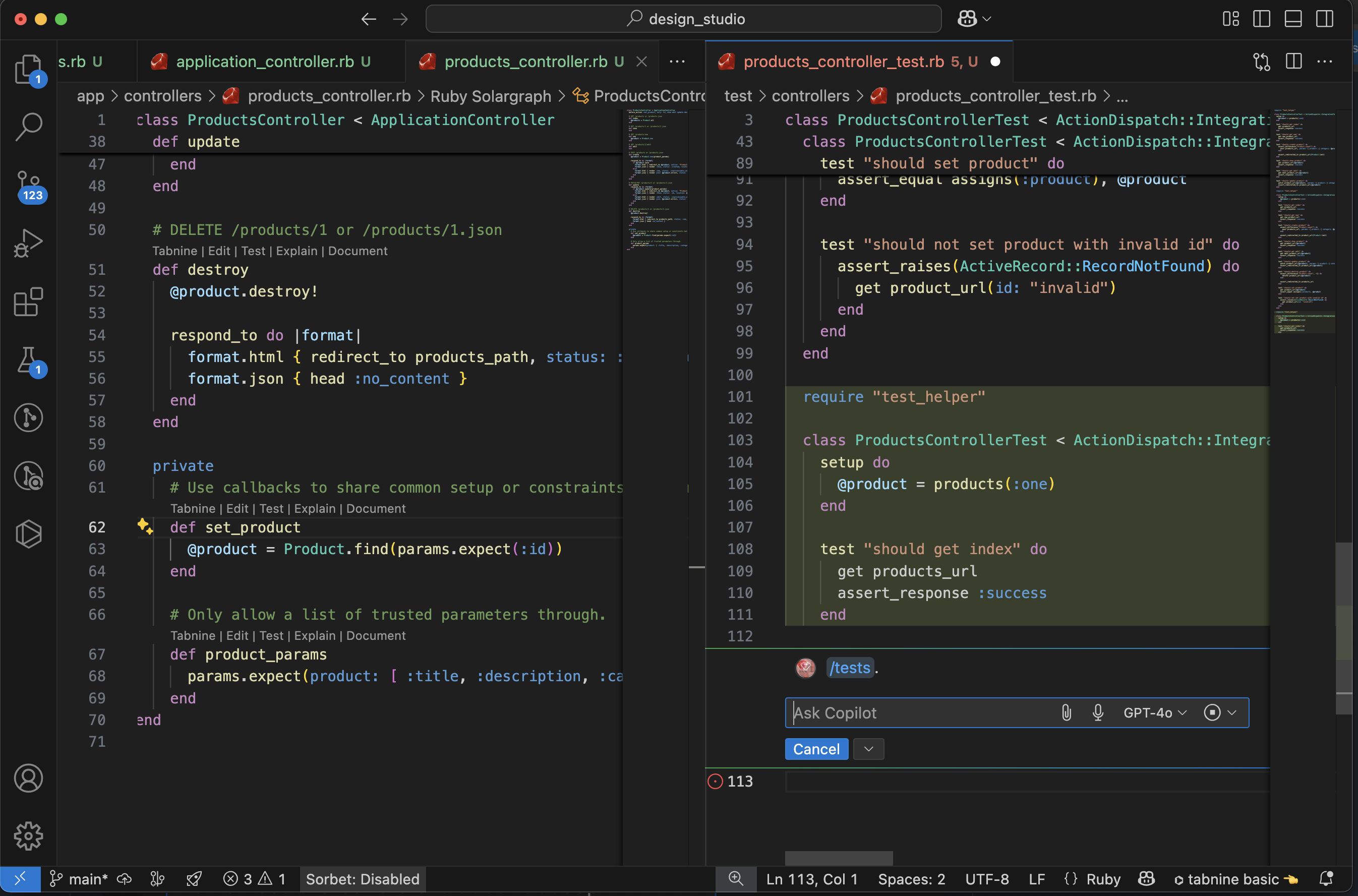
Enable GitHub Copilot for AI-assisted coding:

  1. Open VS Code.
  2. Sign in with your GitHub account.
  3. Enable Copilot from the extensions panel.

To use VS Code from the terminal, ensure code is added to your $PATH:

  1. Open Command Palette (Cmd+Shift+P).
  2. Search for Shell Command: Install 'code' command in PATH.
  3. Restart your terminal and try: code .

3. Your 15 Essential VS Code Extensions for Ruby on Rails

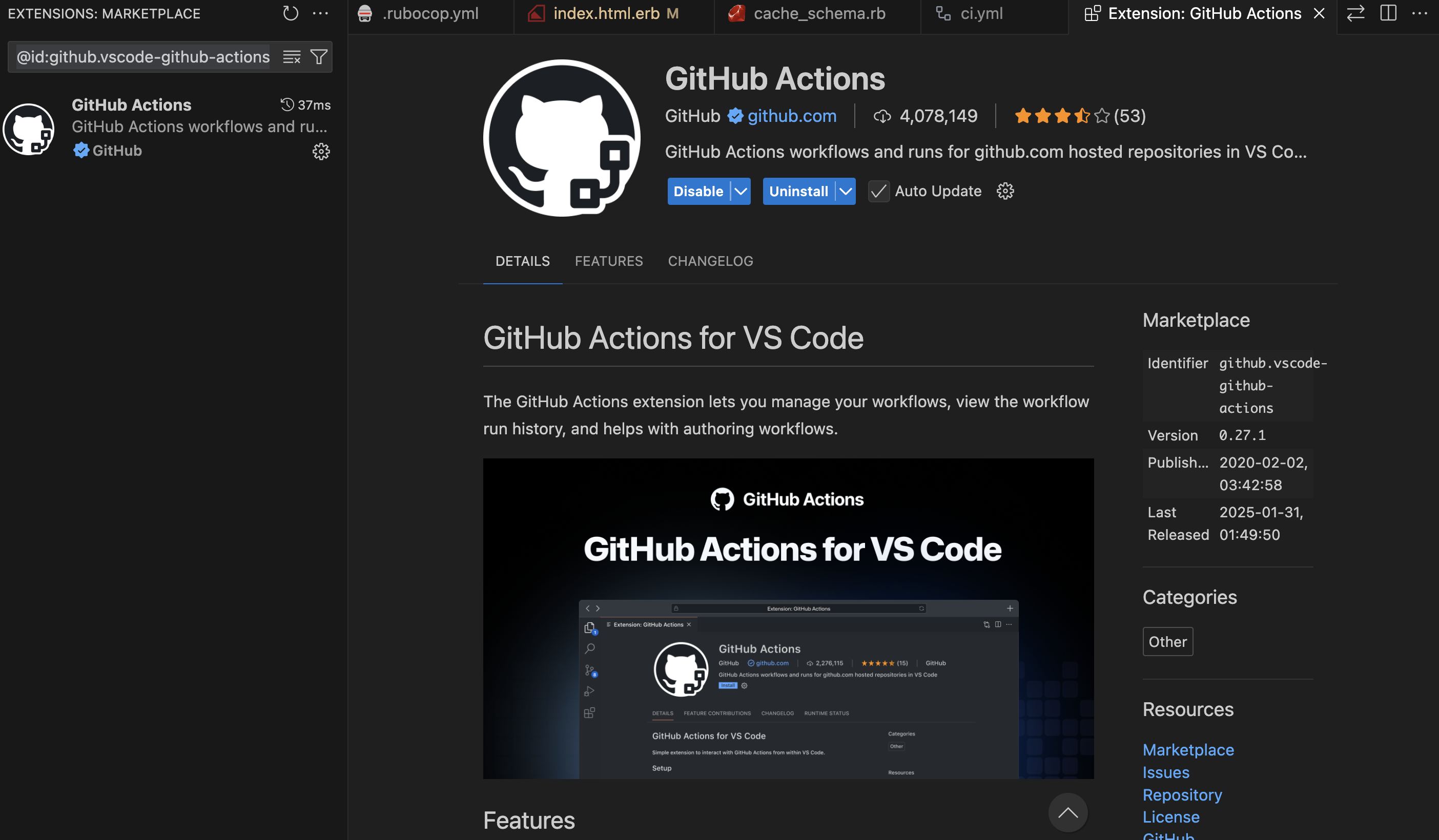
To enhance your development workflow, install the following VS Code extensions:

  1. GitHub Copilot – AI-assisted coding (already installed).
  2. vscode-icons – Better file and folder icons.
  3. Tabnine AI – AI autocompletion for JavaScript and other languages.
  4. Ruby & Ruby LSP – Language support and linting.
  5. ERB Formatter/Beautify – Formats .erb files (requires htmlbeautifier gem): gem install htmlbeautifier
  6. ERB Helper Tags – Autocomplete for ERB tags.
  7. GitLens – Advanced Git integration.
  8. Ruby Solargraph – Provides code completion and inline documentation (requires solargraph gem): gem install solargraph
  9. Rails DB Schema – Auto-completion for Rails database schema.
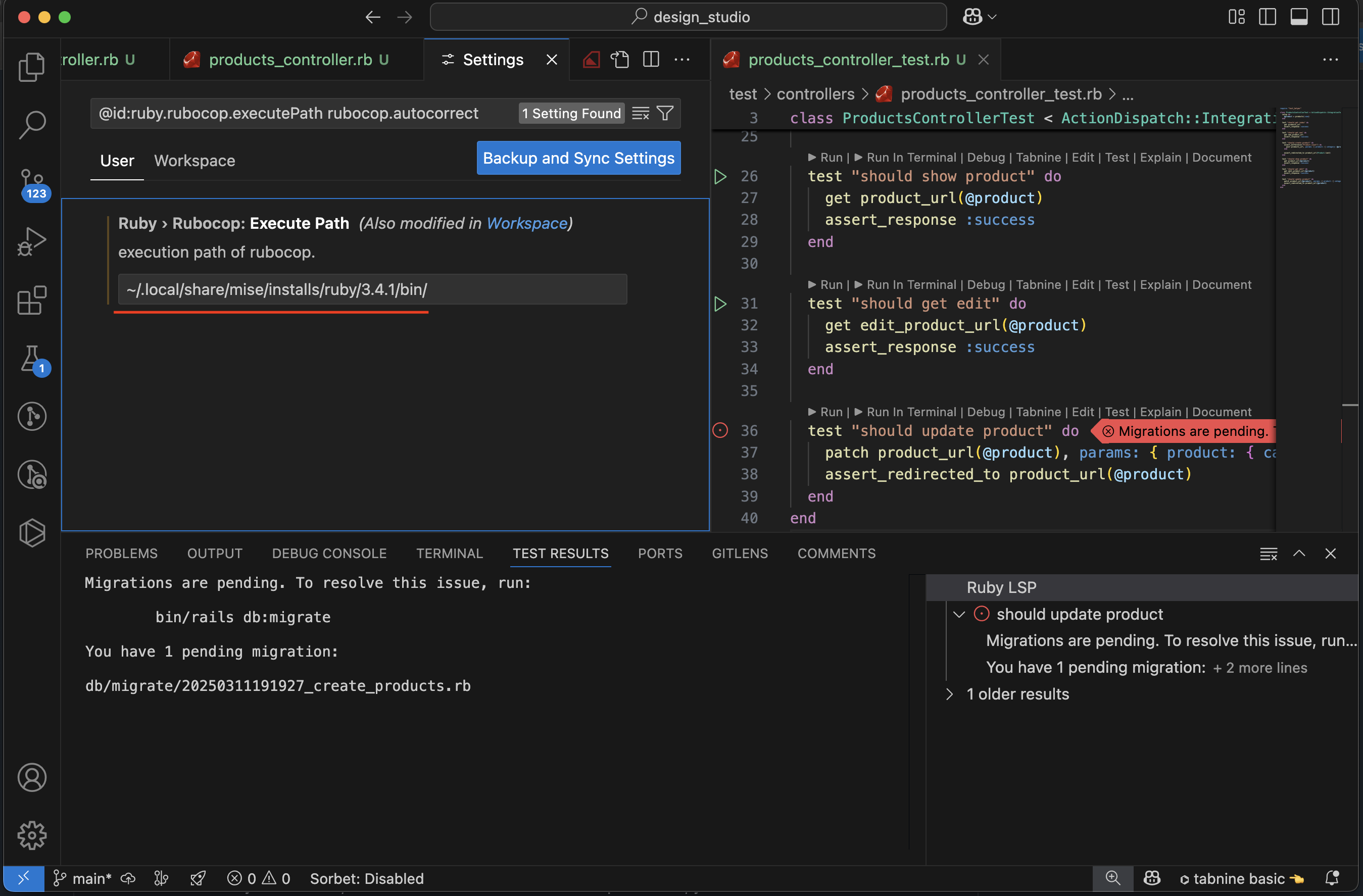
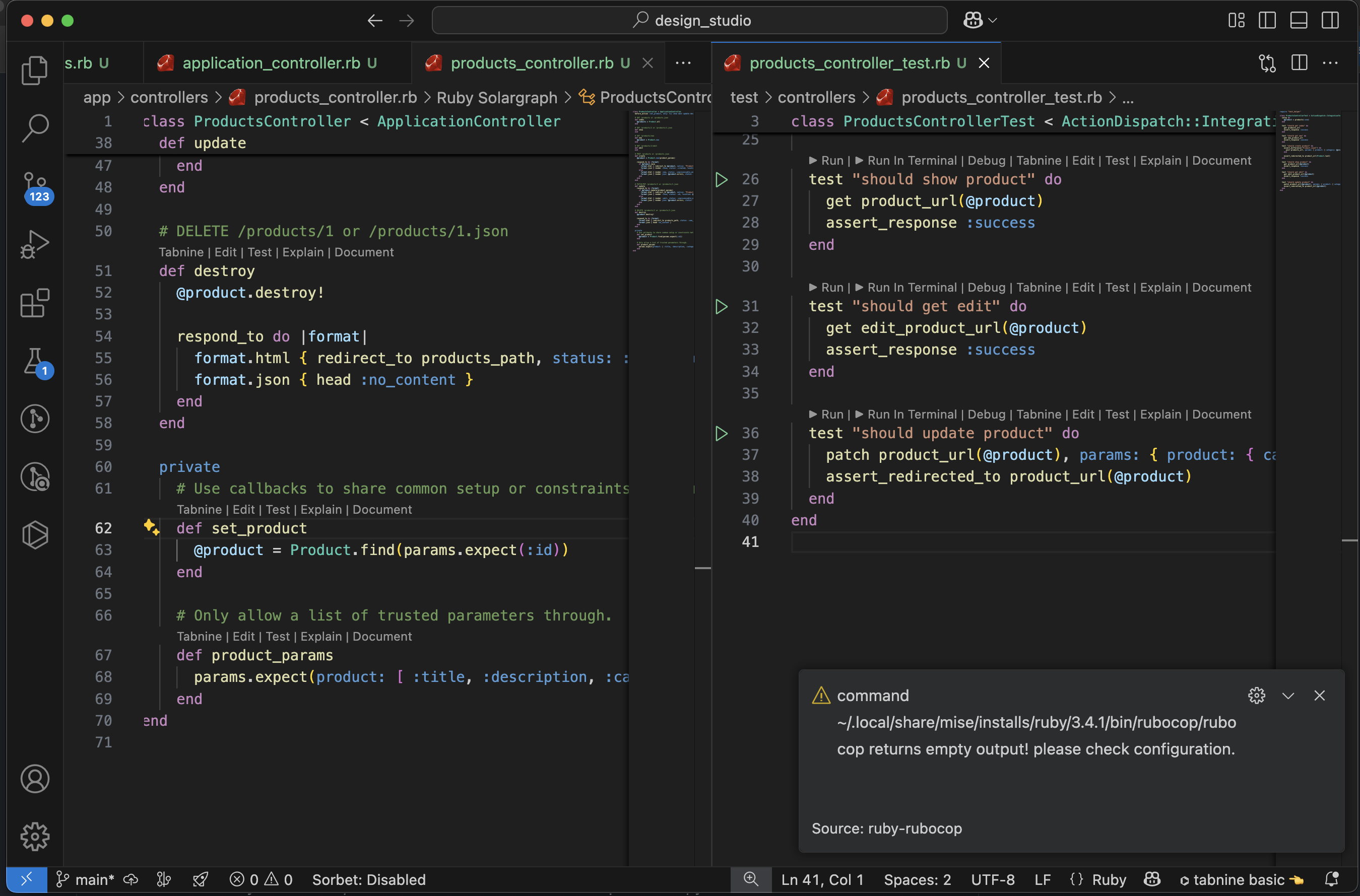
  10. ruby-rubocop – Ruby linting and auto-formatting (requires rubocop gem): gem install rubocop
  11. endwise – Auto-adds end keyword in Ruby.
  12. Output Colorizer – Enhances syntax highlighting in log files.
  13. Auto Rename Tag – Automatically renames paired HTML/Ruby tags.
  14. Highlight Matching Tag – Highlights matching tags for better visibility.
  15. Bracket Pair Colorizer 2 – Improved bracket highlighting.

Conclusion

By following this guide, you’ve successfully set up a robust Ruby on Rails development environment on macOS. With Mise for version management, Rails installed, and VS Code configured with essential extensions, you’re ready to start building Ruby on Rails applications.

Part 2: https://railsdrop.com/2025/03/22/setup-rails-8-app-rubocop-actiontext-image-processing-part-2

Happy Rails setup! ๐Ÿš€

The Evolution of Asset ๐Ÿ“‘ Management in Web and Ruby on Rails

Understanding Middleware in Rails

When a client request comes into a Rails application, it doesn’t always go directly to the MVC (Model-View-Controller) layer. Instead, it might first pass through middleware, which handles tasks such as authentication, logging, and static asset management.

Rails uses middleware like ActionDispatch::Static to efficiently serve static assets before they even reach the main application.

ActionDispatch::Static Documentation

“This middleware serves static files from disk, if available. If no file is found, it hands off to the main app.”

Where Are Static Files Stored?

Rails stores static assets in the public/ directory, and ActionDispatch::Static ensures these are served efficiently without hitting the Rails stack.

Core Components of Ruby on Rails – A reminder

To understand asset management evolution, let’s quickly revisit Rails’ core components:

  • ActiveRecord: Object-relational mapping (ORM) system for database interactions.
  • Action Pack: Handles the controller and view layers.
  • Active Support: A collection of utility classes and standard library extensions.
  • Action Mailer: A framework for designing email services.

The Role of Browsers in Asset Management

Web browsers cache static assets to improve performance. The caching strategy varies based on asset types:

  • Images: Rarely change, so they are aggressively cached.
  • JavaScript and CSS files: Frequently updated, requiring cache-busting mechanisms.

The Era of Sprockets

Historically, Rails used Sprockets as its default asset pipeline. Sprockets provided:

  • Conversion of CoffeeScript to JavaScript and SCSS to CSS.
  • Minification and bundling of assets into fewer files.
  • Digest-based caching to ensure updated assets were fetched when changed.

The Rise of JavaScript & The Shift Towards Webpack

The release of ES6 (2015-2016) was a turning point for JavaScript, fueling the rise of Single Page Applications (SPAs). This marked a shift from traditional asset management:

  • Sprockets was effective but became complex and difficult to configure for modern JS frameworks.
  • Projects started including package.json at the root, indicating JavaScript dependency management.
  • Webpack emerged as the go-to tool for handling JavaScript, offering features like tree-shaking, hot module replacement, and modern JavaScript syntax support.

The Landscape in 2024: A More Simplified Approach

Recent advancements in web technology have drastically simplified asset management:

  1. ES6 Native Support in All Major Browsers
    • No need for transpilation of modern JavaScript.
  2. CSS Advancements
    • Features like variables and nesting eliminate the need for preprocessors like SASS.
  3. HTTP/2 and Multiplexing
    • Enables parallel loading of multiple assets over a single connection, reducing dependency on bundling strategies.

Enter Propshaft: The Modern Asset Pipeline

Propshaft is the new asset management solution introduced in Rails, replacing Sprockets for simpler and faster asset handling. Key benefits include:

  • Digest-based file stamping for effective cache busting.
  • Direct and predictable mapping of assets without complex processing.
  • Better integration with HTTP/2 for efficient asset delivery.

Rails 8 Precompile Uses Propshaft

What is Precompile? A Reminder

Precompilation hashes all file names and places them in the public/ folder, making them accessible to the public.

Propshaft improves upon this by creating a manifest file that maps the original filename as a key and the hashed filename as a value. This significantly enhances the developer experience in Rails.

Propshaft ultimately moves asset management in Rails to the next level, making it more efficient and streamlined.

The Future of Asset Management in Rails

With advancements like native ES6 support and CSS improvements, Rails continues evolving to embrace simpler, more efficient asset management strategies. Propshaft, combined with modern browser capabilities, makes asset handling seamless and more performance-oriented.

As the web progresses, we can expect further simplifications in asset pipelines, making Rails applications faster and easier to maintain.

Stay tuned for more innovations in the Rails ecosystem!

Happy Rails Coding! ๐Ÿš€

Writing Effective Test Cases ๐Ÿšง for Your Ruby on Rails Model: A Guide

When it comes to building robust and maintainable applications, writing test cases is a crucial practice. In this guide, I will walk you through writing effective test cases for a Ruby on Rails model using a common model name, “Task.” The concepts discussed here are applicable to any model in your Rails application.

Why Write Test Cases?

Writing test cases is essential for several reasons:

  1. Bug Detection: Test cases help uncover and fix bugs before they impact users.
  2. Regression Prevention: Tests ensure that new code changes do not break existing functionality.
  3. Documentation: Well-written test cases serve as documentation for your codebase, making it easier for other developers to understand and modify the code.
  4. Refactoring Confidence: Tests provide the confidence to refactor code knowing that you won’t introduce defects.
  5. Collaboration: Tests facilitate collaboration within development teams by providing a common set of expectations.

Now, let’s dive into creating test cases for a Ruby on Rails model.

Model: Task

We will use a model called “Task” as an example. Tasks might represent items on a to-do list, items in a project management system, or any other entity that requires tracking and management.

Setting Up the Environment

Before writing test cases, ensure that your Ruby on Rails application is set up correctly with the testing framework of your choice. Rails typically uses MiniTest or RSpec for testing. For this guide, we’ll use MiniTest.

# Gemfile
group :test do
  gem 'minitest'
  # Other testing gems...
end

After updating your Gemfile, run bundle install to install the testing gems. Ensure your test database is set up and up-to-date by running bin/rails db:test:prepare.

Writing Test Cases

Model Validation

The first set of test cases should focus on validating the model’s attributes. For our Task model, we might want to ensure that the title is present and within an acceptable length range.

# test/models/task_test.rb

require 'test_helper'

class TaskTest < ActiveSupport::TestCase
  test "should not save task without title" do
    task = Task.new
    assert_not task.save, "Saved the task without a title"
  end

  test "should save task with valid title" do
    task = Task.new(title: "A valid task title")
    assert task.save, "Could not save the task with a valid title"
  end
end
Testing Associations

In Rails, models often have associations with other models. For example, a Task might belong to a User. You can write test cases to ensure these associations work correctly.

# test/models/task_test.rb

class TaskTest < ActiveSupport::TestCase
  # ...

  test "task should belong to a user" do
    user = User.create(name: "John")
    task = Task.new(title: "Task", user: user)
    assert_equal user, task.user, "Task does not belong to the correct user"
  end
end
Custom Model Methods

If your model contains custom methods, ensure they behave as expected. For example, if you have a method that returns the completion status of a task, test it.

# test/models/task_test.rb

class TaskTest < ActiveSupport::TestCase
  # ...

  test "task should return completion status" do
    task = Task.new(title: "Task", completed: false)
    assert_equal "Incomplete", task.completion_status
    task.completed = true
    assert_equal "Complete", task.completion_status
  end
end
Scopes

Scopes allow you to define common queries for your models. Write test cases to ensure scopes return the expected results.

# test/models/task_test.rb

class TaskTest < ActiveSupport::TestCase
  # ...

  test "completed scope should return completed tasks" do
    Task.create(title: "Completed Task", completed: true)
    Task.create(title: "Incomplete Task", completed: false)

    completed_tasks = Task.completed
    assert_equal 1, completed_tasks.length
    assert_equal "Completed Task", completed_tasks.first.title
  end
end

Running Tests

You can run your tests with the following command:

bin/rails test

This command will execute all the test cases you’ve written in your test files.

Conclusion

Writing test cases is an essential practice in building reliable and maintainable Ruby on Rails applications. In this guide, we’ve explored how to write effective test cases for a model using a common model name, “Task.” These principles can be applied to test any model in your Rails application.

By writing comprehensive test cases, you ensure that your application functions correctly, maintains quality over time, and makes collaboration within your development team more efficient.

Happy testing!

Rails 6.1 introduce ‘compact_blank’

Before Rails 6 we used to remove the blank values from Array and Hash by using other available methods.

Before:

  [...].delete_if(&:blank?)
  {....}.delete_if { |_k, v| v.blank? }
OR
  [...].reject(&:blank?)
  ...

From now, Rails 6.1.3.1 onwards you can use the module Enumerable’s compact_blank and compact_blank! methods.

Now we can use:

[1, "", nil, 2, " ", [], {}, false, true].compact_blank
=> [1, 2, true]

['', nil, 8, [], {}].compact_blank
=> [8]

{ a: "", b: 1, c: nil, d: [], e: false, f: true }.compact_blank
=> {:b=>1, :f=>true}

The method compact_blank! is a destructive method (handle with care) for compact_blank.

As a Rails developer, I am grateful for this method because there are many scenarios where we find ourselves replicating this code.

Setup Ruby, ruby-build, rbenv-gemset | Conclusion – Moving micro-services into AWS EC2 instance โ€“ Part 3

In this post let’s setup Ruby and ruby gemsets for each project, so that your package versions are maintained.

Install ruby-build # ruby-build is a command-line utility for rbenv

git clone https://github.com/rbenv/ruby-build.git ~/.rbenv/plugins/ruby-build

# Add ruby build path

echo 'export PATH="$HOME/.rbenv/plugins/ruby-build/bin:$PATH"' >> ~/.bashrc # OR
echo 'export PATH="$HOME/.rbenv/plugins/ruby-build/bin:$PATH"' >> ~/.zshrc

# load it

source ~/.bashrc # OR
source ~/.zshrc


For Mac users – iOS users


# verify rbenv
curl -fsSL https://github.com/rbenv/rbenv-installer/raw/main/bin/rbenv-doctor | bash

If you are using zsh add the following to `~/.zshrc`

# rbenv configuration
eval "$(rbenv init -)"
export RUBY_CONFIGURE_OPTS="--with-openssl-dir=$(brew --prefix openssl@1.1)"

Install Ruby 2.5.1 using rbenv

rbenv install 2.5.1

rbenv global 2.5.1 # to make this version as default

ruby -v # must display 2.5.1 if installed correctly

which ruby # must show the fully qualified path of the executable

echo "gem: --no-document" > ~/.gemrc # to skip documentation while installing gem

rbenv rehash # latest version of rbenv apparently don't need this. Nevertheless, lets use it to avoid surprises.

gem env home # See related details

# If a new version of ruby was installed, ensure RubyGems is up to date.
gem update --system --no-document
๏ปฟ

Install rbenv gemset – https://github.com/jf/rbenv-gemset

git clone git://github.com/jf/rbenv-gemset.git ~/.rbenv/plugins/rbenv-gemset

If you are getting following issue:

fatal: remote error:
  The unauthenticated git protocol on port 9418 is no longer supported.
# Fix
 git clone https://github.com/jf/rbenv-gemset.git ~/.rbenv/plugins/rbenv-gemset

Now clone your project and go inside the project folder -Micro-service folder (say my-project) which has Gemfile in it and do the following commands.

cd my-project

my-project $ rbenv gemset init # NOTE: this will create the gemset under the current ruby version.

my-project $ rbenv gemset list # list all gemsets

my-project $ rbenv gemset active # check this in project folder

my-project $ gem install bundler -v '1.6.0'

my-project $ rbenv rehash

my-project $ bundle install  # install all the gems for the project inside the gemset.

my-project $ rails s -e production # start rails server
my-project $ puma -e production -p 3002 -C config/puma.rb # OR start puma server
# OR start the server you have configured with rails. 

Do this for all the services and see how this is running. The above will install all the gems inside the project gemset that acts like a namespace.

So our aim is to setup all the ruby micro-services in the same machine.

  • I started 10 services together in AWS EC2 (type: t3.small).
  • Database is running in t2.small instance with 2 volumes (EBS) attached.
  • For Background job DB (redis) is running in t2.micro instance.

So for 3 ec2 instance + 2 EBS volumes –$26 + elastic IP addresses ( aws charges some amount – $7.4) 1 month duration, it costs me around $77.8, almost 6k rupees. That means we reduced the aws-cloud cost to half of the previous cost.

Basic Software installation| Moving micro-services into AWS EC2 instance – Part 1

As I mentioned in the previous post, I have decided to move away from micro-services. To achieve this, I am taking an AWS EC2 instance and configuring each micro-service on this instance. For this setup, I am using an Ubuntu 16.04 machine because my application setup is a bit old. However, if you have newer versions of Rails, Ruby, etc., you may want to choose Ubuntu 20.04.

Our setup includes Ruby on Rails (5.2.1) micro-services (5-10 in number), a NodeJS application, a Sinatra Application, and an Angular 9.1 Front-End Application.

To begin, go to the AWS EC2 home page and select an Ubuntu 16.04 machine with default configurations and SSH enabled.

https://ap-south-1.console.aws.amazon.com/ec2/v2/home

Now login to this new instance and install all the packages we needed for our setup.

Software Installation

Update the package list.

sudo apt-get update

Install Ruby dependencies.

sudo apt-get install ruby-dev
sudo apt-get install libxml2-dev
sudo apt-get install libxslt-dev
sudo apt-get install graphviz

Install NodeJS

curl -sL https://deb.nodesource.com/setup_10.x | sudo -E bash -
sudo apt-get install -y nodejs
node -v

Install yarn and other dependencies.

curl -sS https://dl.yarnpkg.com/debian/pubkey.gpg | sudo apt-key add -
echo "deb https://dl.yarnpkg.com/debian/ stable main" | sudo tee /etc/apt/sources.list.d/yarn.list
sudo apt-get update
sudo apt-get install git-core zlib1g-dev build-essential libssl-dev libreadline-dev libyaml-dev libsqlite3-dev sqlite3 libxml2-dev libxslt1-dev libcurl4-openssl-dev software-properties-common libffi-dev nodejs yarn

Install Mysql 5.7 (Remember this is for Ubuntu 16.04, 18.04 versions)

sudo apt-get install mysql-server-5.7 mysql-client-core-5.7 libmysqlclient-dev
sudo service mysql status # or
systemctl status mysql
username: <your-username>, password: <your-password>

You can also try
mysql_secure_installation, if you use other mysql version.

Note that if you are setting up Ubuntu 20.04, there is a significant change in MySQL, as the version of MySQL is now 8.0 instead of 5.7. If you have applications running in MySQL 5.7, it is recommended that you set up and use Ubuntu 16.04 or 18.04.

We will continue the installation process in our next post.

Our Challenges with Microservices on AWS ECS

As part of our startup, our predecessors chose to use micro-services for our new website as it is a trending technology.

This decision has many benefits, such as:

  • Scaling a website becomes much easier when using micro-services, as each service can be scaled independently based on its individual needs.
  • The loosely coupled nature of micro-services also allows for easier development and maintenance, as changes to one service do not affect the functionality of other services.
  • Additionally, deployment can be focused on each individual service, making the overall process more efficient.
  • Micro-services also allow for the use of different technologies for each service, providing greater flexibility and the ability to choose the best tools for each task.
  • Finally, testing can be concentrated on one service at a time, allowing for more thorough and effective testing, which can result in higher quality code and a better user experience.

In developing our application with micro-services, we considered the potential problems that we may face in the future. However, it is important to note that we also need to consider whether these problems will have a significant impact compared to the potential disadvantages of using micro-services.

One factor to keep in mind is that our website is currently experiencing low traffic and we are acquiring clients gradually. As such, we need to consider whether the benefits of micro-services outweigh any potential drawbacks for our particular situation.

Regardless, some potential issues with micro-services include increased complexity and overhead in development, as well as potential performance issues when integrating multiple services. Additionally, managing multiple services and ensuring they communicate effectively can also be a challenge.

Despite the benefits of micro-services, we have faced some issues in implementing them. One significant challenge is the increased complexity of deployment and maintenance that comes with having multiple services. This can require more time and resources to manage and can potentially increase the likelihood of errors.

Additionally, the cost of using AWS ECS for hosting all of the micro-services can be higher than using other hosting solutions for a less traffic website. This is something to consider when weighing the benefits and drawbacks of using micro-services for our specific needs.

Another challenge we have faced is managing dependencies between services, which can be difficult to avoid. When one service goes offline, it can cause issues with other services, leading to a “No Service” issue on the website.

Finally, it can be very difficult to go back to a monolithic application even if we combine 3-4 services together, as they may use different software or software versions. This can make it challenging to make changes or updates to the application as a whole.

It is important to carefully consider whether micro-service architecture is the best fit for your business and current situation. If you have a less used website or are just starting your business, it may not be necessary or cost-effective to implement micro-services.

It is important to take the time to evaluate the benefits and drawbacks of using micro-services for your specific needs and budget. Keep in mind that hosting multiple micro-services can come with additional costs, so be prepared to pay a minimum amount for hosting if you decide to go this route.

Ultimately, the decision to use micro-services should be based on a thorough assessment of your business needs and available resources, rather than simply following a trend or industry hype.

Set up:

  • Used AWS ECS (ec2 launch type) with services and task definitions defined
  • 11 Micro-services, 11 containers are spinning
  • Cost: Rs.12k ($160) per month

Workaround:

  • Consider using AWS Fargate type but not sure these issues get resolved
  • Deploy all the services in one EC2 Instance without using ECS