Learn SQL: Day 3 – JOINs (One of the Most Important SQL Topic)

If I had to choose one SQL topic that appears most frequently in Senior Developer interviews, it would be:

JOINs

Most Rails developers know:

User.joins(:orders)

But many cannot explain:

  • What SQL Rails generates
  • How PostgreSQL executes it
  • Why duplicates occur
  • When to use joins
  • When to use includes
  • When JOINs become slow

A senior engineer should be comfortable with all of these.

Today’s Goals

By the end of Day 3, you’ll understand:

  • INNER JOIN
  • LEFT JOIN
  • RIGHT JOIN
  • FULL OUTER JOIN
  • CROSS JOIN
  • Self JOIN
  • How Rails translates associations into JOINs
  • N+1 query problem
  • joins vs includes
  • Interview questions

Step 1: Create Fresh Tables

Let’s create a simple system.

Users

DROP TABLE IF EXISTS orders;
DROP TABLE IF EXISTS users;
CREATE TABLE users (
id BIGSERIAL PRIMARY KEY,
name VARCHAR(100)
);

Orders

CREATE TABLE orders (
id BIGSERIAL PRIMARY KEY,
user_id BIGINT NOT NULL,
amount NUMERIC(10,2),
CONSTRAINT fk_orders_user
FOREIGN KEY (user_id)
REFERENCES users(id)
);

Insert Sample Data

Users:

INSERT INTO users(name)
VALUES
('John'),
('Mary'),
('Bob'),
('Alice');

Orders:

INSERT INTO orders(user_id, amount)
VALUES
(1,100),
(1,200),
(2,300),
(2,400),
(2,500);

Current data:

users

idname
1John
2Mary
3Bob
4Alice

orders

iduser_idamount
11100
21200
32300
42400
52500

Notice:

Bob has no orders
Alice has no orders

This becomes important.

What is a JOIN?

A JOIN combines rows from multiple tables.

Think:

users
+
orders
=
business information

The database uses a common column:

users.id
=
orders.user_id

1. INNER JOIN

Most common JOIN.

Returns only matching rows.

Query

SELECT
users.id,
users.name,
orders.amount
FROM users
INNER JOIN orders
ON users.id = orders.user_id;

Result:

nameamount
John100
John200
Mary300
Mary400
Mary500

Notice:

Bob disappeared
Alice disappeared

Why?

Because they have no matching order.

Visual

users orders
John <-> 100
John <-> 200
Mary <-> 300
Mary <-> 400
Mary <-> 500
Bob X
Alice X

Only matches survive.

Rails Equivalent

User.joins(:orders)

Generated SQL:

SELECT users.*
FROM users
INNER JOIN orders
ON orders.user_id = users.id;

Interview Question

What type of JOIN does Rails joins use?

Answer:

INNER JOIN

Many candidates miss this.

2. LEFT JOIN

Returns:

All rows from LEFT table
+
matching rows from RIGHT table

Query

SELECT
users.name,
orders.amount
FROM users
LEFT JOIN orders
ON users.id = orders.user_id;

Result:

nameamount
John100
John200
Mary300
Mary400
Mary500
BobNULL
AliceNULL

Notice:

Bob exists
Alice exists

Even without orders.

Visual

LEFT TABLE = users
Keep everything
John -> order
Mary -> order
Bob -> NULL
Alice -> NULL

Rails Equivalent

User.left_joins(:orders)

Generated SQL:

LEFT OUTER JOIN

Practical Example

Find users without orders.

SELECT users.*
FROM users
LEFT JOIN orders
ON users.id = orders.user_id
WHERE orders.id IS NULL;

Result:

Bob
Alice

Rails:

User.left_joins(:orders)
.where(orders: { id: nil })

Common Interview Question

Find customers who never placed an order.

Expected answer:

LEFT JOIN
+
IS NULL

3. RIGHT JOIN

Opposite of LEFT JOIN.

Keep all rows from right table.

SELECT *
FROM users
RIGHT JOIN orders
ON users.id = orders.user_id;

In real-world Rails projects:

Rarely used

Most engineers rewrite it as LEFT JOIN.

4. FULL OUTER JOIN

Keep everything.

SELECT *
FROM users
FULL OUTER JOIN orders
ON users.id = orders.user_id;

Returns:

All users
+
All orders

matched where possible.

Used occasionally for:

  • reporting
  • analytics
  • reconciliation

Rare in Rails applications.

5. CROSS JOIN

Creates every possible combination.

Example:

CREATE TABLE colors (
color VARCHAR(20)
);
INSERT INTO colors
VALUES ('Red'),('Blue');

Sizes:

CREATE TABLE sizes (
size VARCHAR(20)
);
INSERT INTO sizes
VALUES ('S'),('M');

Query:

SELECT *
FROM colors
CROSS JOIN sizes;

Result:

Red S
Red M
Blue S
Blue M

Every row paired with every row.

Formula:

RowsA × RowsB

Interview Question:

10 rows × 100 rows

How many rows?

Answer:

1000

6. Self JOIN

A table joins itself.

Very common interview topic.

Create employees:

CREATE TABLE employees (
id BIGSERIAL PRIMARY KEY,
name VARCHAR(100),
manager_id BIGINT
);

Insert:

INSERT INTO employees
(name, manager_id)
VALUES
('CEO', NULL),
('Manager1',1),
('Manager2',1),
('Developer1',2),
('Developer2',2);

Query:

SELECT
e.name AS employee,
m.name AS manager
FROM employees e
LEFT JOIN employees m
ON e.manager_id = m.id;

Result:

employeemanager
CEONULL
Manager1CEO
Developer1Manager1

Rails

class Employee < ApplicationRecord
belongs_to :manager,
class_name: "Employee",
optional: true
has_many :subordinates,
class_name: "Employee",
foreign_key: :manager_id
end

Why Duplicates Occur

Look at:

SELECT *
FROM users
INNER JOIN orders
ON users.id = orders.user_id;

Mary has:

3 orders

Therefore:

Mary appears 3 times

JOINs multiply rows.

This is one of the most misunderstood SQL concepts.

DISTINCT After JOIN

Sometimes we want unique users.

SELECT DISTINCT users.*
FROM users
JOIN orders
ON users.id = orders.user_id;

Rails

User.joins(:orders).distinct

The N+1 Query Problem

Every Rails interview asks this.

Suppose:

users = User.all
users.each do |user|
puts user.orders.count
end

Queries:

SELECT * FROM users;

Then:

SELECT * FROM orders WHERE user_id=1;
SELECT * FROM orders WHERE user_id=2;
SELECT * FROM orders WHERE user_id=3;
...

100 users:

101 queries

Called:

N+1 problem

Fix Using includes

User.includes(:orders)

Rails loads:

SELECT * FROM users;

and

SELECT * FROM orders
WHERE user_id IN (...);

Only 2 queries.

joins vs includes

This is a favorite interview question.

joins

Used for filtering.

User.joins(:orders)

SQL:

INNER JOIN

Purpose:

Filter data

includes

Used for eager loading.

User.includes(:orders)

Purpose:

Avoid N+1

Example

Find users with orders.

User.joins(:orders)

Display users and orders.

User.includes(:orders)

Interview Question

Which is better?

joins

or

includes

Answer:

Depends on the problem.

Different purposes.

Real Interview Queries

Find users with orders

SELECT DISTINCT users.*
FROM users
JOIN orders
ON users.id = orders.user_id;

Rails:

User.joins(:orders).distinct

Find users without orders

SELECT users.*
FROM users
LEFT JOIN orders
ON users.id = orders.user_id
WHERE orders.id IS NULL;

Rails:

User.left_joins(:orders)
.where(orders: { id: nil })

Find total orders per user

SELECT
users.name,
COUNT(orders.id)
FROM users
LEFT JOIN orders
ON users.id = orders.user_id
GROUP BY users.name;

We’ll study GROUP BY in Day 4.

Senior-Level Insights

1. Most Rails JOINs are INNER JOINs

joins

means:

INNER JOIN

2. LEFT JOIN + IS NULL

is the standard pattern for:

Find missing records

Examples:

  • users without orders
  • customers without subscriptions
  • products without inventory

3. JOINs Multiply Rows

One user:

3 orders

becomes:

3 result rows

Always remember this.

4. Understand the Generated SQL

When writing:

User.joins(:orders)

you should mentally see:

INNER JOIN orders
ON orders.user_id = users.id

immediately.


Practical Exercises

Exercise 1

Find all users with orders.

Exercise 2

Find all users without orders.

Exercise 3

Add 3 more orders for John.

Run:

INNER JOIN

Observe duplicates.

Exercise 4

Use:

DISTINCT

to remove duplicates.

Exercise 5

Create:

categories
products

and practice:

INNER JOIN
LEFT JOIN

Homework

Create the following schema:

authors
books
publishers

Relationships:

Author has many Books
Publisher has many Books
Book belongs to Author
Book belongs to Publisher

Insert sample data.

Write queries:

  1. Books with author names
  2. Books with publisher names
  3. Authors without books
  4. Publishers without books
  5. Unique authors who have books

Write both:

  • SQL
  • ActiveRecord

Question:

I cannot see any difference in output between left join and full outer join with our example. can u create a new data to see me correct difference between them?

This is actually something that confuses many developers in interviews.

The reason you don’t see any difference is because our current data doesn’t have any “orphan” records in the orders table.

Let’s understand why.

Our Current Data

users

idname
1John
2Mary
3Bob
4Alice

orders

iduser_idamount
11100
21200
32300
42400
52500

Every order belongs to an existing user.

So there are:

  • Users without orders (Bob, Alice)
  • No orders without users

That’s why LEFT JOIN and FULL OUTER JOIN appear almost identical.

Let’s Create a Better Example

To see the difference, we need an order that doesn’t match any user.

However…

Our foreign key prevents that.

FOREIGN KEY (user_id)
REFERENCES users(id)

This is a good thing because it maintains data integrity.

So for learning purposes, we’ll create another table without a foreign key.

Step 1

DROP TABLE IF EXISTS orders_demo;
CREATE TABLE orders_demo (
id BIGSERIAL PRIMARY KEY,
user_id BIGINT,
amount NUMERIC(10,2)
);

Notice:

❌ No foreign key.

Step 2

Insert data

INSERT INTO orders_demo(user_id, amount)
VALUES
(1,100),
(1,200),
(2,300),
(999,400);

Now we have:

users

idname
1John
2Mary
3Bob
4Alice

orders_demo

iduser_idamount
11100
21200
32300
4999400

Notice:

user_id = 999

There is no matching user.

This is our orphan order.

INNER JOIN

SELECT
u.id,
u.name,
o.amount
FROM users u
INNER JOIN orders_demo o
ON u.id = o.user_id;

Result

nameamount
John100
John200
Mary300

The orphan order disappears.

LEFT JOIN

SELECT
u.id,
u.name,
o.amount
FROM users u
LEFT JOIN orders_demo o
ON u.id = o.user_id;

Result

nameamount
John100
John200
Mary300
BobNULL
AliceNULL

Question:

Where is the orphan order?

It is gone!

Why?

Because LEFT JOIN keeps every row from the left table (users). Since there is no user with id = 999, there is nothing on the left to preserve.

FULL OUTER JOIN

SELECT
u.id,
u.name,
o.user_id,
o.amount
FROM users u
FULL OUTER JOIN orders_demo o
ON u.id = o.user_id;

Result

user idnameorder user_idamount
1John1100
1John1200
2Mary2300
3BobNULLNULL
4AliceNULLNULL
NULLNULL999400

Now you finally see the difference!

The last row exists only because of FULL OUTER JOIN.

When to use FULL OUTER JOIN?

Check the page: https://railsdrop.com/learn-sql-day-3-when-to-use-full-outer-join/


Quick Quiz

Given these tables:

A

id
1
2
3

B

id
2
3
4

Without running SQL, what rows do you expect from:

  1. INNER JOIN
  2. LEFT JOIN (A LEFT JOIN B)
  3. RIGHT JOIN (A RIGHT JOIN B)
  4. FULL OUTER JOIN

Try answering these on paper first. If you can do that confidently, you’ve truly understood how the different joins work.


Day 4 Preview

Tomorrow we’ll cover one of the highest-frequency SQL interview topics:

GROUP BY & Aggregations

Including:

  • COUNT
  • SUM
  • AVG
  • MIN
  • MAX
  • GROUP BY
  • HAVING
  • Aggregate queries in Rails
  • Real interview problems such as:
    • Top customers
    • Revenue calculations
    • Most purchased products
    • Reporting queries

This is where SQL starts becoming analytical rather than just relational.

Happy Learning! 

Learn SQL: Day 2 – SELECT Queries (The Foundation of SQL)

Today we start writing queries.

Today’s Goals

By the end of Day 2 you should understand:

  • SELECT
  • WHERE
  • ORDER BY
  • LIMIT
  • OFFSET
  • DISTINCT
  • IN
  • BETWEEN
  • LIKE
  • ILIKE
  • NULL handling
  • ActiveRecord equivalents
  • Common interview questions
  • Common mistakes

Step 1: Create Our Practice Database

Connect:

psql sql_day1

Let’s create a new table.

DROP TABLE IF EXISTS users;
CREATE TABLE users (
id BIGSERIAL PRIMARY KEY,
name VARCHAR(100),
email VARCHAR(255),
age INTEGER,
city VARCHAR(100),
salary NUMERIC(10,2),
active BOOLEAN,
created_at TIMESTAMP DEFAULT NOW()
);

Insert Sample Data

INSERT INTO users
(name, email, age, city, salary, active)
VALUES
('John', 'john@test.com', 30, 'New York', 70000, true),
('Mary', 'mary@test.com', 25, 'Chicago', 60000, true),
('Bob', 'bob@test.com', 35, 'Chicago', 90000, false),
('Alice', 'alice@test.com', 28, 'Boston', 75000, true),
('Tom', 'tom@test.com', 40, 'New York', 120000, false),
('Sara', 'sara@test.com', 32, 'Boston', 85000, true),
('Mike', 'mike@test.com', NULL, 'Chicago', NULL, true);

View data:

SELECT * FROM users;

1. SELECT

The most basic query.

SELECT * FROM users;

Meaning:

Give me all columns from users

Output:

id | name | email | age | city | salary

Select Specific Columns

Instead of everything:

SELECT name, email FROM users;

Output:

name | email
--------+---------------
John | john@test.com
Mary | mary@test.com

Rails Equivalent

User.select(:name, :email)

Senior Insight

Avoid:

SELECT *

in production systems unless needed.

Why?

Because fetching unnecessary columns:

  • uses more memory
  • transfers more data
  • slows queries

Good:

SELECT id, name FROM users;

2. WHERE Clause

Filters rows.

Example

Only active users.

SELECT * FROM users
WHERE active = true;

Rails:

User.where(active: true)

Age Greater Than 30

SELECT * FROM users
WHERE age > 30;

Rails:

User.where("age > ?", 30)

Multiple Conditions

SELECT * FROM users
WHERE city = 'Chicago'
AND active = true;

Rails:

User.where(city: "Chicago", active: true)

OR

SELECT * FROM users
WHERE city = 'Chicago'
OR city = 'Boston';

Rails:

User.where(city: ["Chicago", "Boston"])

Interview Question

Which runs first?

WHERE A OR B AND C

Answer:

AND

before

OR

Use parentheses.

WHERE (A OR B)
AND C

3. ORDER BY

Sort results.

Ascending

SELECT * FROM users
ORDER BY age ASC;

Smallest age first.

Descending

SELECT * FROM users
ORDER BY salary DESC;

Highest salary first.

Rails:

User.order(salary: :desc)

Multiple Columns

SELECT * FROM users
ORDER BY city ASC, salary DESC;

Meaning:

Sort by city first
Inside each city
sort by salary

Common Interview Question

What happens if you omit ASC/DESC?

ORDER BY age

Default:

ASC

4. LIMIT

Return only N rows.

SELECT * FROM users
LIMIT 3;

Rails:

User.limit(3)

Why LIMIT Matters

Imagine:

10 million rows

Fetching all:

slow
memory-heavy
unnecessary

LIMIT reduces work.

5. OFFSET

Skip rows.

SELECT * FROM users
LIMIT 3
OFFSET 3;

Meaning:

Skip first 3
Return next 3

Rails

User.limit(3).offset(3)

Pagination Example

Page 1

LIMIT 10 OFFSET 0

Page 2

LIMIT 10 OFFSET 10

Page 3

LIMIT 10 OFFSET 20

Senior Insight

Large OFFSET values become expensive.

Example:

OFFSET 500000

PostgreSQL still scans through those rows.

Later we’ll learn:

Keyset Pagination

which is much faster.

6. DISTINCT

Remove duplicates.

Example:

SELECT city FROM users;

Result:

Chicago
Chicago
Chicago
Boston
Boston
New York

Distinct:

SELECT DISTINCT city FROM users;

Result:

Chicago
Boston
New York

Rails

User.select(:city).distinct

Multiple Columns

SELECT DISTINCT city, active FROM users;

Distinct applies to the combination.

7. IN

Cleaner alternative to multiple OR conditions.

Instead of:

WHERE city='Boston'
OR city='Chicago'
OR city='New York'

Use:

WHERE city IN
('Boston','Chicago','New York');

Rails:

User.where(city: ["Boston", "Chicago", "New York"])

8. BETWEEN

Range filtering.

Age between 25 and 35.

SELECT * FROM users
WHERE age BETWEEN 25 AND 35;

Equivalent:

age >= 25
AND
age <= 35

Rails

User.where(age: 25..35)

Salary Range

SELECT * FROM users
WHERE salary BETWEEN 60000 AND 90000;

Interview Question

Is BETWEEN inclusive?

Answer:

YES

Both boundaries included.

9. LIKE

Pattern matching.

Find names beginning with M.

SELECT * FROM users
WHERE name LIKE 'M%';

Result:

Mary
Mike

Ends With

WHERE email LIKE '%test.com'

Contains

WHERE name LIKE '%ar%'

Matches:

Mary
Sara

Wildcards

SymbolMeaning
%Any number of chars
_Exactly one char

Example

WHERE name LIKE '_o%'

Matches:

Bob
Tom

10. ILIKE

PostgreSQL-specific.

Case-insensitive LIKE.

SELECT * FROM users
WHERE name ILIKE 'john';

Matches:

John
JOHN
john
JoHn

Rails

User.where("name ILIKE ?", "john")

Senior Interview Insight

In PostgreSQL:

LIKE

is case-sensitive.

ILIKE

is case-insensitive.

Many developers don’t know this.

11. NULL Handling

This is a favorite interview topic.

Let’s inspect:

SELECT * FROM users;

Mike has:

age = NULL
salary = NULL

Wrong

WHERE age = NULL

Returns:

Nothing

Correct

WHERE age IS NULL

Find users with no salary:

SELECT * FROM users
WHERE salary IS NULL;

Rails

User.where(age: nil)

Generates:

IS NULL

NOT NULL

SELECT * FROM users
WHERE salary IS NOT NULL;

Why NULL Is Special

SQL uses:

TRUE
FALSE
UNKNOWN

not just:

TRUE
FALSE

This is called:

Three-Valued Logic

Interviewers love asking this.

Practical Exercises

Exercise 1

Find all active users.

Exercise 2

Find users older than 30.

Exercise 3

Find users from Boston.

Exercise 4

Find top 3 highest-paid users.

Exercise 5

Find unique cities.

Exercise 6

Find users aged between 25 and 35.

Exercise 7

Find names starting with S.

Exercise 8

Find users whose salary is NULL.

Combining Everything

Example:

SELECT name, city, salary
FROM users
WHERE active = true
AND city IN ('Chicago', 'Boston')
AND salary IS NOT NULL
ORDER BY salary DESC
LIMIT 3;

Can you explain what this query does before running it?

That’s exactly the kind of reasoning expected in senior interviews.

ActiveRecord Translation Challenge

Convert this SQL:

SELECT *
FROM users
WHERE city = 'Chicago'
AND active = true
ORDER BY salary DESC
LIMIT 2;

into ActiveRecord.

Common Mistakes

Mistake 1

WHERE age = NULL

Wrong.

Use:

WHERE age IS NULL

Mistake 2

Using:

SELECT *

everywhere.

Mistake 3

Forgetting ORDER BY when using LIMIT.

LIMIT 5

without ordering can return arbitrary rows.

Mistake 4

Using huge OFFSET values.

Senior-Level Knowledge

Understand that SQL logically executes in this order:

FROM
WHERE
SELECT
DISTINCT
ORDER BY
LIMIT

Even though we write:

SELECT ...
FROM ...
WHERE ...

PostgreSQL conceptually processes the clauses in the above order.

This understanding becomes extremely important when we move to:

  • JOINs
  • GROUP BY
  • HAVING
  • Query Optimization
  • EXPLAIN ANALYZE

Homework

Create a new table:

CREATE TABLE products (
id BIGSERIAL PRIMARY KEY,
name VARCHAR(100),
category VARCHAR(100),
price NUMERIC(10,2),
stock_quantity INTEGER
);

Insert at least 10 records.

Practice:

  1. SELECT specific columns
  2. WHERE with multiple conditions
  3. ORDER BY price DESC
  4. LIMIT 5
  5. DISTINCT categories
  6. BETWEEN on price
  7. LIKE searches
  8. Products with stock_quantity IS NULL

Day 3 Preview

Next we’ll cover one of the most important interview topics:

JOINs

Including:

  • INNER JOIN
  • LEFT JOIN
  • RIGHT JOIN
  • FULL JOIN
  • CROSS JOIN
  • Self Join
  • ActiveRecord joins
  • includes vs joins vs preload vs eager_load
  • Real Rails interview questions

Day 3 is where SQL starts becoming truly powerful.

Happy Learning! 🚀

Learn SQL: Day 1 – Relational Database Fundamentals

We’re going to learn these topics at three levels simultaneously:

  1. Database Level (PostgreSQL)
  2. SQL Level
  3. Rails / ActiveRecord Level

For every topic, ask yourself:

“How does PostgreSQL store this?”

“How do I query this with SQL?”

“How does Rails represent this?”

This will help you to prepare for interviews. We use PostgreSQL here.

Today’s Goal

By the end of Day 1, you should fully understand:

  • Database
  • Table
  • Row
  • Column
  • Primary Key
  • Foreign Key
  • Constraints
  • One-to-One
  • One-to-Many
  • Many-to-Many
  • Rails associations behind them

Part 1: What is a Database?

Imagine you are building an e-commerce application.

You need to store:

  • Users
  • Products
  • Orders
  • Payments

A database is simply a structured place to store and retrieve that information.

In PostgreSQL:

CREATE DATABASE shop_app;

Connect to it:

psql postgres

Inside psql:

CREATE DATABASE shop_app;

Connect:

\c shop_app

Verify:

SELECT current_database();

Output:

 shop_app


Part 2: What is a Table?

A table is similar to an Excel sheet.

Example:

Users table

idnameemail
1Johnjohn@test.com
2Marymary@test.com

Create it:

CREATE TABLE users (
id BIGSERIAL PRIMARY KEY,
name VARCHAR(100),
email VARCHAR(255)
);

Verify:

\d users

Interview Question:

Why not store everything in a single giant table?

Answer:

Because:

  • duplication increases
  • maintenance becomes difficult
  • relationships become unclear
  • updates become expensive

This concept is called normalization (we’ll study later).


Part 3: Rows

A row represents one record.

Insert data:

INSERT INTO users (name, email)
VALUES
('John', 'john@test.com'),
('Mary', 'mary@test.com');

View:

SELECT * FROM users;

Output:

 id | name | email
----+------+----------------
 1  | John | john@test.com
 2  | Mary | mary@test.com


Each row = one user.


Part 4: Columns

Columns describe attributes.

In users table:

id
name
email

View columns:

\d users

Senior Insight:

A database table models an entity.

Examples:

EntityTable
Userusers
Productproducts
Orderorders

Columns represent attributes of that entity.


Part 5: Primary Keys

Every row needs a unique identifier.

Example:

id BIGSERIAL PRIMARY KEY

Meaning:

1
2
3
4
...

No duplicates.

No NULLs.

Try:

INSERT INTO users (id, name)
VALUES (1, 'Bob');

You should get:

duplicate key value violates unique constraint

Why Primary Keys Exist

Without a primary key:

John
John
John

Which John?

Nobody knows.

Primary key solves identity.

Rails Equivalent

Migration:

create_table :users do |t|
t.string :name
t.string :email
end

Rails automatically adds:

id

as the primary key.


Part 6: Constraints

Constraint = database rule.

Interviewers love this topic.

NOT NULL

Create:

CREATE TABLE products (
id BIGSERIAL PRIMARY KEY,
name VARCHAR(255) NOT NULL
);

Try:

INSERT INTO products(name)
VALUES(NULL);

Fails.

UNIQUE

CREATE TABLE customers (
id BIGSERIAL PRIMARY KEY,
email VARCHAR(255) UNIQUE
);

Duplicate email:

INSERT INTO customers(email)
VALUES('test@test.com');
INSERT INTO customers(email)
VALUES('test@test.com');

Fails.

CHECK Constraint

Age must be positive.

CREATE TABLE employees (
id BIGSERIAL PRIMARY KEY,
age INTEGER CHECK(age > 0)
);

Fails:

INSERT INTO employees(age)
VALUES(-5);

Why Constraints Matter

Junior developer:

validates :email, uniqueness: true

Senior developer:

validates :email, uniqueness: true
+
UNIQUE(email)

Because application validations can be bypassed.

Database constraints cannot.


Part 7: Foreign Keys

Now let’s model:

User has many orders.

Create users:

CREATE TABLE users (
id BIGSERIAL PRIMARY KEY,
name VARCHAR(100)
);

Create orders:

CREATE TABLE orders (
id BIGSERIAL PRIMARY KEY,
user_id BIGINT,
total NUMERIC(10,2)
);

Foreign key:

ALTER TABLE orders
ADD CONSTRAINT fk_orders_user
FOREIGN KEY (user_id)
REFERENCES users(id);

Insert user:

INSERT INTO users(name)
VALUES('John');

Insert order:

INSERT INTO orders(user_id,total)
VALUES(1,100);

Works.

Try:

INSERT INTO orders(user_id,total)
VALUES(999,100);

Fails.

Because user doesn’t exist.

Why Foreign Keys Exist

Without them:

Order belongs to user 999

But user 999 doesn’t exist.

Database becomes corrupted.

Rails Equivalent

class User < ApplicationRecord
has_many :orders
end
class Order < ApplicationRecord
belongs_to :user
end

Migration:

t.references :user,
null: false,
foreign_key: true

Rails creates:

user_id
FOREIGN KEY

behind the scenes.


Part 8: One-to-Many Relationship

Most common relationship.

Example:

User -> Orders

One user:

John

Many orders:

Order 1
Order 2
Order 3

Diagram:

users
-----
id
orders
------
id
user_id

Rails:

User has_many :orders
Order belongs_to :user

Practical Exercise

Insert:

INSERT INTO users(name)
VALUES('Mary');

Orders:

INSERT INTO orders(user_id,total)
VALUES
(2,50),
(2,75),
(2,120);

Query:

SELECT *
FROM orders
WHERE user_id = 2;

Part 9: One-to-One Relationship

Less common.

Example:

User
Profile

Each user has exactly one profile.

Create profile table:

CREATE TABLE profiles (
id BIGSERIAL PRIMARY KEY,
user_id BIGINT UNIQUE,
bio TEXT,
FOREIGN KEY(user_id)
REFERENCES users(id)
);

Notice:

UNIQUE(user_id)

This forces:

One user
One profile

Rails:

class User < ApplicationRecord
has_one :profile
end
class Profile < ApplicationRecord
belongs_to :user
end

Interview Question:

How does a database enforce one-to-one?

Answer:

FOREIGN KEY
+
UNIQUE

on the foreign key column.


Part 10: Many-to-Many Relationship

Classic interview topic.

Example:

Students
Courses

Student can enroll in many courses.

Course can have many students.

Create students:

CREATE TABLE students (
id BIGSERIAL PRIMARY KEY,
name VARCHAR(100)
);

Create courses:

CREATE TABLE courses (
id BIGSERIAL PRIMARY KEY,
title VARCHAR(100)
);

Need a join table:

CREATE TABLE enrollments (
student_id BIGINT,
course_id BIGINT,
PRIMARY KEY(student_id, course_id),
FOREIGN KEY(student_id)
REFERENCES students(id),
FOREIGN KEY(course_id)
REFERENCES courses(id)
);

Diagram:

students
|
|
enrollments
|
|
courses

Rails

class Student < ApplicationRecord
has_many :enrollments
has_many :courses, through: :enrollments
end
class Course < ApplicationRecord
has_many :enrollments
has_many :students, through: :enrollments
end
class Enrollment < ApplicationRecord
belongs_to :student
belongs_to :course
end

Senior-Level Insight

Most Rails developers stop at:

has_many
belongs_to

Strong backend engineers understand:

Association
Foreign Key
Constraint
Index
Storage

That understanding helps you:

  • debug production issues
  • optimize queries
  • design schemas
  • answer interview questions confidently

Interview Questions

Try answering without looking.

Q1

Difference between:

PRIMARY KEY

and

UNIQUE

Q2

Can a table have multiple UNIQUE constraints?

Q3

Can a table have multiple PRIMARY KEYS?

Q4

How is a one-to-one relationship implemented in PostgreSQL?

Q5

Why should foreign keys exist even when Rails validations exist?

Q6

What problem does a join table solve?

Practical Lab (Run Everything)

Create a fresh database:

CREATE DATABASE interview_sql_day1;

Connect:

\c interview_sql_day1

Create:

users
profiles
orders
students
courses
enrollments

Insert sample data.

Then practice:

SELECT * FROM users;
SELECT * FROM orders;
SELECT * FROM profiles;
SELECT * FROM enrollments;

Try intentionally violating:

  • PRIMARY KEY
  • UNIQUE
  • NOT NULL
  • FOREIGN KEY

and observe PostgreSQL’s error messages.

A senior engineer learns a lot from database errors.


Homework

Exercise 1

Create:

authors
books

One author → many books

Add proper foreign keys.

Exercise 2

Create:

employees
employee_details

One-to-one relationship.

Exercise 3

Create:

movies
actors
movie_actors

Many-to-many relationship.

Insert:

  • 3 movies
  • 5 actors

Create relationships.

Exercise 4

For every relationship above, write the equivalent Rails models and associations.

Day 2 Preview

Next we’ll cover the foundation of everything in SQL:

SELECT Queries

Including:

  • SELECT
  • WHERE
  • ORDER BY
  • LIMIT
  • OFFSET
  • DISTINCT
  • IN
  • BETWEEN
  • LIKE
  • ILIKE
  • NULL handling

plus PostgreSQL execution behavior and ActiveRecord equivalents.

This is where real querying begins.

Happy Learning! 🚀

Writing Effective Test Cases 🚧 for Your Ruby on Rails Model: A Guide

When it comes to building robust and maintainable applications, writing test cases is a crucial practice. In this guide, I will walk you through writing effective test cases for a Ruby on Rails model using a common model name, “Task.” The concepts discussed here are applicable to any model in your Rails application.

Why Write Test Cases?

Writing test cases is essential for several reasons:

  1. Bug Detection: Test cases help uncover and fix bugs before they impact users.
  2. Regression Prevention: Tests ensure that new code changes do not break existing functionality.
  3. Documentation: Well-written test cases serve as documentation for your codebase, making it easier for other developers to understand and modify the code.
  4. Refactoring Confidence: Tests provide the confidence to refactor code knowing that you won’t introduce defects.
  5. Collaboration: Tests facilitate collaboration within development teams by providing a common set of expectations.

Now, let’s dive into creating test cases for a Ruby on Rails model.

Model: Task

We will use a model called “Task” as an example. Tasks might represent items on a to-do list, items in a project management system, or any other entity that requires tracking and management.

Setting Up the Environment

Before writing test cases, ensure that your Ruby on Rails application is set up correctly with the testing framework of your choice. Rails typically uses MiniTest or RSpec for testing. For this guide, we’ll use MiniTest.

# Gemfile
group :test do
  gem 'minitest'
  # Other testing gems...
end

After updating your Gemfile, run bundle install to install the testing gems. Ensure your test database is set up and up-to-date by running bin/rails db:test:prepare.

Writing Test Cases

Model Validation

The first set of test cases should focus on validating the model’s attributes. For our Task model, we might want to ensure that the title is present and within an acceptable length range.

# test/models/task_test.rb

require 'test_helper'

class TaskTest < ActiveSupport::TestCase
  test "should not save task without title" do
    task = Task.new
    assert_not task.save, "Saved the task without a title"
  end

  test "should save task with valid title" do
    task = Task.new(title: "A valid task title")
    assert task.save, "Could not save the task with a valid title"
  end
end
Testing Associations

In Rails, models often have associations with other models. For example, a Task might belong to a User. You can write test cases to ensure these associations work correctly.

# test/models/task_test.rb

class TaskTest < ActiveSupport::TestCase
  # ...

  test "task should belong to a user" do
    user = User.create(name: "John")
    task = Task.new(title: "Task", user: user)
    assert_equal user, task.user, "Task does not belong to the correct user"
  end
end
Custom Model Methods

If your model contains custom methods, ensure they behave as expected. For example, if you have a method that returns the completion status of a task, test it.

# test/models/task_test.rb

class TaskTest < ActiveSupport::TestCase
  # ...

  test "task should return completion status" do
    task = Task.new(title: "Task", completed: false)
    assert_equal "Incomplete", task.completion_status
    task.completed = true
    assert_equal "Complete", task.completion_status
  end
end
Scopes

Scopes allow you to define common queries for your models. Write test cases to ensure scopes return the expected results.

# test/models/task_test.rb

class TaskTest < ActiveSupport::TestCase
  # ...

  test "completed scope should return completed tasks" do
    Task.create(title: "Completed Task", completed: true)
    Task.create(title: "Incomplete Task", completed: false)

    completed_tasks = Task.completed
    assert_equal 1, completed_tasks.length
    assert_equal "Completed Task", completed_tasks.first.title
  end
end

Running Tests

You can run your tests with the following command:

bin/rails test

This command will execute all the test cases you’ve written in your test files.

Conclusion

Writing test cases is an essential practice in building reliable and maintainable Ruby on Rails applications. In this guide, we’ve explored how to write effective test cases for a model using a common model name, “Task.” These principles can be applied to test any model in your Rails application.

By writing comprehensive test cases, you ensure that your application functions correctly, maintains quality over time, and makes collaboration within your development team more efficient.

Happy testing!

Rails 6.1 introduce ‘compact_blank’

Before Rails 6 we used to remove the blank values from Array and Hash by using other available methods.

Before:

  [...].delete_if(&:blank?)
  {....}.delete_if { |_k, v| v.blank? }
OR
  [...].reject(&:blank?)
  ...

From now, Rails 6.1.3.1 onwards you can use the module Enumerable’s compact_blank and compact_blank! methods.

Now we can use:

[1, "", nil, 2, " ", [], {}, false, true].compact_blank
=> [1, 2, true]

['', nil, 8, [], {}].compact_blank
=> [8]

{ a: "", b: 1, c: nil, d: [], e: false, f: true }.compact_blank
=> {:b=>1, :f=>true}

The method compact_blank! is a destructive method (handle with care) for compact_blank.

As a Rails developer, I am grateful for this method because there are many scenarios where we find ourselves replicating this code.

Basic Software installation| Moving micro-services into AWS EC2 instance – Part 1

As I mentioned in the previous post, I have decided to move away from micro-services. To achieve this, I am taking an AWS EC2 instance and configuring each micro-service on this instance. For this setup, I am using an Ubuntu 16.04 machine because my application setup is a bit old. However, if you have newer versions of Rails, Ruby, etc., you may want to choose Ubuntu 20.04.

Our setup includes Ruby on Rails (5.2.1) micro-services (5-10 in number), a NodeJS application, a Sinatra Application, and an Angular 9.1 Front-End Application.

To begin, go to the AWS EC2 home page and select an Ubuntu 16.04 machine with default configurations and SSH enabled.

https://ap-south-1.console.aws.amazon.com/ec2/v2/home

Now login to this new instance and install all the packages we needed for our setup.

Software Installation

Update the package list.

sudo apt-get update

Install Ruby dependencies.

sudo apt-get install ruby-dev
sudo apt-get install libxml2-dev
sudo apt-get install libxslt-dev
sudo apt-get install graphviz

Install NodeJS

curl -sL https://deb.nodesource.com/setup_10.x | sudo -E bash -
sudo apt-get install -y nodejs
node -v

Install yarn and other dependencies.

curl -sS https://dl.yarnpkg.com/debian/pubkey.gpg | sudo apt-key add -
echo "deb https://dl.yarnpkg.com/debian/ stable main" | sudo tee /etc/apt/sources.list.d/yarn.list
sudo apt-get update
sudo apt-get install git-core zlib1g-dev build-essential libssl-dev libreadline-dev libyaml-dev libsqlite3-dev sqlite3 libxml2-dev libxslt1-dev libcurl4-openssl-dev software-properties-common libffi-dev nodejs yarn

Install Mysql 5.7 (Remember this is for Ubuntu 16.04, 18.04 versions)

sudo apt-get install mysql-server-5.7 mysql-client-core-5.7 libmysqlclient-dev
sudo service mysql status # or
systemctl status mysql
username: <your-username>, password: <your-password>

You can also try
mysql_secure_installation, if you use other mysql version.

Note that if you are setting up Ubuntu 20.04, there is a significant change in MySQL, as the version of MySQL is now 8.0 instead of 5.7. If you have applications running in MySQL 5.7, it is recommended that you set up and use Ubuntu 16.04 or 18.04.

We will continue the installation process in our next post.

Our Challenges with Microservices on AWS ECS

As part of our startup, our predecessors chose to use micro-services for our new website as it is a trending technology.

This decision has many benefits, such as:

  • Scaling a website becomes much easier when using micro-services, as each service can be scaled independently based on its individual needs.
  • The loosely coupled nature of micro-services also allows for easier development and maintenance, as changes to one service do not affect the functionality of other services.
  • Additionally, deployment can be focused on each individual service, making the overall process more efficient.
  • Micro-services also allow for the use of different technologies for each service, providing greater flexibility and the ability to choose the best tools for each task.
  • Finally, testing can be concentrated on one service at a time, allowing for more thorough and effective testing, which can result in higher quality code and a better user experience.

In developing our application with micro-services, we considered the potential problems that we may face in the future. However, it is important to note that we also need to consider whether these problems will have a significant impact compared to the potential disadvantages of using micro-services.

One factor to keep in mind is that our website is currently experiencing low traffic and we are acquiring clients gradually. As such, we need to consider whether the benefits of micro-services outweigh any potential drawbacks for our particular situation.

Regardless, some potential issues with micro-services include increased complexity and overhead in development, as well as potential performance issues when integrating multiple services. Additionally, managing multiple services and ensuring they communicate effectively can also be a challenge.

Despite the benefits of micro-services, we have faced some issues in implementing them. One significant challenge is the increased complexity of deployment and maintenance that comes with having multiple services. This can require more time and resources to manage and can potentially increase the likelihood of errors.

Additionally, the cost of using AWS ECS for hosting all of the micro-services can be higher than using other hosting solutions for a less traffic website. This is something to consider when weighing the benefits and drawbacks of using micro-services for our specific needs.

Another challenge we have faced is managing dependencies between services, which can be difficult to avoid. When one service goes offline, it can cause issues with other services, leading to a “No Service” issue on the website.

Finally, it can be very difficult to go back to a monolithic application even if we combine 3-4 services together, as they may use different software or software versions. This can make it challenging to make changes or updates to the application as a whole.

It is important to carefully consider whether micro-service architecture is the best fit for your business and current situation. If you have a less used website or are just starting your business, it may not be necessary or cost-effective to implement micro-services.

It is important to take the time to evaluate the benefits and drawbacks of using micro-services for your specific needs and budget. Keep in mind that hosting multiple micro-services can come with additional costs, so be prepared to pay a minimum amount for hosting if you decide to go this route.

Ultimately, the decision to use micro-services should be based on a thorough assessment of your business needs and available resources, rather than simply following a trend or industry hype.

Set up:

  • Used AWS ECS (ec2 launch type) with services and task definitions defined
  • 11 Micro-services, 11 containers are spinning
  • Cost: Rs.12k ($160) per month

Workaround:

  • Consider using AWS Fargate type but not sure these issues get resolved
  • Deploy all the services in one EC2 Instance without using ECS

Setup Rspec, factory bot and database cleaner for Rails 5.2.6

To configure the best test suite in Rails using the RSpec framework and other supporting libraries, such as Factory Bot and Database Cleaner, we’ll remove the Rails native test folder and related configurations.

To begin, we’ll add the necessary gems to our Gemfile:

group :development, :test do
  # Rspec testing module and needed libs
  gem 'factory_bot_rails', '5.2.0'
  gem 'rspec-rails', '~> 4.0.0'
end

group :test do
  # db cleaner for test suite 
  gem 'database_cleaner-active_record', '~> 2.0.1'
end

Now do

bunde install # this installs all the above gems

If your Rails application already includes the built-in Rails test suite, you’ll need to remove it in order to use the RSpec module instead.

I recommend using RSpec over the Rails native test module, as RSpec provides more robust helpers and mechanisms for testing.

To disable the Rails test suite, navigate to the application.rb file and comment out the following line:

# require 'rails/test_unit/railtie'

inside the class Application add this line:

# Don't generate system test files.
config.generators.system_tests = nil

Remove the native rails test folder:

rm -r test/

We use factories over fixtures. Remove this line from rails_helper.rb

config.fixture_path = "#{::Rails.root}/spec/fixtures"

and modify this line to:

config.use_transactional_fixtures = false # instead of true

This is for preventing rails to generate the native test files when we run rails generators.

Database Cleaner

Now we configure the database cleaner that is used for managing data in our test cycles.

Open rails_helper.rb file and require that module

require 'rspec/rails'
require 'database_cleaner'  # <= add here

Note: Use only if you run integration tests with capybara or dealing with javascript codes in the test suite.

“Capybara spins up an instance of our Rails app that can’t see our test data transaction so even tho we’ve created a user in our tests, signing in will fail because to the Capybara run instance of our app, there are no users.”

I experienced database credentials issues:

➜ rspec
An error occurred while loading ./spec/models/user_spec.rb.
Failure/Error: ActiveRecord::Migration.maintain_test_schema!

Mysql2::Error::ConnectionError:
  Access denied for user 'username'@'localhost' (using password: NO)

Initially, I planned to use Database Cleaner, but later I realized that an error I was experiencing was actually due to a corrupted credentials.yml.enc file. I’m not sure how it happened.

To check if your credentials are still intact, try editing the file and verifying that the necessary information is still present.

EDITOR="code --wait" bin/rails credentials:edit

Now in the Rspec configuration block we do the Database Cleaner configuration.

Add the following file:

spec/support/database_cleaner.rb

Inside, add the following:

# DB cleaner using database cleaner library
RSpec.configure do |config|
  # This says that before the entire test suite runs, clear 
  # the test database out completely
  config.before(:suite) do
    DatabaseCleaner.strategy = :transaction
    DatabaseCleaner.clean_with(:truncation)
  end

  # This sets the default database cleaning strategy to 
  # be transactions
  config.before(:each) do
    DatabaseCleaner.strategy = :transaction
  end

  # include this if you uses capybara integration tests
  config.before(:each, :js => true) do
    DatabaseCleaner.strategy = :truncation
  end

  # These lines hook up database_cleaner around the beginning 
  # and end of each test, telling it to execute whatever 
  # cleanup strategy we selected
  config.before(:each) do
    DatabaseCleaner.start
  end

  config.after(:each) do
    DatabaseCleaner.clean
  end
end

and be sure to require this file in rails_helper.rb

require 'rspec/rails'
require 'database_cleaner'
require_relative 'support/database_cleaner'  # <= here

Configure Factories

Note: We use factories over fixtures because factories provide better features that make writing test cases an easy task.

Create a folder to generate the factories:

mkdir spec/factories

Rails generators will automatically generate factory files for models inside this folder.

A generator for model automatically creating the following files:

spec/models/model_spec.rb
spec/factories/model.rb

Now lets load Factory bot configuration to rails test suite.

Add the following file:

spec/support/factory_bot.rb

and be sure to require this file in rails_helper.rb

require 'rspec/rails'
require 'database_cleaner'
require_relative 'support/database_cleaner'
require_relative 'support/factory_bot'  # <= here

You can see the following line commented

# Dir[Rails.root.join('spec', 'support', '**', '*.rb')].sort.each { |f| require f }

You can uncomment the line to make all factories available in your test suite, but I don’t recommend this approach as it can slow down test execution. Instead, it’s better to load each factory as needed.

Here’s the final version of the rails_helper.rb file. Note that we won’t be using Capybara for integration tests, so we’re not including the database_cleaner configuration:

# This file is copied to spec/ when you run 'rails generate rspec:install'
require 'spec_helper'
ENV['RAILS_ENV'] ||= 'test'
require File.expand_path('../config/environment', __dir__)
# Prevent database truncation if the environment is production
abort('The Rails environment is running in production mode!') if Rails.env.production?
require 'rspec/rails'
require_relative 'support/factory_bot'

# Checks for pending migrations and applies them before tests are run.
# If you are not using ActiveRecord, you can remove these lines.
begin
  ActiveRecord::Migration.maintain_test_schema!
rescue ActiveRecord::PendingMigrationError => e
  puts e.to_s.strip
  exit 1
end
RSpec.configure do |config|
  # If you're not using ActiveRecord, or you'd prefer not to run each of your
  # examples within a transaction, remove the following line or assign false
  # instead of true.
  config.use_transactional_fixtures = false

  config.infer_spec_type_from_file_location!

  # Filter lines from Rails gems in backtraces.
  config.filter_rails_from_backtrace!
  # arbitrary gems may also be filtered via:
  # config.filter_gems_from_backtrace("gem name")
end

A spec directory look something like this:

spec/
  controllers/
    user_controller_spec.rb
    product_controller_spec.rb
  factories/
    user.rb
    product.rb
  models/
    user_spec.rb
    product_spec.rb
  mailers/
    mailer_spec.rb
  services/
    service_spec.rb  
  rails_helper.rb
  spec_helper.rb

References:

https://github.com/rspec/rspec-rails
https://relishapp.com/rspec/rspec-rails/docs
https://github.com/thoughtbot/factory_bot/blob/master/GETTING_STARTED.md#configure-your-test-suite
https://github.com/DatabaseCleaner/database_cleaner

Model Specs

Lets generate a model spec. A model spec is used to test smaller parts of the system, such as classes or methods.

# RSpec also provides its own spec file generators
➜ rails generate rspec:model user
      create  spec/models/user_spec.rb
      invoke  factory_bot
      create    spec/factories/users.rb

Now run the rpsec command. That’s it. You can see the output from rspec.

➜ rspec
*

Pending: (Failures listed here are expected and do not affect your suite's status)

  1) Item add some examples to (or delete) /home/.../spec/models/user_spec.rb
     # Not yet implemented
     # ./spec/models/user_spec.rb:4

Finished in 0.00455 seconds (files took 1.06 seconds to load)
1 example, 0 failures, 1 pending

Lets discuss how to write a perfect model spec in the next lesson.

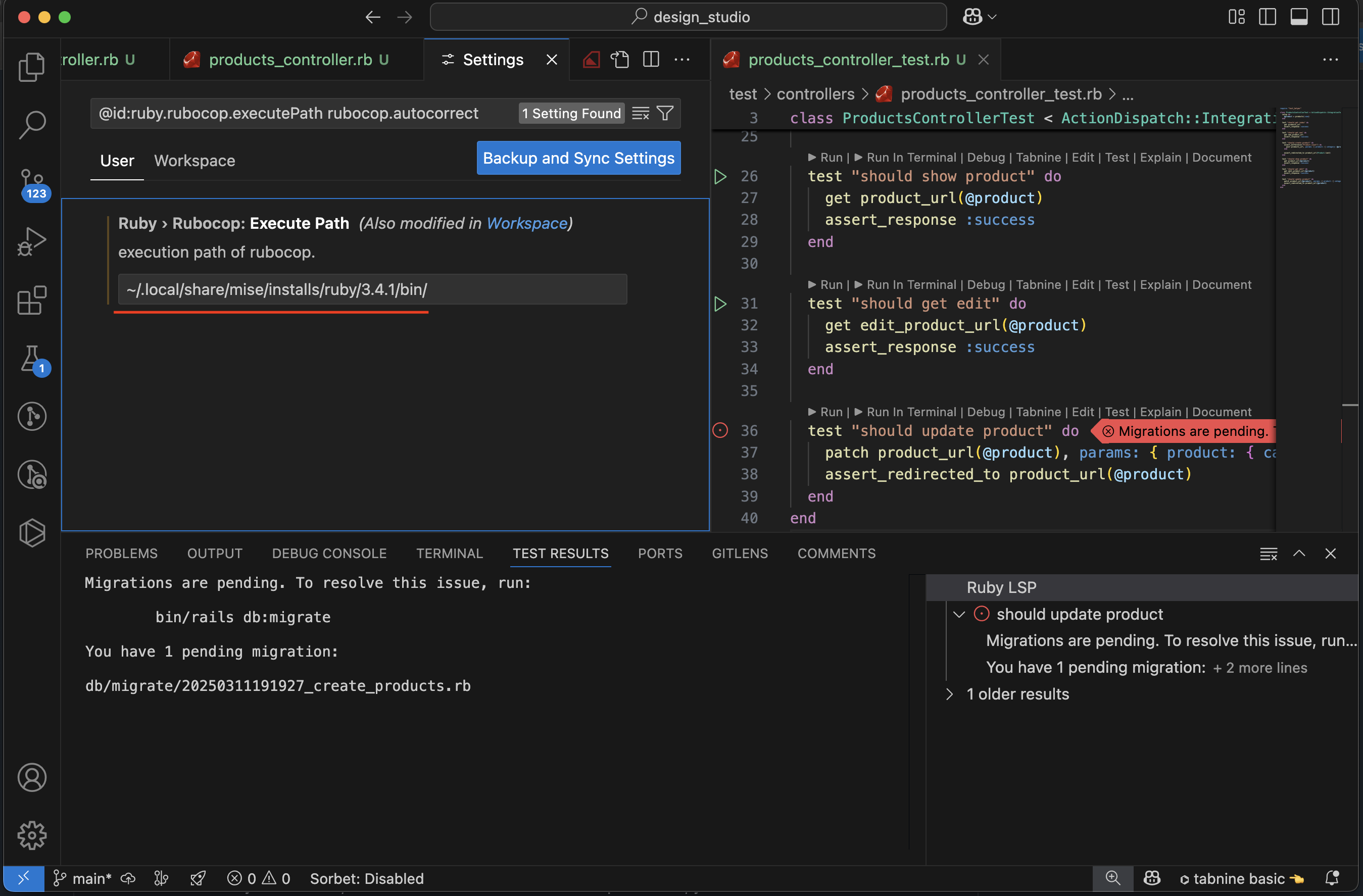
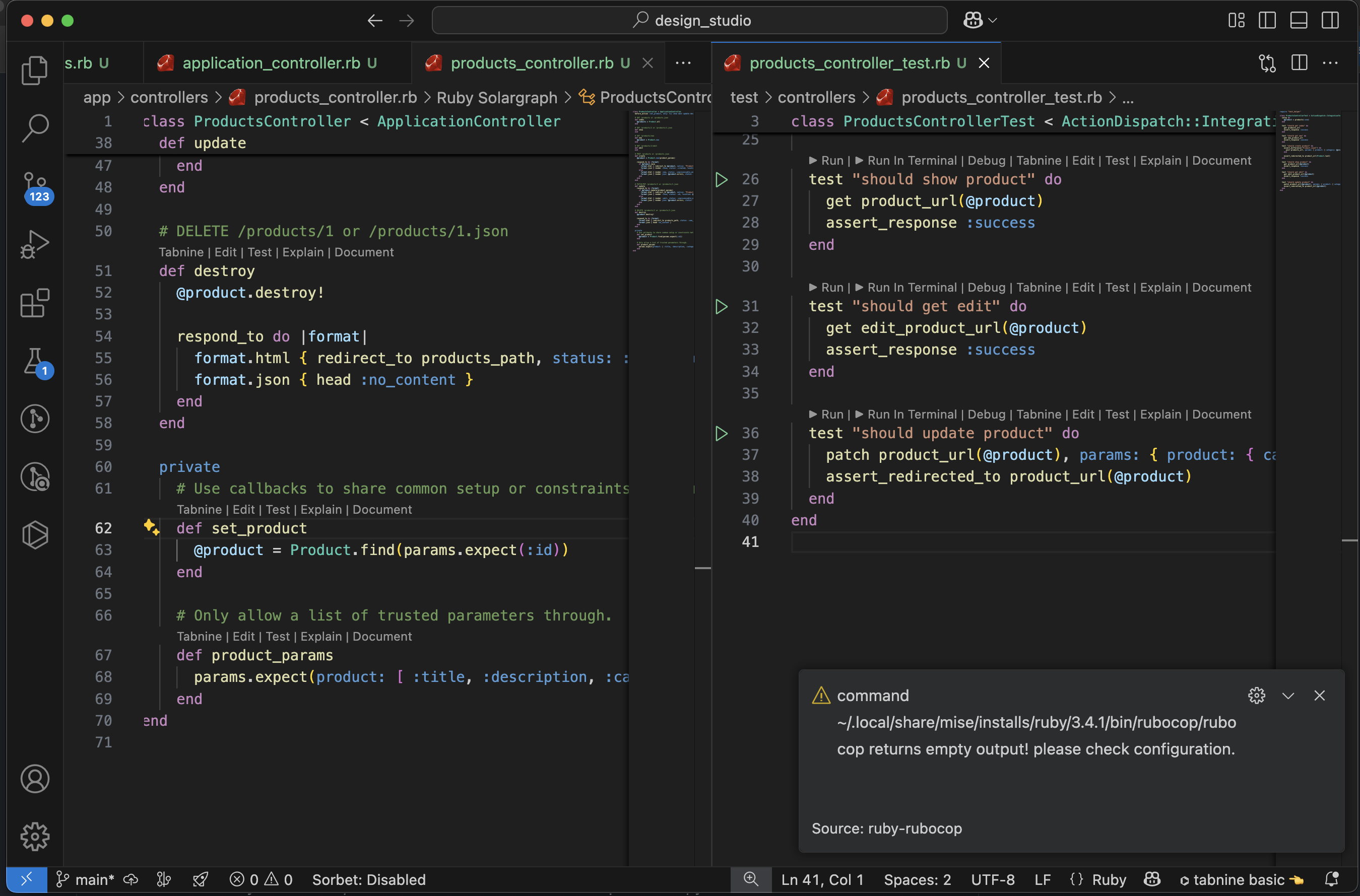
Rubocop loading issue on VScode

If you are facing issue to load rubocop plugin to your VS code try the following steps to fix it.

The error message will be something like:

rubocop on VScode not working.Error “rubocop is not executable”

  1. First you have to ensure that you have installed ruby in your machine. if you are using docker containers for your project, ruby is installed inside the containers and VS Code cannot find it.
  2. Next install rubocop gem in your machine
                 $ gem install rubocop

3. Next take

  VS Code -> Settings -> search for 'rubocop' in Ruby > Rubocop: Execute Path

add the output of the following command:

        $ which rubocop

4. Reload the rubocop plugin from VS Code.

Now VS Code will get to execute rubocop.

A Ruby on Rails Application without models

This blog is a quick walkthrough of creating a Ruby On Rails application without a model.

Find Rails new options from here:
https://gist.github.com/abhilashak/3c0c62fa62b2f7a439c417b68d032575

Find Gemfile options from here:

http://bundler.io/v1.2/gemfile.html

Install Ruby/Rails using rbenv

$ touch .rbenv-gemsets
$ echo project-name > .rbenv-gemsets
$ rbenv gemset active
$ rbenv install 2.5.3
$ gem install bundler
$ rbenv rehash
$ gem install rails -v 5.2.9
$ rbenv rehash
$ rails new my-new-porject --skip-active-record --skip-bundle -v 5.2.9

Add in Gemfile:

ruby “2.5.3”

comment jbuilder, we don’t need it.

# gem 'jbuilder', '~> 2.8’

Move rbenv gems file to new rails app folder

$ mv .rbenv-gemsets my-new-porject

$ touch .ruby-version

$ echo 2.5.3 > .ruby-version

$ gem install bundler

$ bundle

$ ruby -v
ruby 2.5.3p105 (2018-10-18 revision 65156) [x86_64-darwin18]

Start Rails server:

$ rails s

Gemfile add:

# Bootstrap Theme

gem 'bootstrap', '~> 4.3.0’

# Slim template Engine

gem 'slim', '>=4.0.1’

Do Bundle Install

$ bundle

Rename css to scss because we use bootsrap mixins and variables that work with scss files

$ mv app/assets/stylesheets/application.css app/assets/stylesheets/application.scss

Import Bootstrap styles in app/assets/stylesheets/application.scss:

// Custom bootstrap variables must be set or imported *before* bootstrap.
@import "bootstrap";

Then, remove all the *= require and *= require_tree statements from the Sass file. Instead, use @import to import Sass files.

Bootstrap JavaScript depends on jQuery
Add jquery-rails to Gemfile:

gem 'jquery-rails', '~> 4.3.4’

Bootstrap tooltips and popovers depend on popper.js for positioning.
Add Bootstrap dependencies and Bootstrap to your application.js:

//= require jquery3
//= require popper
//= require bootstrap-sprockets

While bootstrap-sprockets provides individual Bootstrap components for ease of debugging, you may alternatively require the concatenated bootstrap for faster compilation:

//= require jquery3
//= require popper
//= require bootstrap

Sass: Individual components

All Bootstrap opponents will be imported by default.
You can also import components explicitly. To start with a full list of modules copy _bootstrap.scss file into your assets as _bootstrap-custom.scss. Then comment out components you do not want from _bootstrap-custom. In the application Sass file, replace @import ‘bootstrap’ with:

@import 'bootstrap-custom';

Your application.css:

/*
 * This is a manifest file that'll be compiled into application.css, which will include all the files
 * listed below.
 *
 * Any CSS and SCSS file within this directory, lib/assets/stylesheets, or any plugin's
 * vendor/assets/stylesheets directory can be referenced here using a relative path.
 *
 * You're free to add application-wide styles to this file and they'll appear at the bottom of the
 * compiled file so the styles you add here take precedence over styles defined in any other CSS/SCSS
 * files in this directory. Styles in this file should be added after the last require_* statement.
 * It is generally better to create a new file per style scope.
 *
 */

/*Custom bootstrap variables must be set or imported *before* bootstrap.
  The available variables can be found: 
  https://github.com/twbs/bootstrap-rubygem/blob/master/assets/stylesheets/bootstrap/_variables.scss
*/
@import "bootstrap";

Your application.js File:

// This is a manifest file that'll be compiled into application.js, which will include all the files
// listed below.
//
// Any JavaScript/Coffee file within this directory, lib/assets/javascripts, or any plugin's
// vendor/assets/javascripts directory can be referenced here using a relative path.
//
// It's not advisable to add code directly here, but if you do, it'll appear at the bottom of the
// compiled file. JavaScript code in this file should be added after the last require_* statement.
//
// Read Sprockets README (https://github.com/rails/sprockets#sprockets-directives) for details
// about supported directives.
//
//= require rails-ujs
//= require turbolinks
//= require_tree .
//= require jquery3
//= require popper
//= require bootstrap-sprockets

You can check sample bootstrap forms here:

https://bootsnipp.com/snippets/featured/login-amp-signup-forms-in-panel

Remove cable.js from javascripts # we don’t need this for now