
This is a major milestone for your JavaScript and Node.js understanding.
Coming from Ruby/Rails, the confusing part is usually this:
fetch("/users").then(...)
or:
setTimeout(() => { ...}, 1000);
How can JavaScript start something, move on to other code, and then come back later?
The answer involves:
synchronous executioncall stackWeb APIs / Node.js APIscallback queuemicrotask queueevent loopPromiseasync/await
We will build these one at a time.
1. First: synchronous JavaScript
Start with completely normal execution:
console.log("A");console.log("B");console.log("C");
Output:
ABC
JavaScript executes the code sequentially.
Think:
A↓B↓C
Nothing surprising.
2. The call stack
JavaScript keeps track of function execution using something called the call stack.
Example:
function one() { two();}function two() { three();}function three() { console.log("Hello");}one();
Execution roughly looks like:
one() ↓two() ↓three() ↓console.log()
The stack grows:
threetwoone
Then functions finish and are removed.
This is a stack – last in, first out.
3. JavaScript itself is single-threaded
For normal JavaScript execution, there is one main execution thread.
That means JavaScript doesn’t execute:
ABC
simultaneously on the main JavaScript thread.
Instead:
A↓B↓C
This raises an obvious question:
Then how can JavaScript handle HTTP requests, timers, file operations, database calls, etc. without blocking everything?
This is where the runtime comes in.
4. JavaScript is not the whole runtime
This distinction is very important.
When you run JavaScript in a browser, you have:
Browser ├── JavaScript engine ├── Web APIs └── event loop
With Node.js:
Node.js ├── V8 JavaScript engine ├── Node APIs ├── libuv └── event loop
So when we say:
“JavaScript is single-threaded”
we are talking primarily about the JavaScript execution thread.
The surrounding runtime provides asynchronous capabilities.
5. setTimeout
Consider:
console.log("A");setTimeout(() => { console.log("B");}, 1000);console.log("C");
Output:
ACB
The important question is:
Why doesn’t
"B"appear immediately?
Because setTimeout schedules the callback to run later.
6. What’s actually happening?
Think of:
setTimeout(() => { console.log("B");}, 1000);
as:
JavaScript | | "Please schedule this callback" ↓Runtime timer system | | wait ~1 second ↓callback becomes eligible | ↓event loop | ↓call stack | ↓callback executes
Meanwhile JavaScript continues:
console.log("C");
That’s why:
ACB
7. Very important: 1000 does NOT mean “execute exactly after 1 second”
This:
setTimeout(callback, 1000);
means approximately:
Don’t execute the callback before the timer delay has elapsed.
It doesn’t guarantee execution exactly at 1000 ms.
Why?
Because JavaScript might still be busy executing other code.
For example:
setTimeout(() => { console.log("Timer");}, 0);for (let i = 0; i < 1_000_000_000; i++) { // expensive work}console.log("Done");
The timer doesn’t interrupt the running JavaScript.
You’ll still see:
DoneTimer
The callback has to wait until the current JavaScript work finishes.
8. The event loop
Now we can define the event loop at a useful level:
The event loop coordinates when callbacks waiting for execution can be placed onto the JavaScript call stack.
Simplified:
              ┌─────────────────┐
              │   Call Stack    │
              └────────┬────────┘
                       │
                       │ finishes
                       ↓
                ┌─────────────┐
                │ Event Loop  │
                └──────┬──────┘
                       ↑
                       │
                ┌──────┴──────┐
                │   Queues    │
                └─────────────┘
The exact runtime implementation is more nuanced, but this model is excellent for int.s and day-to-day debugging.
9. Callback queue
Consider:
setTimeout(() => { console.log("B");}, 0);console.log("A");
What happens?
The timer callback doesn’t go directly onto the call stack.
It becomes eligible and waits in a queue.
Conceptually:
Call Stack | | execute setTimeout ↓Timer system | ↓Callback queue
Then the event loop eventually moves the callback to the call stack when the stack is empty.
10. Why setTimeout(..., 0) is still asynchronous
This:
setTimeout(() => { console.log("B");}, 0);console.log("A");
prints:
AB
not:
BA
Even with 0, you told the runtime:
Schedule this callback for later.
So:
setTimeout(..., 0)
does not mean:
execute immediately.
It means:
schedule the callback asynchronously.
11. Now comes Promises
Callbacks work, but deeply nested callbacks can become difficult:
doSomething(a => { doSomethingElse(a, b => { doAnotherThing(b, c => { doFinalThing(c => { // ... }); }); });});
This style is sometimes called callback hell.
Promises provide a cleaner abstraction for asynchronous results.
12. What is a Promise?
A Promise represents:
A value that may be available now, later, or never because the operation may fail.
A Promise has three important states:
pendingfulfilledrejected
Visualize:
          ┌──────────────┐
          │   pending    │
          └──────┬───────┘
                 │
          ┌──────┴───────┐
          ↓              ↓
      fulfilled       rejected
Once settled, it doesn’t go back to pending.
13. Creating a Promise
For learning purposes:
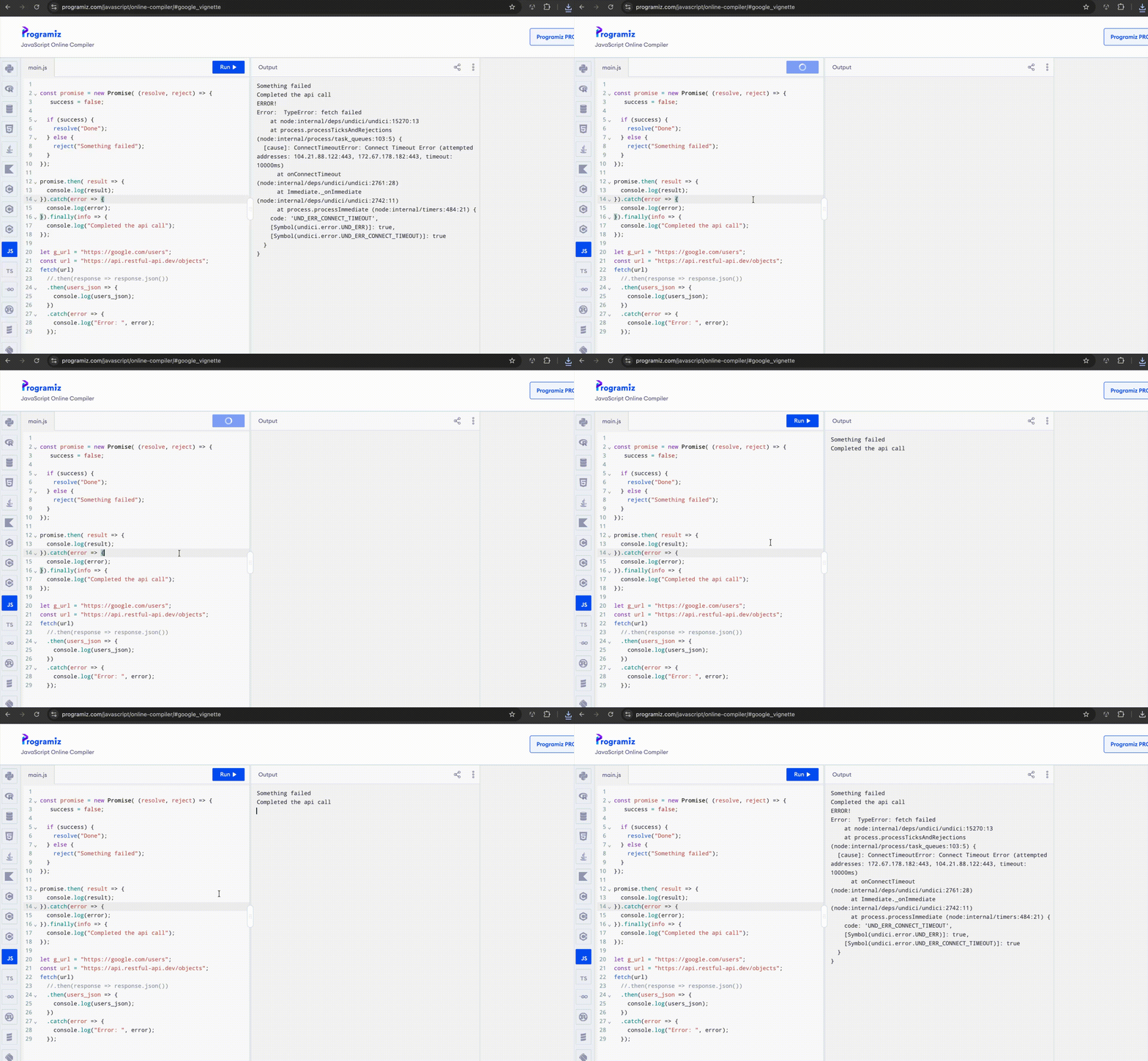
const promise = new Promise((resolve, reject) => { const success = true; if (success) { resolve("Done"); } else { reject("Something failed"); }});
Here:
resolve → successreject → failure
14. Consuming a Promise with .then()
promise.then(result => { console.log(result);});
If the Promise resolves with:
resolve("Done");
then:
Done
is passed to the callback.
This is another callback.
So:
promise.then(result => { console.log(result);});
means:
When the Promise successfully completes, call this function with the resolved value.
15. Handling errors with .catch()
promise .then(result => { console.log(result); }) .catch(error => { console.error(error); });
The pattern is:
then → successcatch → failurefinally → always
Example:
fetch("/users") .then(response => response.json()) .then(users => { console.log(users); }) .catch(error => { console.error(error); });
This is extremely common in browser JavaScript.
16. Promise chaining
This code:
fetch("/users") .then(response => response.json()) .then(users => { console.log(users); });
contains a chain.
The important idea is:
Promise 1 ↓.then() ↓returns Promise 2 ↓.then()
This works because .then() itself returns a Promise.
17. Why does response.json() return a Promise?
This surprises beginners.
You might think:
const response = await fetch("/users");const users = response.json();
would make users the parsed object.
But:
response.json()
itself performs asynchronous parsing and returns a Promise.
So:
response.json()
is conceptually:
Promise<User[]>
That’s why you can write:
fetch("/users") .then(response => response.json()) .then(users => { console.log(users); });
The second .then() receives the eventual parsed result.
18. async/await
Now we get to modern JavaScript’s preferred syntax for many asynchronous workflows.
Instead of:
fetch("/users") .then(response => response.json()) .then(users => { console.log(users); }) .catch(error => { console.error(error); });
we can write:
async function loadUsers() { try { const response = await fetch("/users"); const users = await response.json(); console.log(users); } catch (error) { console.error(error); }}
This often looks much more like synchronous code.
19. What does async mean?
When you write:
async function loadUsers() {}
the function always returns a Promise.
For example:
async function getNumber() { return 10;}
You might think:
const result = getNumber();
gives:
10
But it actually gives a Promise that fulfills to 10.
Conceptually:
getNumber() ↓Promise ↓10
Therefore:
const result = await getNumber();
gives:
10
inside an async context.
20. What does await mean?
Suppose:
const result = await getNumber();
A common beginner explanation is:
“
awaitblocks JavaScript until the Promise finishes.”
That’s misleading.
A better mental model:
awaitpauses the continuation of the current async function until the Promise settles, while the JavaScript runtime can continue doing other work.
For example:
async function load() { console.log("A"); const result = await fetch("/users"); console.log("B");}console.log("Start");load();console.log("End");
Conceptually:
StartAEndB
The load() function reaches await, then its continuation is suspended.
JavaScript can continue executing:
console.log("End");
When the Promise settles, execution resumes from:
console.log("B");
21. This is the crucial difference from synchronous waiting
Imagine Ruby code like:
response = make_http_requestputs response
The current Ruby execution waits for that call to return.
With JavaScript:
const response = await fetch("/users");
the async function yields control while the asynchronous operation is in progress.
That’s one of the key ideas behind Node.js scalability.
22. Microtask queue
Now we need one more piece.
Promises use a queue often described as the microtask queue.
Consider:
console.log("A");Promise.resolve().then(() => { console.log("B");});console.log("C");
Output:
ACB
The Promise callback doesn’t execute immediately.
It is scheduled as a microtask.
23. Microtasks vs timer callbacks
Now:
console.log("A");setTimeout(() => { console.log("B");}, 0);Promise.resolve().then(() => { console.log("C");});console.log("D");
The result is:
ADCB
Why?
A simplified model is:
1. Run current synchronous code2. Process microtasks3. Then process eligible timer/task callbacks
So:
AD ↓Promise microtask ↓C ↓timer callback ↓B
This is a very common JavaScript int. question.
24. The async execution model
Here’s the mental model I want you to build:
                JavaScript
                    │
                    ↓
               Call Stack
                    │
        ┌───────────┴───────────┐
        │                       │
        ↓                       ↓
 synchronous             async operation
                             │
                     Browser / Node APIs
                             │
                    ┌────────┴─────────┐
                    ↓                  ↓
              Microtask Queue      Task Queue
                    │                  │
                    └────────┬─────────┘
                             ↓
                         Event Loop
                             ↓
                        Call Stack
This is simplified, but it’s a strong working model.
25. Promise.resolve()
You can easily create an already-resolved Promise:
Promise.resolve("Hello") .then(value => { console.log(value); });
The callback still runs asynchronously as a microtask.
That’s why:
console.log("A");Promise.resolve().then(() => { console.log("B");});console.log("C");
gives:
ACB
26. Multiple awaits
Consider:
async function load() { const a = await getA(); const b = await getB(); return [a, b];}
Conceptually:
start ↓getA() ↓wait for Promise ↓resume ↓getB() ↓wait for Promise ↓resume ↓return
This is sequential.
If getA() and getB() are independent, you can often improve latency with:
const [a, b] = await Promise.all([ getA(), getB()]);
Now both operations can be started concurrently.
27. Promise.all
Example:
const [users, products] = await Promise.all([ fetchUsers(), fetchProducts()]);
Instead of:
const users = await fetchUsers();const products = await fetchProducts();
The second version waits for fetchUsers() before starting fetchProducts() if those function calls themselves initiate the asynchronous operations at invocation.
With Promise.all:
fetchUsers() ────────┐ ├──→ Promise.allfetchProducts() ────────┘
They can progress concurrently.
This is one of the most useful async performance patterns.
28. Promise.all failure behavior
Suppose:
const results = await Promise.all([ fetchUsers(), fetchProducts(), fetchOrders()]);
If one Promise rejects, Promise.all rejects.
That means it is appropriate when:
I need all of these operations to succeed.
When that’s not what you want, Promise.allSettled() may be more appropriate.
We’ll cover the Promise combinators separately.
29. Common Node.js example
Imagine an HTTP API needs:
userordersrecommendations
Sequential:
const user = await getUser(id);const orders = await getOrders(id);const recommendations = await getRecommendations(id);
Potentially:
user ↓orders ↓recommendations
If they’re independent:
const [user, orders, recommendations] = await Promise.all([ getUser(id), getOrders(id), getRecommendations(id)]);
Now:
getUser() ────────┐getOrders() ────────┼──→ Promise.allgetRecommendations() ──────┘
This can reduce overall latency substantially when the operations run concurrently.
30. A critical misunderstanding about Node.js
You may hear:
“Node.js is single-threaded.”
Don’t interpret that as:
“Node.js can only do one thing at a time.”
A better explanation:
JavaScript execution runs primarily on a single main thread, while Node.js delegates asynchronous I/O to its runtime and underlying system facilities, allowing other JavaScript work to continue.
This is one of the most common Node.js int. topics.
31. CPU-bound work is different
Suppose you do:
while (true) { // massive CPU computation}
The event loop is stuck.
No incoming request can be processed by that same JavaScript thread while it is occupied with that synchronous work.
So Node.js is excellent for many I/O-heavy workloads, but CPU-heavy work needs different strategies such as:
worker threadschild processesseparate servicesjob queues
The important architectural distinction is:
I/O-bound → async works very wellCPU-bound → can block the event loop
32. React connection
Now look at a common React example:
useEffect(() => { async function loadUsers() { const response = await fetch("/users"); const users = await response.json(); setUsers(users); } loadUsers();}, []);
You can now break it down:
useEffect ↓receives a callback ↓callback creates async function ↓fetch returns Promise ↓await pauses async function continuation ↓Promise resolves ↓function resumes ↓setUsers(...) ↓React state update
None of that requires React magic.
It’s JavaScript asynchronous programming + React state.
33. Why don’t we make the useEffect callback itself async?
You’ll often see:
useEffect(async () => { ...}, []);
This isn’t the recommended pattern.
The effect callback is expected to either perform its effect and optionally return a cleanup function, rather than return a Promise.
Instead:
useEffect(() => { async function loadUsers() { ... } loadUsers();}, []);
This will make more sense once we revisit useEffect later.
34. Common int. question
What is the output?
console.log("1");setTimeout(() => { console.log("2");}, 0);Promise.resolve().then(() => { console.log("3");});console.log("4");
Answer:
1432
Mental trace:
synchronous:14microtasks:3timer/task:2
This is an excellent event-loop test.
35. Another one
What is the output?
async function test() { console.log("A"); await Promise.resolve(); console.log("B");}console.log("C");test();console.log("D");
Think carefully.
Output:
CADB
Why?
test() starts synchronously:
C ↓test() ↓A
Then:
await Promise.resolve();
suspends the remainder of the async function.
JavaScript continues:
D
Then the continuation runs as a microtask:
B
🧠 Ruby developer mental model
When you see:
const result = await something();
don’t think:
“JavaScript stops.”
Think:
“This async function cannot continue until the Promise settles, so its continuation is suspended and the runtime can continue processing other work.”
That’s a much better Node.js mental model.
🎯 Int. questions
Try answering these before looking at the explanation.
Q1
What does “JavaScript is single-threaded” actually mean?
Q2
What is the event loop?
Q3
Does this execute immediately?
setTimeout(callback, 0);
Q4
What’s the difference between:
call stackmicrotask queuetask/callback queue
Q5
What are the three Promise states?
Q6
What does async do to a function?
Q7
What does await do?
Q8
Why is this often better for independent operations?
await Promise.all([ getUsers(), getProducts()]);
Q9
Why can a large synchronous CPU operation hurt a Node.js server?
🧪 Live coding practice
Problem 1 – Predict the output
console.log("A");setTimeout(() => { console.log("B");}, 0);console.log("C");
Problem 2 – Promise vs timer
Predict:
console.log("A");setTimeout(() => { console.log("B");}, 0);Promise.resolve().then(() => { console.log("C");});console.log("D");
Problem 3 – Async function
Predict:
async function test() { console.log("A"); await Promise.resolve(); console.log("B");}console.log("C");test();console.log("D");
Problem 4 – Create a Promise
Write:
function getUser() { // return a Promise}
It should resolve with:
{ id: 1, name: "John"}
Then consume it with:
getUser().then(user => { console.log(user);});
Problem 5 – Convert .then() to async/await
Convert:
fetch("/users") .then(response => response.json()) .then(users => { console.log(users); }) .catch(error => { console.error(error); });
into an async/await version using try/catch.
Problem 6 – Sequential vs concurrent
Given:
const users = await getUsers();const products = await getProducts();
Rewrite it using Promise.all().
Then explain when it is safe to do so.
One diagram to remember
Keep this mental picture:
              JavaScript
                  │
                  ↓
             CALL STACK
                  │
          ┌───────┴────────┐
          │                │
          ↓                ↓
     synchronous       async operation
                           │
                           ↓
                    Runtime APIs
                           │
                  ┌────────┴────────┐
                  ↓                 ↓
            Microtask Queue     Task Queue
                  │                 │
                  └────────┬────────┘
                           ↓
                       Event Loop
                           ↓
                      CALL STACK
And the modern JavaScript progression is now:
Function ↓Callback ↓Asynchronous callback ↓Promise ↓.then / .catch ↓async / await ↓Promise.all
We now have the foundation to understand how Node.js actually handles concurrent I/O without creating one JavaScript thread per request.
Next lesson: ES6 modules, imports/exports, default vs named exports, CommonJS vs ES Modules, and how Vite/React/Node organize JavaScript files.
After that, we’ll move into modern JavaScript operators and syntax – optional chaining, nullish coalescing, template literals, default parameters, logical operators and common patterns we’ll see constantly in React and Node.js.


