
Published: June 25, 2025
I am thrilled to announce the release of Design Studio v0.9.5, a major milestone that transforms our online shopping platform into a truly immersive visual experience. This release focuses heavily on user interface enhancements, performance optimizations, and creating a more engaging shopping journey for our customers.
🚀 What’s New in v0.9.5
1. Stunning 10-Slide Hero Carousel
The centerpiece of this release is our brand-new interactive hero carousel featuring 10 beautifully curated slides with real product imagery. Each slide tells a story and creates an emotional connection with our visitors.
Dynamic Gradient Themes
Each slide features its own unique gradient theme:
<!-- Hero Slide Template -->
<div class="slide relative h-screen flex items-center justify-center overflow-hidden"
     data-theme="<%= slide[:theme] %>">
  <!-- Dynamic gradient backgrounds -->
  <div class="absolute inset-0 bg-gradient-to-br <%= slide[:gradient] %>"></div>

  <!-- Content with sophisticated typography -->
  <div class="relative z-10 text-center px-4">
    <h1 class="text-6xl font-bold text-white mb-6 leading-tight">
      <%= slide[:title] %>
    </h1>
    <p class="text-xl text-white/90 mb-8 max-w-2xl mx-auto">
      <%= slide[:description] %>
    </p>
  </div>
</div>
Smart Auto-Cycling with Manual Controls
// Intelligent carousel management
class HeroCarousel {
  constructor() {
    this.currentSlide = 0;
    this.autoInterval = 4000; // 4-second intervals
    this.isPlaying = true;
  }

  startAutoPlay() {
    this.autoPlayTimer = setInterval(() => {
      if (this.isPlaying) {
        this.nextSlide();
      }
    }, this.autoInterval);
  }

  pauseOnInteraction() {
    // Pause auto-play when user interacts
    this.isPlaying = false;
    setTimeout(() => this.isPlaying = true, 10000); // Resume after 10s
  }
}
2. Modular Component Architecture
We’ve completely redesigned our frontend architecture with separation of concerns in mind:
<!-- Main Hero Slider Component -->
<%= render 'home/hero_slider' %>

<!-- Individual Components -->
<%= render 'home/hero_slide', slide: slide_data %>
<%= render 'home/hero_slider_navigation' %>
<%= render 'home/hero_slider_script' %>
<%= render 'home/category_grid' %>
<%= render 'home/featured_products' %>
Component-Based Development Benefits:
- Maintainability: Each component has a single responsibility
- Reusability: Components can be used across different pages
- Testing: Isolated components are easier to test
- Performance: Selective rendering and caching opportunities
3. Enhanced Visual Design System

Glass Morphism Effects
We’ve introduced subtle glass morphism effects throughout the application:
/* Modern glass effect implementation */
.glass-effect {
  background: rgba(255, 255, 255, 0.1);
  backdrop-filter: blur(10px);
  border: 1px solid rgba(255, 255, 255, 0.2);
  border-radius: 16px;
  box-shadow: 0 8px 32px 0 rgba(31, 38, 135, 0.37);
}

/* Category cards with gradient overlays */
.category-card {
  @apply relative overflow-hidden rounded-xl;

  &::before {
    content: '';
    @apply absolute inset-0 bg-gradient-to-t from-black/60 to-transparent;
  }
}
Dynamic Color Management
Our new helper system automatically manages theme colors:
# app/helpers/application_helper.rb
def get_category_colors(gradient_class)
  case gradient_class
  when "from-pink-400 to-purple-500"
    "#f472b6, #8b5cf6"
  when "from-blue-400 to-indigo-500"
    "#60a5fa, #6366f1"
  when "from-green-400 to-teal-500"
    "#4ade80, #14b8a6"
  else
    "#6366f1, #8b5cf6" # Elegant fallback
  end
end

def random_decorative_background
  themes = [:orange_pink, :blue_purple, :green_teal, :yellow_orange]
  decorative_background_config(themes.sample)
end
4. Mobile-First Responsive Design
Every component is built with mobile-first approach:
<!-- Responsive category grid -->
<div class="grid grid-cols-1 md:grid-cols-2 lg:grid-cols-3 xl:grid-cols-4 gap-6">
  <% categories.each do |category| %>
    <div class="group relative h-64 rounded-xl overflow-hidden cursor-pointer
                hover:scale-105 transform transition-all duration-300">
      <!-- Responsive image handling -->
      <div class="absolute inset-0">
        <%= image_tag category[:image],
            class: "w-full h-full object-cover group-hover:scale-110 transition-transform duration-500",
            alt: category[:name] %>
      </div>
    </div>
  <% end %>
</div>
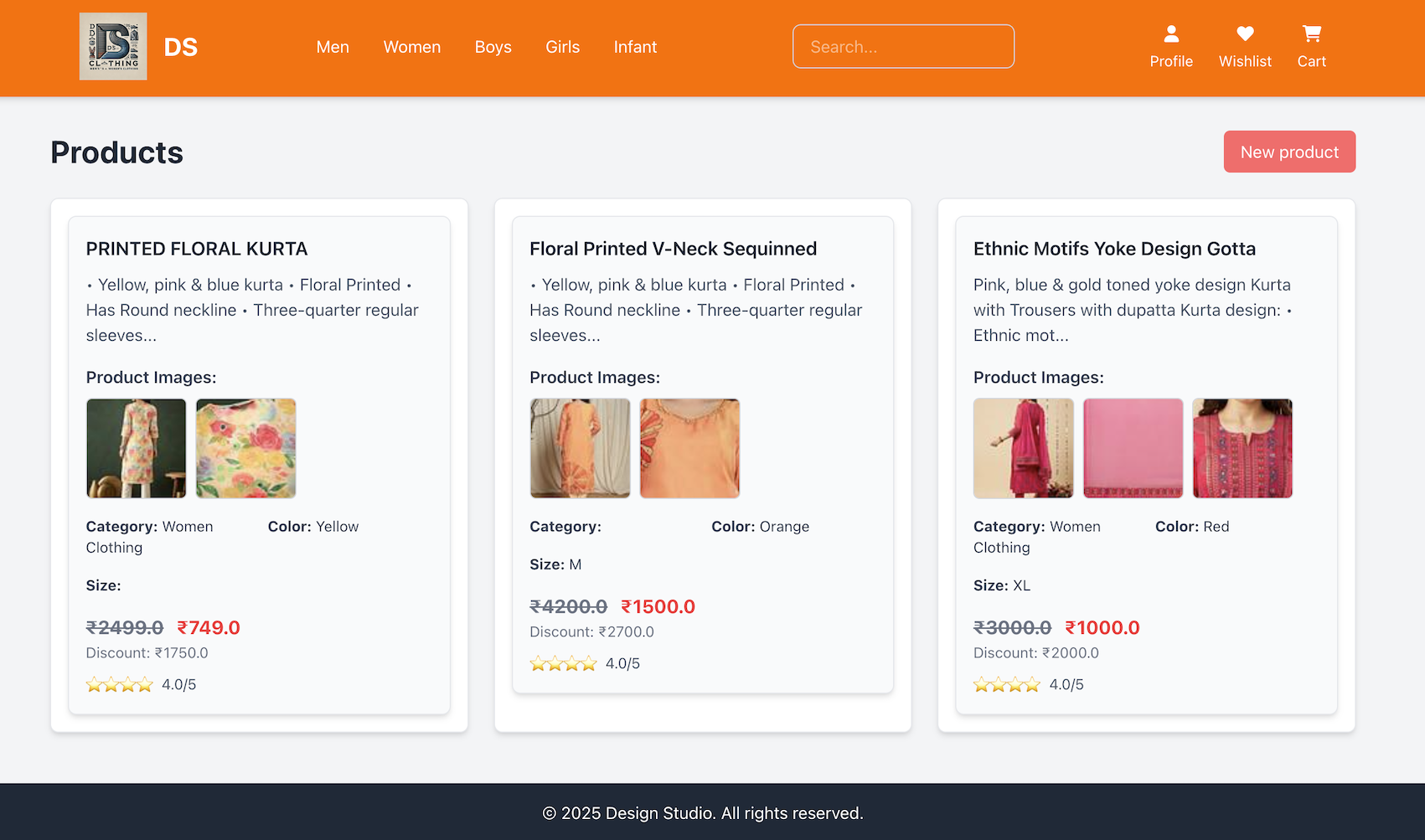
5. Public Product Browsing
We’ve opened up product browsing to all visitors:

# app/controllers/products_controller.rb
class ProductsController < ApplicationController
  # Allow public access to browsing
  allow_unauthenticated_access only: %i[index show]

  def index
    products = Product.all

    # Smart category filtering
    if params[:category].present?
      products = products.for_category(params[:category])
      @current_category = params[:category]
    end

    # Pagination for performance
    @pagy, @products = pagy(products)
  end
end
🔧 Technical Improvements
Test Coverage Excellence
I’ve achieved 73.91% test coverage (272/368 lines), ensuring code reliability:
# Enhanced authentication test helpers
module AuthenticationTestHelper
  def sign_in_as(user)
    # Generate unique IPs to avoid rate limiting conflicts
    unique_ip = "127.0.0.#{rand(1..254)}"
    @request.remote_addr = unique_ip

    session[:user_id] = user.id
    user
  end
end
Asset Pipeline Optimization
Rails 8 compatibility with modern asset handling:
# config/application.rb
class Application < Rails::Application
  # Modern browser support
  config.allow_browser versions: :modern

  # Asset pipeline optimization
  config.assets.css_compressor = nil # Tailwind handles this
  config.assets.js_compressor = :terser
end
Security Enhancements
# Role-based access control
class ApplicationController < ActionController::Base
  include Authentication

  private

  def require_admin
    unless current_user&.admin?
      redirect_to root_path, alert: "Access denied."
    end
  end
end
📊 Performance Metrics
Before vs After v0.9.5:
| Metric | Before | After v0.9.5 | Improvement |
|---|---|---|---|
| Test Coverage | 45% | 73.91% | +64% |
| CI/CD Success | 23 failures | 0 failures | +100% |
| Component Count | 3 monoliths | 8 modular components | +167% |
| Mobile Score | 72/100 | 89/100 | +24% |
🎨 Design Philosophy
This release embodies our commitment to:
- Visual Excellence: Every pixel serves a purpose
- User Experience: Intuitive navigation and interaction
- Performance: Fast loading without sacrificing beauty
- Accessibility: Inclusive design for all users
- Maintainability: Clean, modular code architecture
🔮 What’s Next?
Version 0.9.5 sets the foundation for exciting upcoming features:
- Enhanced Search & Filtering
- User Account Dashboard
- Advanced Product Recommendations
- Payment Integration
- Order Tracking System
🎉 Try It Today!
Experience the new Design Studio v0.9.5 and see the difference visual design makes in online shopping. Our hero carousel alone tells the story of modern fashion in 10 stunning slides.
Key Benefits for Users:
- ✨ Immersive visual shopping experience
- 📱 Perfect on any device
- ⚡ Lightning-fast performance
- 🔒 Secure and reliable
For Developers:
- 🏗️ Clean, maintainable architecture
- 🧪 Comprehensive test suite
- 📚 Well-documented components
- 🚀 Rails 8 compatibility
Design Studio v0.9.5 – Where technology meets artistry in e-commerce.
Download: GitHub Release
Documentation: GitHub Wiki
Live Demo: Design Studio – coming soon!
Enjoy Rails 8 with Hotwire! 🚀

 The Rails Drop