
Throw back:
rails new design_studio_react --database=postgresql -j esbuild --skip-hotwire
Here’s what our Rails app looks like after skipping Hotwire with the --skip-hotwire flag:
✅ Current JavaScript/Node.js Setup (Clean & Minimal)
📦 Package Management:
package.json– Clean setup with only esbuild script.node-version– Node.js version 24.1.0- No dependencies – Ready for React installation
📁 JavaScript File Structure (Ultra-Clean):
app/javascript/
└── application.js          # Empty entry point (2 lines total!)
app/javascript/application.js content:
// Entry point for the build script in your package.json
🚫 What Got Successfully Removed:
- ❌ No Turbo/Stimulus imports in
application.js - ❌ No
controllers/directory at all - ❌ No Hotwire gems in Gemfile (only
jsbundling-railsremains) - ❌ No
@hotwired/turbo-railsor@hotwired/stimulusdependencies
⚙️ Configuration Files (Minimal – Only 4):
package.json– esbuild build script only.node-version– Node.js version pinningProcfile.dev– Development processes (js: yarn build --watch)app/javascript/application.js– Empty entry point
🔧 esbuild Configuration:
{
  "scripts": {
    "build": "esbuild app/javascript/*.* --bundle --sourcemap --format=esm --outdir=app/assets/builds --public-path=/assets"
  }
}
📂 Build Output:
app/assets/builds/– Contains only.keepfile (empty, ready for bundles)
🎯 HTML Integration:
<!-- Still includes the JavaScript module correctly -->
<%= javascript_include_tag "application", "data-turbo-track": "reload", type: "module" %>
(Note: data-turbo-track is just an HTML attribute for cache busting, not the Turbo library)
# create db
✗ rails db:migrate

# run react-rails-app in port 3001
✗ rails s -p 3001

🚀 Next Steps: Install & Setup React
Step 1: Install react, react-dom
Your app is now perfectly clean for React! Just run:
brew install yarn
yarn add react react-dom # check node_modules/ folder for what is installed
yarn add --dev @types/react @types/react-dom  # Optional: for TypeScript support, check node_modules/@types folder
Status: ✅ Minimal JavaScript foundation – No Hotwire bloat, perfect React starting point!
Now that we have a clean Rails app with esbuild setup, here’s our step-by-step roadmap to get React working:
Step 2: Create Your First React Component
Create a simple React component to test the setup:
mkdir app/javascript/components
Then create app/javascript/components/App.jsx:
import React from 'react';

function App() {
  return (
    <div>
      <h1>React is Working!</h1>
      <p>Welcome to your Rails + React app</p>
    </div>
  );
}

export default App;
Step 3: Update JavaScript Entry Point
Modify app/javascript/application.js to render React:
// Entry point for the build script in your package.json
import React from 'react';
import { createRoot } from 'react-dom/client';
import App from './components/App';

document.addEventListener('DOMContentLoaded', () => {
  const container = document.getElementById('react-root');
  if (container) {
    const root = createRoot(container);
    root.render(<App />);
  }
});
Step 4: Create a Controller & Route
Generate a home controller:
rails generate controller Home index
Step 5: Add React Root to View
Update app/views/home/index.html.erb:
<div id="react-root"></div>
Step 6: Set Root Route
Update config/routes.rb:
Rails.application.routes.draw do
  root "home#index"
  # ... other routes
end
Step 7: Start Development
# update Procfile.dev assign port 3001
web: env RUBY_DEBUG_OPEN=true bin/rails server -p 3001
# run our rails-react app by

✗ bin/dev
21:15:27 web.1  | started with pid 12619
21:15:27 js.1   | started with pid 12620
21:15:27 js.1   | yarn run v1.22.22
21:15:27 js.1   | $ esbuild app/javascript/*.* --bundle --sourcemap --format=esm --outdir=app/assets/builds --public-path=/assets --watch
21:15:27 js.1   | /bin/sh: esbuild: command not found
21:15:27 js.1   | error Command failed with exit code 127.
21:15:27 js.1   | info Visit https://yarnpkg.com/en/docs/cli/run for documentation about this command.
21:15:27 web.1  | => Booting Puma
..........
🎯 What This Gives Us:
- ✅ React components in
app/javascript/components/ - ✅ esbuild automatically bundles JSX
- ✅ Hot reloading with
yarn build --watch - ✅ Rails serves your React app
🚨 Error Analysis:
- Rails server started fine ✅ (port 3001)
🔧 Solution: Install JavaScript Dependencies
You need to install esbuild and other JavaScript dependencies first:
yarn install
📋 Files yarn install Checks:
1. Primary: package.json
{
  "name": "app",
  "private": true,
  "scripts": {
    "build": "esbuild app/javascript/*.* --bundle --sourcemap --format=esm --outdir=app/assets/builds --public-path=/assets"
  },
  "dependencies": {
    "react": "^19.1.0",           # ✅ Already added
    "react-dom": "^19.1.0"       # ✅ Already added
  },
  "devDependencies": {
    "@types/react": "^19.1.8",      # ✅ Already added
    "@types/react-dom": "^19.1.6"   # ✅ Already added
  }
}
2. Lockfile: yarn.lock
- Ensures exact versions for reproducible installs
- Contains resolved URLs and integrity hashes
🚨 The Problem: Missing esbuild!
Our package.json calls esbuild in the build script, but esbuild is not listed as a dependency anywhere!
Rails should have added it, but didn’t. We need to add esbuild:
yarn add --dev esbuild
🔧 What yarn install does:
- Reads
package.jsonfor dependency list - Reads
yarn.lockfor exact versions (if exists) - Downloads packages to
node_modules/ - Updates
yarn.lockwith new resolutions
Current issue: Our build script expects esbuild command, but it’s not installed in node_modules/.bin/esbuild
Solution: Add esbuild as a dev dependency!
Solved~ and start servers: Error Again!
x bin/dev

* Listening on http://[::1]:3001
22:54:43 web.1  | Use Ctrl-C to stop
22:54:44 js.1   | ✘ [ERROR] The JSX syntax extension is not currently enabled
22:54:44 js.1   |
22:54:44 js.1   |     app/javascript/application.js:11:16:
22:54:44 js.1   |       11 │     root.render(<App />);
22:54:44 js.1   |          ╵                 ^
22:54:44 js.1   |
22:54:44 js.1   |   The esbuild loader for this file is currently set to "js" but it must be set to "jsx" to be able to parse JSX syntax. You can use "--loader:.js=jsx" to do that.
22:54:44 js.1   |
22:54:44 js.1   | 1 error
22:54:44 js.1   | [watch] build finished, watching for changes..
This error occurs because esbuild doesn’t know how to handle JSX syntax! The <App /> is JSX, but esbuild needs to be configured to transform it.
🚨 Problem: esbuild can’t process JSX syntax
Your application.js contains JSX (<App />), but esbuild isn’t configured to transform JSX!
JSX (JavaScript XML) is a syntax extension for JavaScript, commonly used with React, that allows you to write HTML-like code within JavaScript files.
🔧 Solution: Configure esbuild for JSX
Update your package.json build script to handle JSX:
# add this to build
--jsx=automatic --loader:.js=jsx
✅ Fixed! Added JSX support:
What I added:
--jsx=automatic– Enables React’s automatic JSX runtime--loader:.js=jsx– Treats.jsfiles as JSX files
📝 What this means:
- ✅ esbuild can now process
<App />syntax - ✅ You don’t need to import React in every JSX file
- ✅ Your
.jsfiles can contain JSX
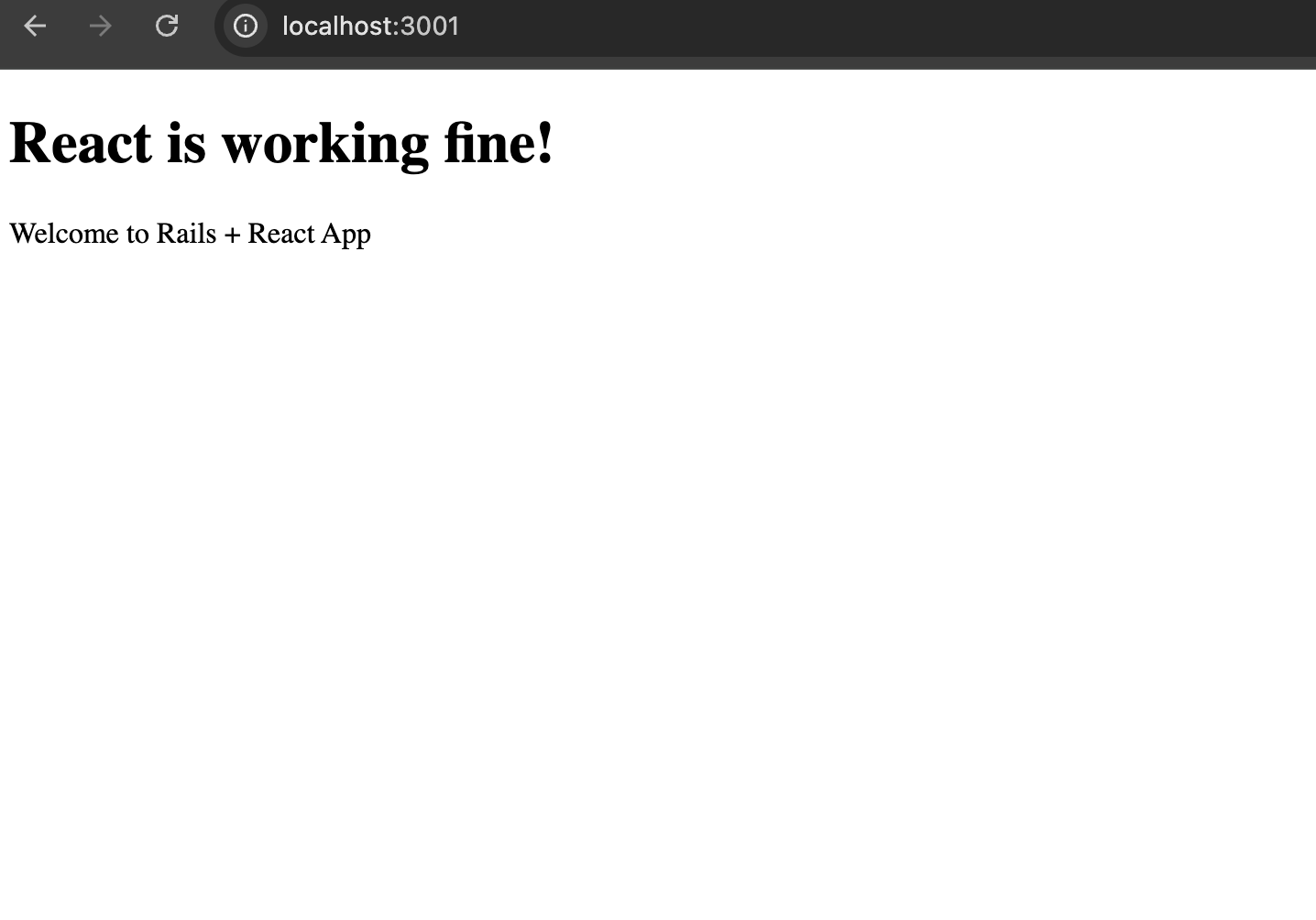
bin/dev
Whola!!
Let’s see in Part 3. Happy React configuration! 🚀
 The Rails Drop