
1. Integrate pagy for pagination
Why it’s the great choice:
- Super fast and lightweight (~300x faster than Kaminari or WillPaginate).
- No dependencies on Active Record or view helpers.
- Very customizable and modular (can do Bootstrap/Tailwind/semantic UI integrations).
- Supports metadata, responsive pagination, overflow handling, infinite scrolling, and JSON API pagination.
# Gemfile
# The Best Pagination Ruby Gem [https://ddnexus.github.io/pagy/]
gem "pagy", "~> 9.3" # omit patch digit

bundle install
Example Usage in Controller:
include Pagy::Backend

def index
  @pagy, @products = pagy(Product.all)
end
In Product Helper / Application Helper:
include Pagy::Frontend
In the View (ERB or HAML):
<%= pagy_nav(@pagy) %>
Add an initializer file
Download the file from: https://ddnexus.github.io/pagy/quick-start/
https://ddnexus.github.io/pagy/gem/config/pagy.rb
and save it into the config/initializers directory. Uncomment limit and size options.
Tailwind Support:
# In an initializer (e.g., config/initializers/pagy.rb)
Pagy::DEFAULT[:limit]       = 20                    # default
Pagy::DEFAULT[:size]        = 7                     # default
# Better user experience handled automatically
require "pagy/extras/overflow"
Pagy::DEFAULT[:overflow] = :last_page
I am getting a load error when I want tailwind css to apply to my views:
LoadError: cannot load such file -- pagy/extras/tailwind (LoadError)
Ahh it’s not supporting Tailwind CSS, and there is no tailwind file found in the Gem too!
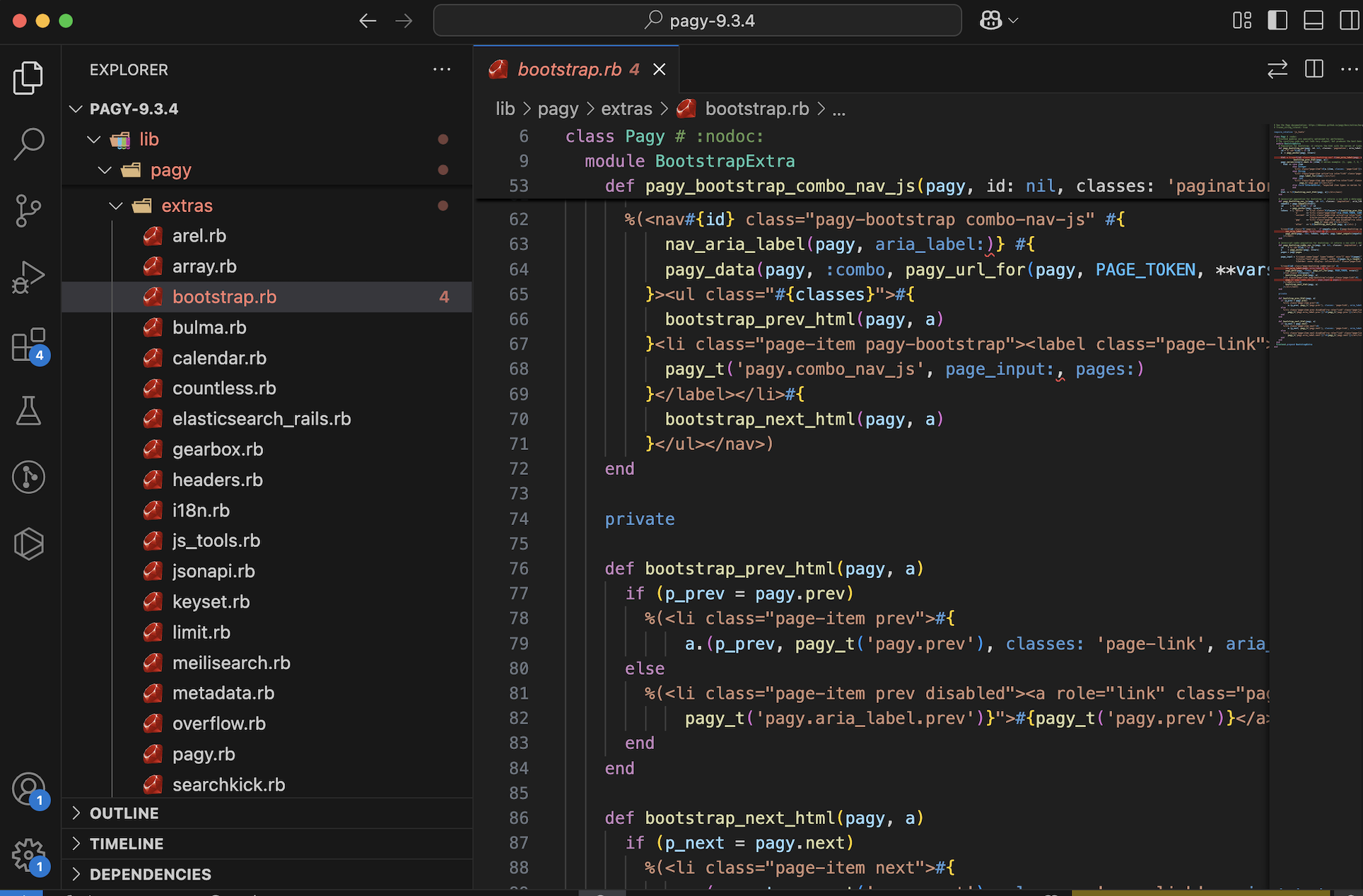
Hmm..😟 Check below:

We can try to include the css manually, check: https://ddnexus.github.io/pagy/docs/api/stylesheets/#pagy-tailwind-css
Create a file pagy.tailwind.css and add the following:
.pagy {
    @apply flex space-x-1 font-semibold text-sm text-gray-500;
    a:not(.gap) {
      @apply block rounded-lg px-3 py-1 bg-gray-200;
      &:hover {
        @apply bg-gray-300;
      }
      &:not([href]) { /* disabled links */
        @apply text-gray-300 bg-gray-100 cursor-default;
      }
      &.current {
        @apply text-white bg-gray-400;
      }
    }
    label {
      @apply inline-block whitespace-nowrap bg-gray-200 rounded-lg px-3 py-0.5;
      input {
        @apply bg-gray-100 border-none rounded-md;
      }
    }
  }
Modify app/assets/tailwind/application.css :
@import "tailwindcss";
@import "./pagy.tailwind.css";
Restart your server and you got it!

Testing performance
You can see that in the query Tab in Debugbar, select * from products query has been replaced with limit query. But this is not the case where you go through the entire thousand hundreds of products, for example searching. We can think of view caching and SQL indexing for such a situation.

to be continued.. 🚀
 The Rails Drop