
In the past, I made the decision to create the portlet and service builder directly within the Eclipse workspace, rather than creating a Liferay workspace project within the Eclipse workspace. However, this approach has caused some challenges when attempting to add the service builder to my portlet, as both of them are located within the Eclipse workspace.
Could not run phased build action using Gradle distribution 'https://services.gradle.org/distributions/gradle-5.6.4-bin.zip'.
Build file '/home/abhilash/eclipse-workspace/register-emailbox/build.gradle' line: 32
A problem occurred evaluating root project 'register-emailbox'.
Project with path ':sitesService:sitesService-api' could not be found in root project 'register-emailbox'.
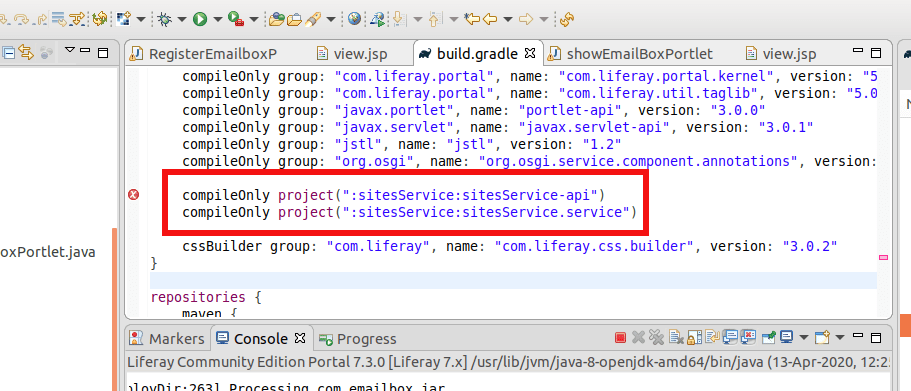
Several individuals have encountered this particular issue, and you can find detailed guidance on resolving it in the Liferay developer article focused on creating a service builder.
People reactions:

Through extensive research, I discovered that the solution to this issue requires creating both a portlet and a service builder within the Liferay workspace, rather than the Eclipse workspace. Specifically, it is essential to create a Liferay workspace project inside the Eclipse workspace to address this problem effectively.
Lets do that this time.
Click File -> New -> Liferay Workspace Project
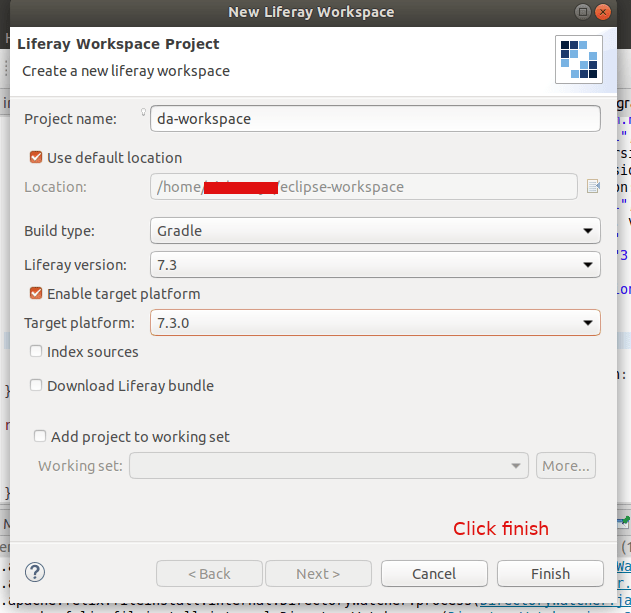
Provide a Project Name and click on Finish
Next right click on the da-workspace, New -> Liferay Module Project


Deploy this service by clicking on the gradle section of IDE and double click on deploy

You can see the module os created inside our new Liferay Workspace: da-workspace

Copy this jar file and paste into the liferay server folder path given below:
~/liferay-ce-portal-tomcat-7.3.0-ga1-20200127150653953/liferay-ce-portal-7.3.0-ga1/deploy
You can see the server log like this:
2020-04-14 09:16:09.299 INFO [fileinstall-/home/abhilash/liferay-ce-portal-tomcat-7.3.0-ga1-20200127150653953/liferay-ce-portal-7.3.0-ga1/osgi/modules][BundleStartStopLogger:39] STARTED com.emailbox_1.0.0 [1117]
Status -> STARTED
Now delete our old services. Goto the Goshell and uninstal the bundles:

Now goto the liferay and check our newly created portlet

Now lets repeat the steps for creating the service-builder from the previous article. But this time create it from da-workspace
File -> New -> Liferay Module Project


Add the details as shown in the below screenshots (If any doubt check the previous article).


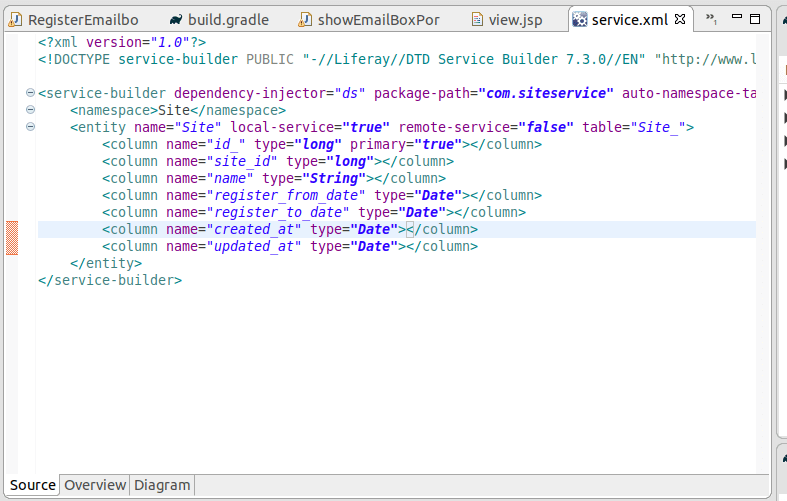
Do builder service and deploy
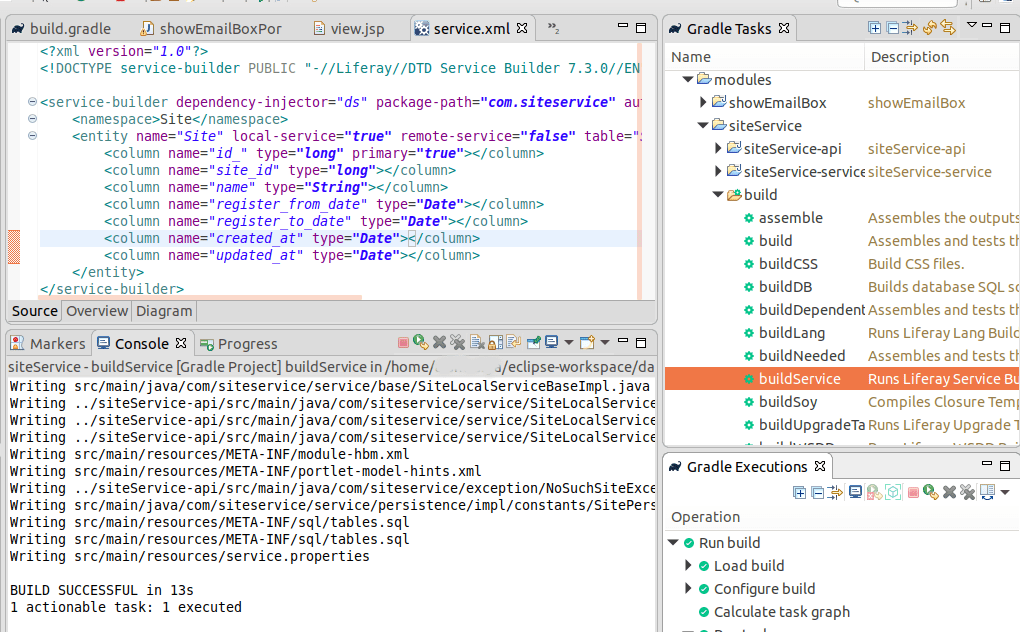

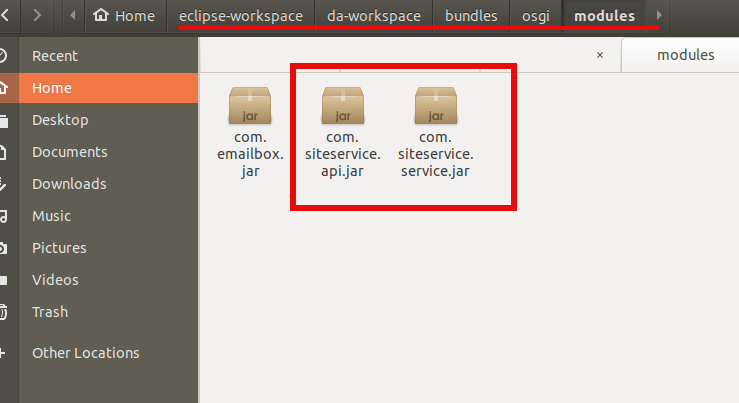
Copy this jar files one by one to the server’s deploy folder. First *api.jar and then *service.jar
Server logs:
liferay-ce-portal-tomcat-7.3.0-ga1-20200127150653953/liferay-ce-portal-7.3.0-ga1/osgi/modules][BundleStartStopLogger:39] STARTED com.siteservice.api_1.0.0 [1118]

liferay-ce-portal-7.3.0-ga1/osgi/modules][BundleStartStopLogger:39] STARTED com.siteservice.service_1.0.0 [1119]
Check the database, you can see the Site_ Table and columns are created.
Now add the service builder dependancy to the portlet

Right click on showEmailBox portlet and gradle -> refresh gradle project
DONE! You are successfully binded the service builder to your portlet.
now add the following to your portal class file above the doView function
@Reference
private SiteLocalService _siteLocalService;
now you can use the following default functions provided by liferay on the service.
_siteLocalService.fetchSite(23);
_siteLocalService.createSite(2344);
_siteLocalService.deleteSite(2233);
_siteLocalService.getSitesCount();
_siteLocalService.updateSite(site);
But what is we needed to fetch suppose some sites which has particular site_id Or fetch all sites which has registered after this time etc?
For all these custom query to mysql db, we needed to create a custom finder methods. So lets create one.
Open service.xml of `siteService-service`
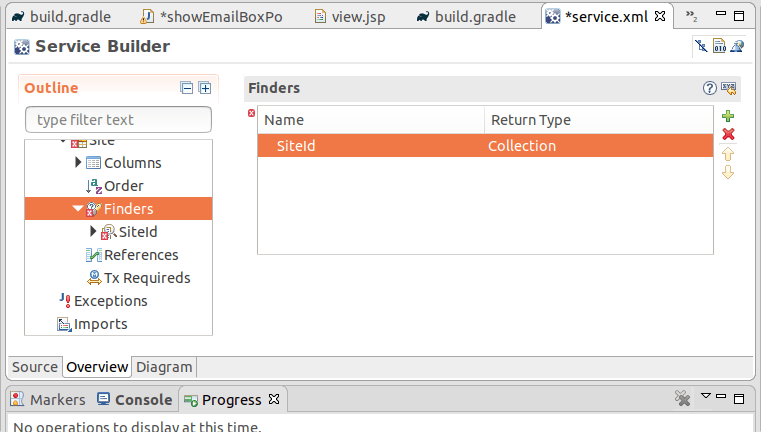

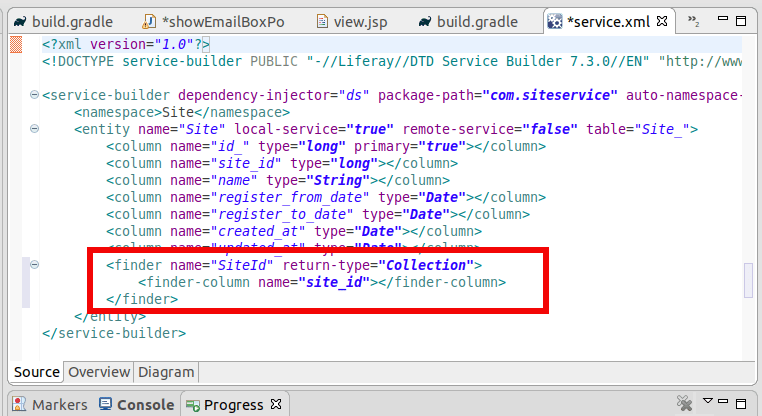
Now we can add custom finder findBySiteId to this service.
Open siteLocalServiceImpl.java
package com.siteservice.service.impl;

import com.liferay.portal.aop.AopService;
import com.siteservice.model.Site;
import com.siteservice.service.base.SiteLocalServiceBaseImpl;

import java.util.List;

import org.osgi.service.component.annotations.Component;


@Component(
	property = "model.class.name=com.siteservice.model.Site",
	service = AopService.class
)
public class SiteLocalServiceImpl extends SiteLocalServiceBaseImpl {

	public List<Site> findBySiteId(long site_id) {
		return sitePersistence.findBySiteId(site_id);
	}
}
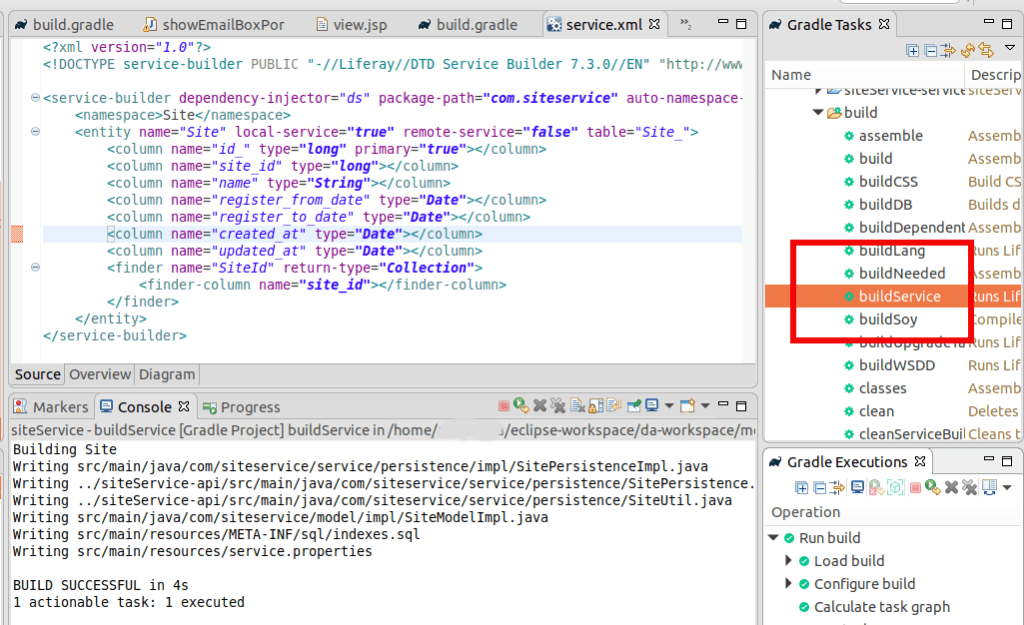
Now do the buildService for siteService. Then Gradle -> Refresh and deploy the service. Copy this jar files one by one to the server’s deploy folder. First *api.jar and then *service.jar
Refresh Gradle project for the portlet – showEmailBox
Add the following to the doView function of the portlet
Site site = _siteLocalService.findBySiteId(2233).get(0);

System.out.println("We got the site: ---------");
System.out.println(site);
and don’t forget to create a site entry in the database with id: 2233
mysql> insert into Site_ (id_, site_id, name, register_from_date, register_to_date, created_at, updated_at) values (1, 2233, 'Site 2020', '2020-01-01', '2020-06-19', CURDATE(), CURDATE());
deploy the portlet and check you are getting the site in the server console.
that’s it for now, will see in the next article.

 The Rails Drop