
Check for the new ruby and rails versions
https://www.ruby-lang.org/en/downloads/
https://rubygems.org/gems/rails/versions
Here we are going to install Ruby – 2.4.1 & Rails – 5.1.3
Get rbenv into action
If you are not installed rbenv, you can install it from here:
https://github.com/rbenv/rbenv
After the installation make sure that, your $PATH has included rbenv/shims path. Else rbenv will not work.
1. $ rbenv install --list # Gets the list of ruby versions available

$ rbenv install 2.4.1

ruby-build: definition not found: 2.4.1

The following versions contain `2.4.1' in the name:
  rbx-2.4.1

See all available versions with `rbenv install --list'.

If the version you need is missing, try upgrading ruby-build:

  brew update && brew upgrade ruby-build
Oops..!
rbenv cannot find the version: 2.4.1
Upgrade ruby-build
Mac OSX:
$ brew upgrade ruby-build --HEAD

Now install ruby 2.4.1

$ rbenv install 2.4.1
Create a new gemset:
Rbenv gemset is a separate script and not coming with rbenv. If you are not installed this, you can install it from here:
https://github.com/jf/rbenv-gemset
$ rbenv gemset create 2.4.1 demo-app
That set up a directory for you in ~/.rbenv/versions/2.4.1/gemsets/demo-app
Set the ruby version to the newest
$ rbenv local 2.4.1

$ rbenv version
=> 2.4.1
- Activate New Gemset
For activating a gemset we need to create a .rbenv-gemsets file in the current directory.
$ touch .rbenv-gemsets
$ echo demo-app > .rbenv-gemsets
Check active gemset:
$ rbenv gemset active
Install Rails 5.1.3
$ gem install rails -v '5.1.3'
$ gem install --no-rdoc --no-ri rails -v '5.1.3' # skips the documentation
Later we can delete this .rbenv-gemsets file and add a new file named ‘.ruby-gemset’ in the rails project directory. I cannot find any other option for doing this. If anyone know more about this, please give a comment. I appreciate that.
Create a New Rails app
$ rails new demo-app

$ rm .rbenv-gemsets

$ cd demo-app
$ touch .ruby-gemset
$ echo demo-app > .ruby-gemset
$ touch .ruby-version
$ echo 2.4.1 > .ruby-version
$ rails s
=> Booting Puma
=> Rails 5.1.3 application starting in development on http://localhost:3000
=> Run `rails server -h` for more startup options
Puma starting in single mode...
* Version 3.9.1 (ruby 2.4.1-p111), codename: Private Caller
* Min threads: 5, max threads: 5
* Environment: development
* Listening on tcp://0.0.0.0:3000
Use Ctrl-C to stop
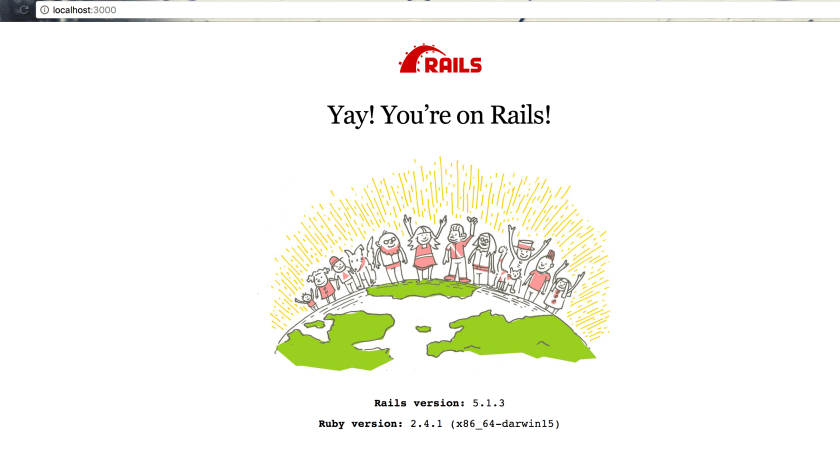
Done! Lets go…

 The Rails Drop